

Changelog
Release notes from our ongoing work on incident management and on-call at All Quiet: alert routing, escalations, status communication, and the features teams need when production breaks.

-

New
On-Call Calendars: Interactive Overrides, Timeline Views, and Schedule Controls
A large refurbishment of the entire on-call calendar. Switch between live rosters and rotation schedules, create shift overrides directly from calendar cells, and define 24/7 or custom escalation windows.
-

New
Personal On-Call Dashboard and Team Activity Metrics
Your new personal dashboard: Track active duty, co-responders, upcoming shifts, assigned incidents, logged on-call hours, and team activity trends on one landing page.
-
New
Integration Snooze Windows and Auto-Resolved Noise Detection
Preview your weekly recurring snooze windows for inbound integrations and set auto-resolution limits to isolate noisy flapping alerts.
-

Webhook Rate Limit Alerts and Diagnostics
High-volume upstream systems can flood your incident workflows with redundant webhooks. All Quiet protects your teams from alert fatigue by dropping excessive payloads and returning an HTTP 429 status code. Now, we keep your admins posted if you run into these rate limits.
-

Jira Integration: Precise Field Mapping and Safer Two-Way Sync
The updated All Quiet Jira integration offers precise field mapping, two-way sync without loops, and better priority controls for incidents. These changes improve automation reliability and reduce manual configuration for teams.
-

Override Incident Dates and Times
Set custom start and end times for incidents on status pages so stakeholders see the real customer-impact window. All Quiet keeps your internal audit timestamps unchanged.
-

Publish and Unpublish Comments
Retroactively publish internal comments to status pages or hide public comments. Control stakeholder communication during and after an incident.
-
Give Every Agent Least-Privilege API Access
Scoped organization API keys for pipelines and Terraform, plus personal access tokens that never exceed the linked user's live roles — so agents can triage, check on-call, and configure integrations under least privilege.
-
Salesforce Two-Way Integration
We launched a new Salesforce integration for the All Quiet platform. You can now synchronize All Quiet incidents and Salesforce cases. The configuration supports two-way, inbound-only, and outbound-only modes.
-
Anonymize Outbound Logs
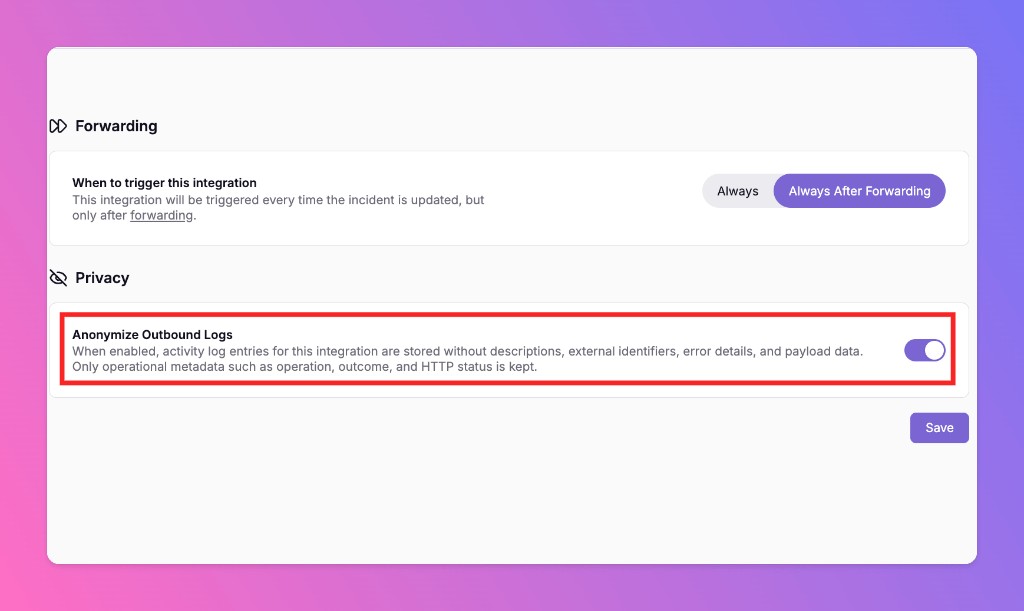
All Quiet offers a new privacy setting for outbound integrations. Anonymize Outbound Logs strips sensitive payload data from activity logs and retains only the metadata needed to verify delivery.
-
Snooze Similar Incidents To Suppress Repeat Alerts
When you snooze an incident, you can now automatically snooze future incidents that match the same conditions. All Quiet creates a team routing rule so noisy integrations stop paging your team repeatedly.
-

Set Routing Priority With Drag-and-Drop Order
Control the exact sequence All Quiet uses to evaluate incident routings. Drag rules up or down in your Routing list to run high-priority automations before general routing logic.
-
Terraform Provider Version 3.1.0: Granular Security and Configuration
All Quiet Terraform Provider v3.1.0 adds inbound webhook security, dynamic Slack channels, status page privacy controls, routing uptime exclusions, and incident engagement report settings.
-
Public API Rate Limits
All Quiet now enforces rate limits on the Public API. Each API key is limited to 300 requests per 20 seconds and 2,700 requests per 5 minutes.
-
Dynamic Incident Channels for Slack, MS Teams, and Mattermost
All Quiet can now automatically create dedicated incident channels in Slack, Microsoft Teams, and Mattermost. Configure triggers by severity, invite on-call members, and archive channels when incidents end.
-
Linear Integration: Custom Priority and Severity Mapping
All Quiet now lets you map incident severities to Linear issue priorities. Configure inbound and outbound mappings to fit your team's workflow and improve incident response accuracy.
-
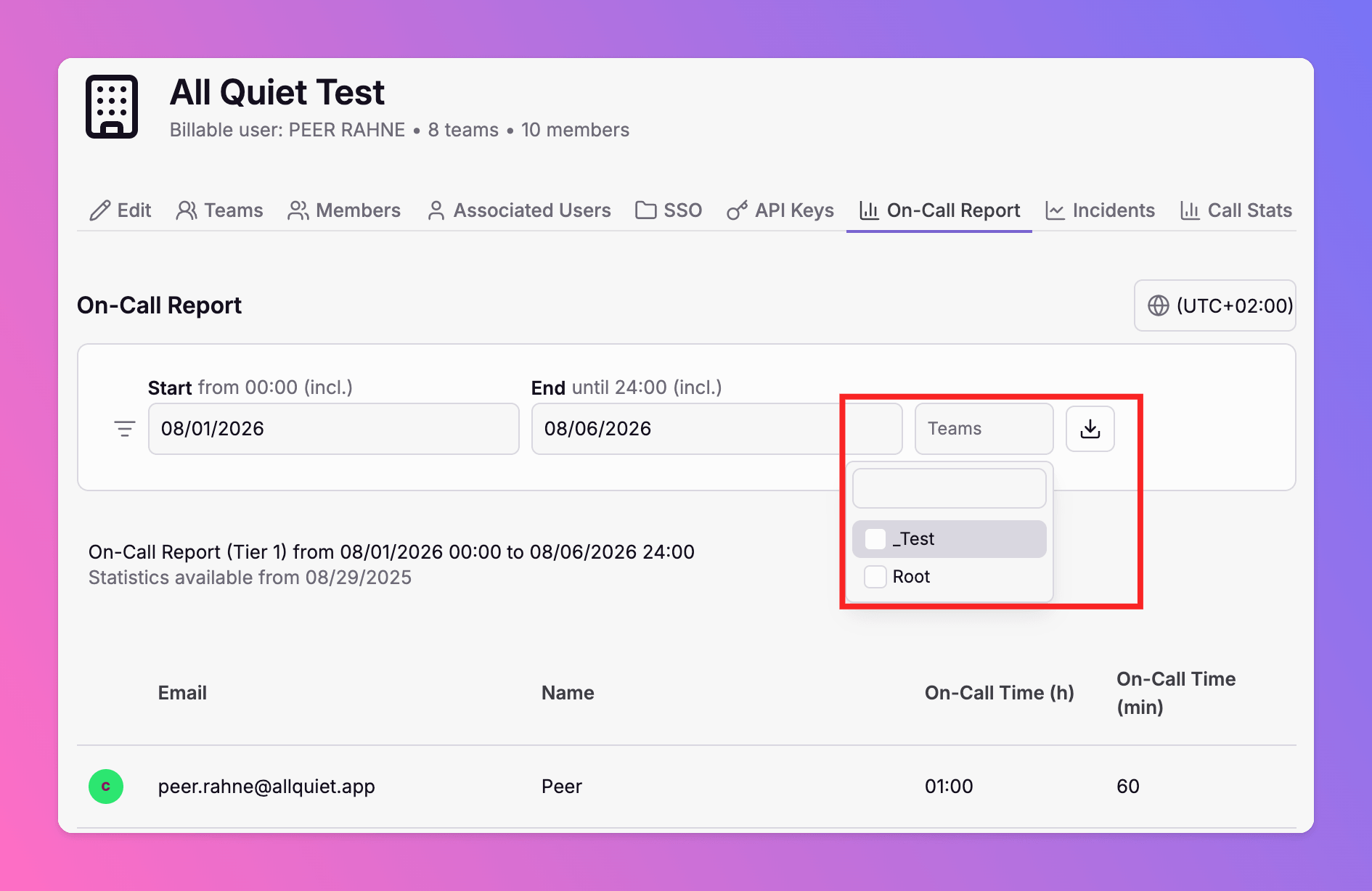
Filter On-Call Report by Team
The on-call report now supports team-level filtering. Select one or more teams to calculate on-call hours for those teams only — in the web app and via the Public API.
-
Multi-Select and Duplicate Actions for Overrides
We updated the All Quiet overrides system to make scheduling faster and more reliable. Select multiple offline team members at once and duplicate existing overrides to speed up your workflow.
-
Edit Incident Titles and Comments
All Quiet now allows you to edit incident titles and comments. Strict authorization rules protect your data, audit logs track every change, and status pages sync your edits instantly.
-
Content Testing and Response Logging for HTTP Monitors
We added two new features to the Website and HTTP Monitor. You can now test HTTP responses for specific content and log the response body during an incident.
-
Improved Slack, Teams and Mattermost Message Formats
We updated how All Quiet formats incident messages in Slack. Additionally, we also improved display of group incidents in Microsoft Teams and Mattermost, as well as in email notifications
-
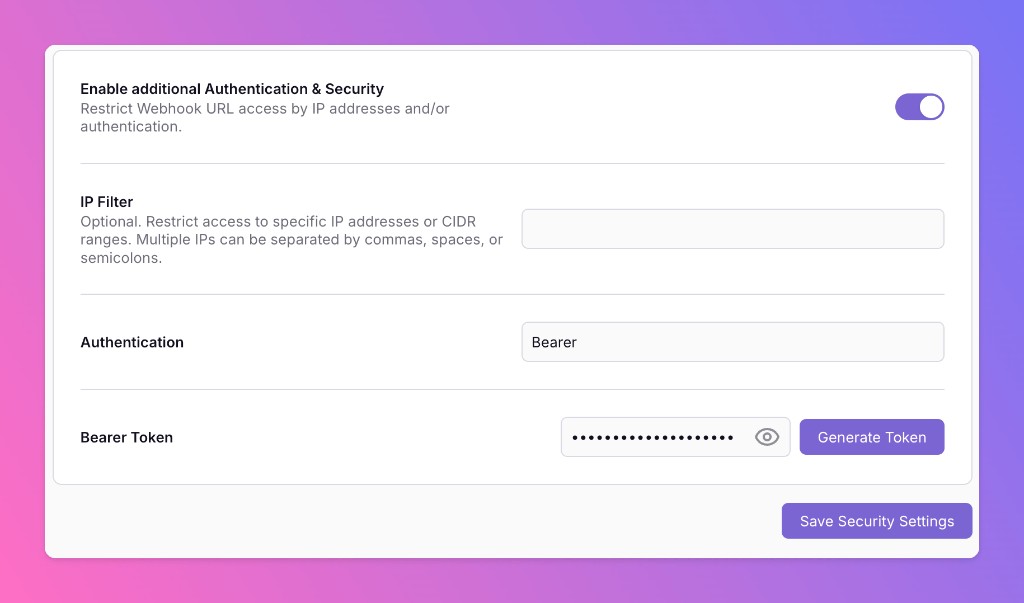
Inbound webhooks: IP filter and bearer authentication
Webhook-based inbound integrations can now restrict who can POST to your URL. Optionally enable IP filtering, bearer token authentication, or both — so only your monitoring tools can open incidents.
-
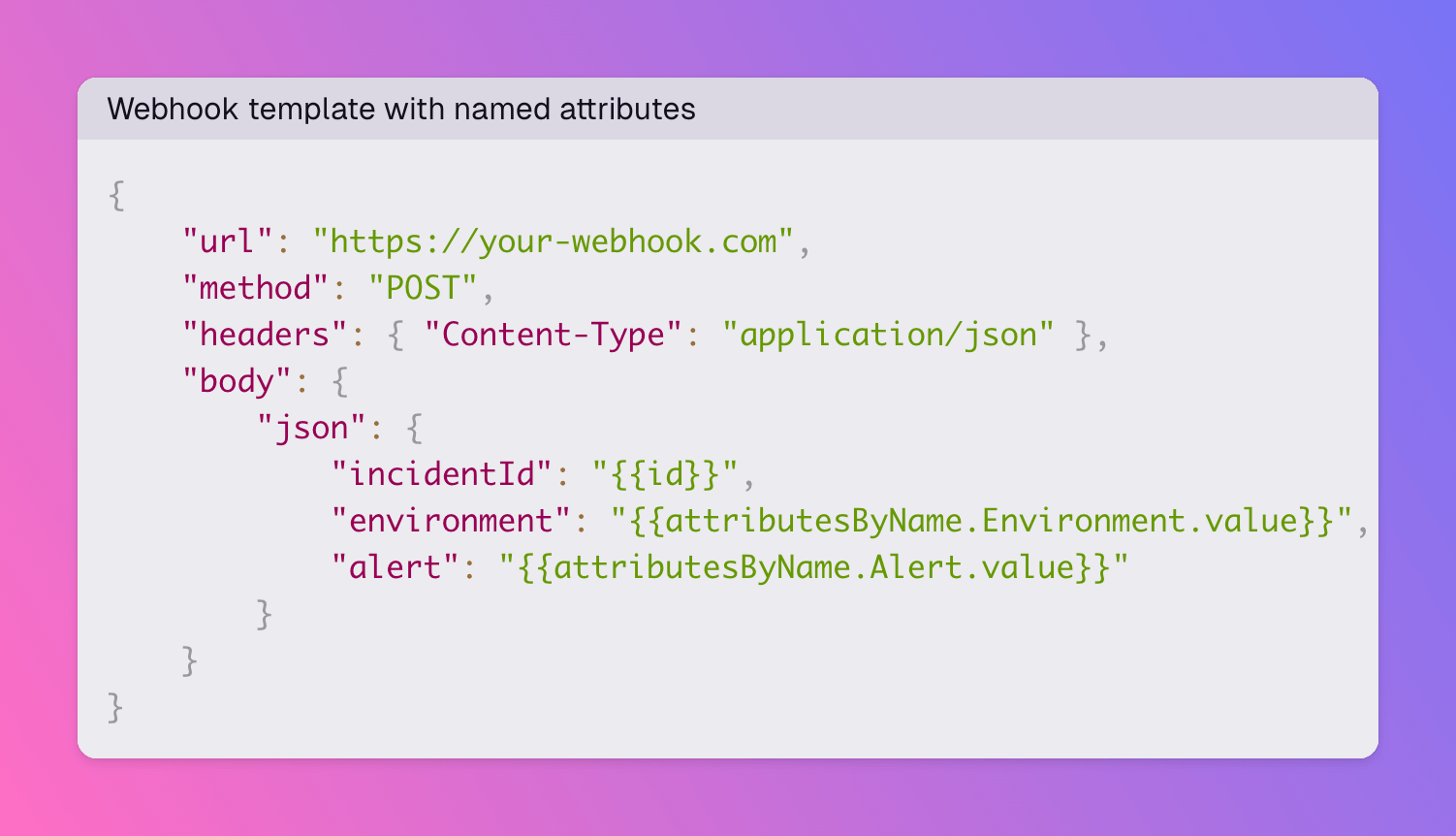
Outbound webhooks: look up incident attributes by name in templates
Outbound webhook Handlebars templates now expose attributesByName on the incident model. Reference a specific attribute by name instead of relying on its position in the attributes array.
-
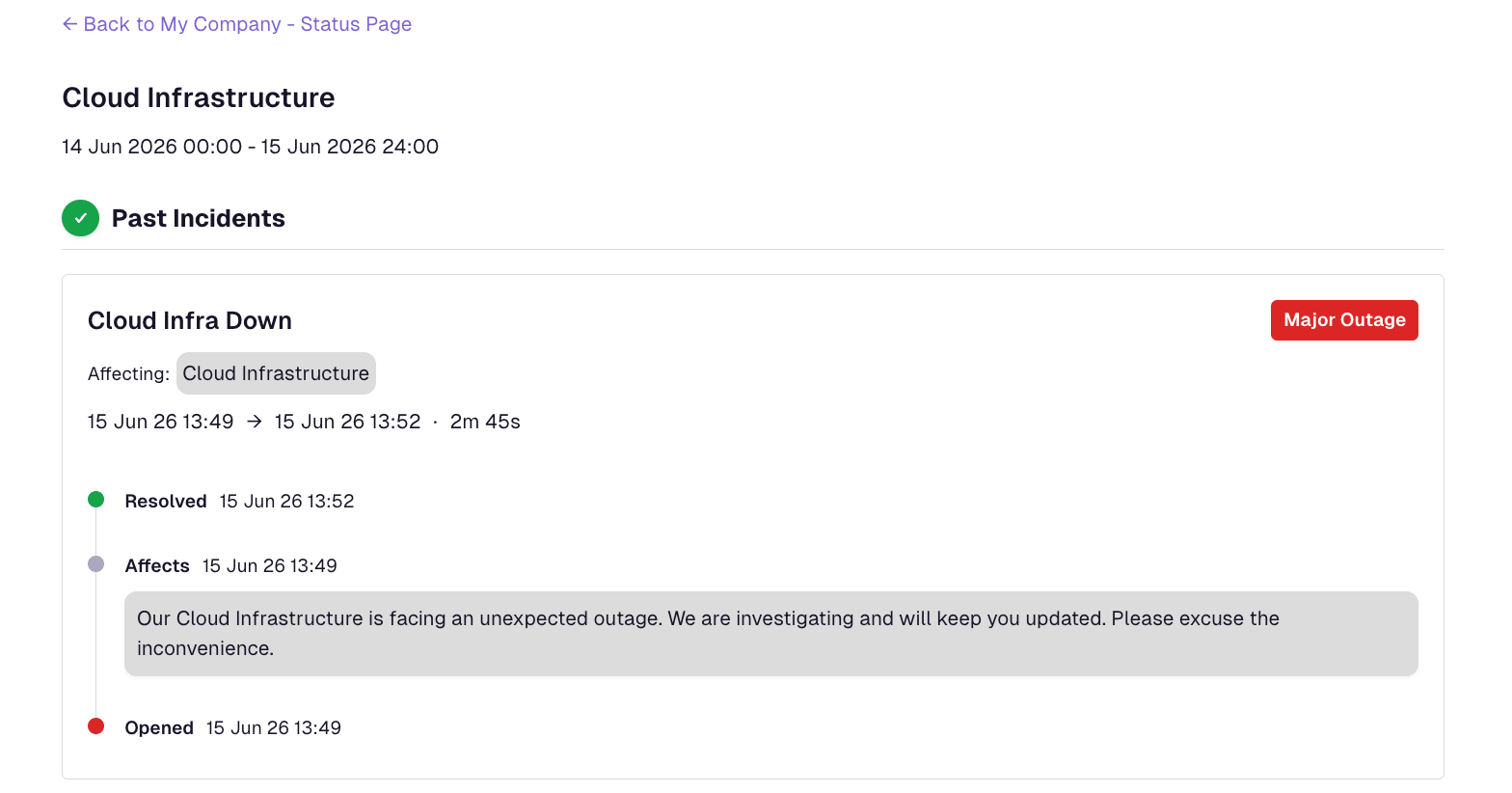
Status Pages: Public Incident History
Past incidents and past maintenances no longer appear on the main Status Page. Visitors now open incident history pages by clicking a time interval on a Service's status graph.
-
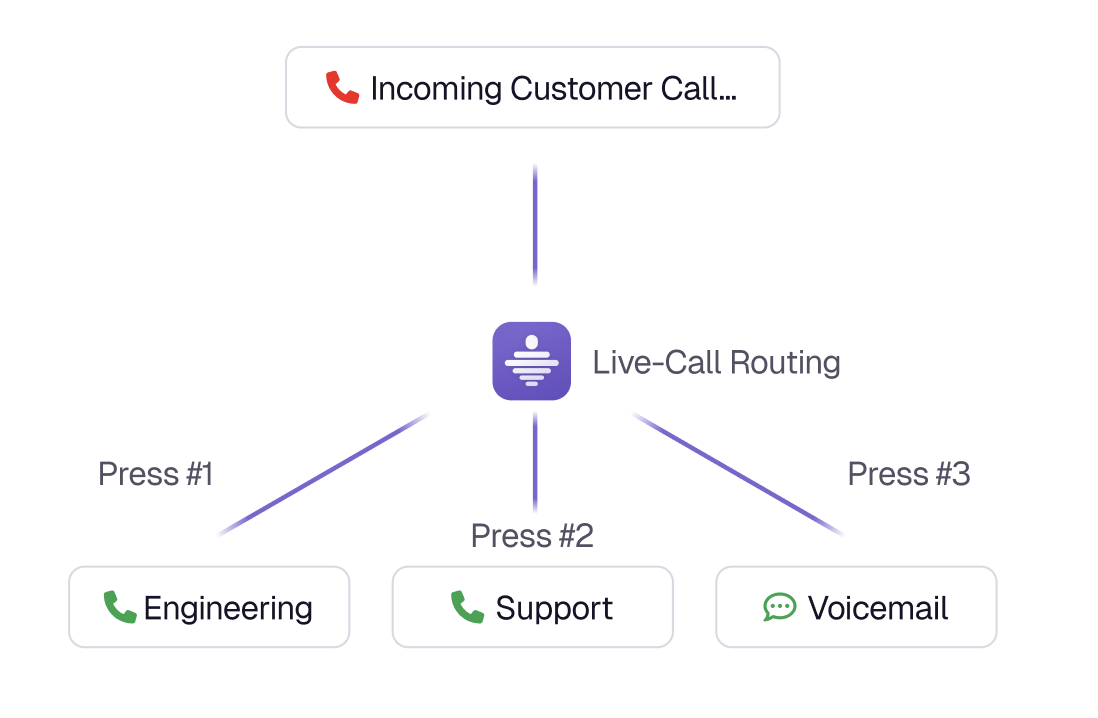
Live Call Routing with Twilio Integration
Route inbound hotline calls to your on-call team with zero telephony markup. Connect your Twilio number, configure IVR menus and escalation-aware dialing, and turn accepted calls and voicemails into incidents. Available in our Terraform provider from version 3.0.2.
-
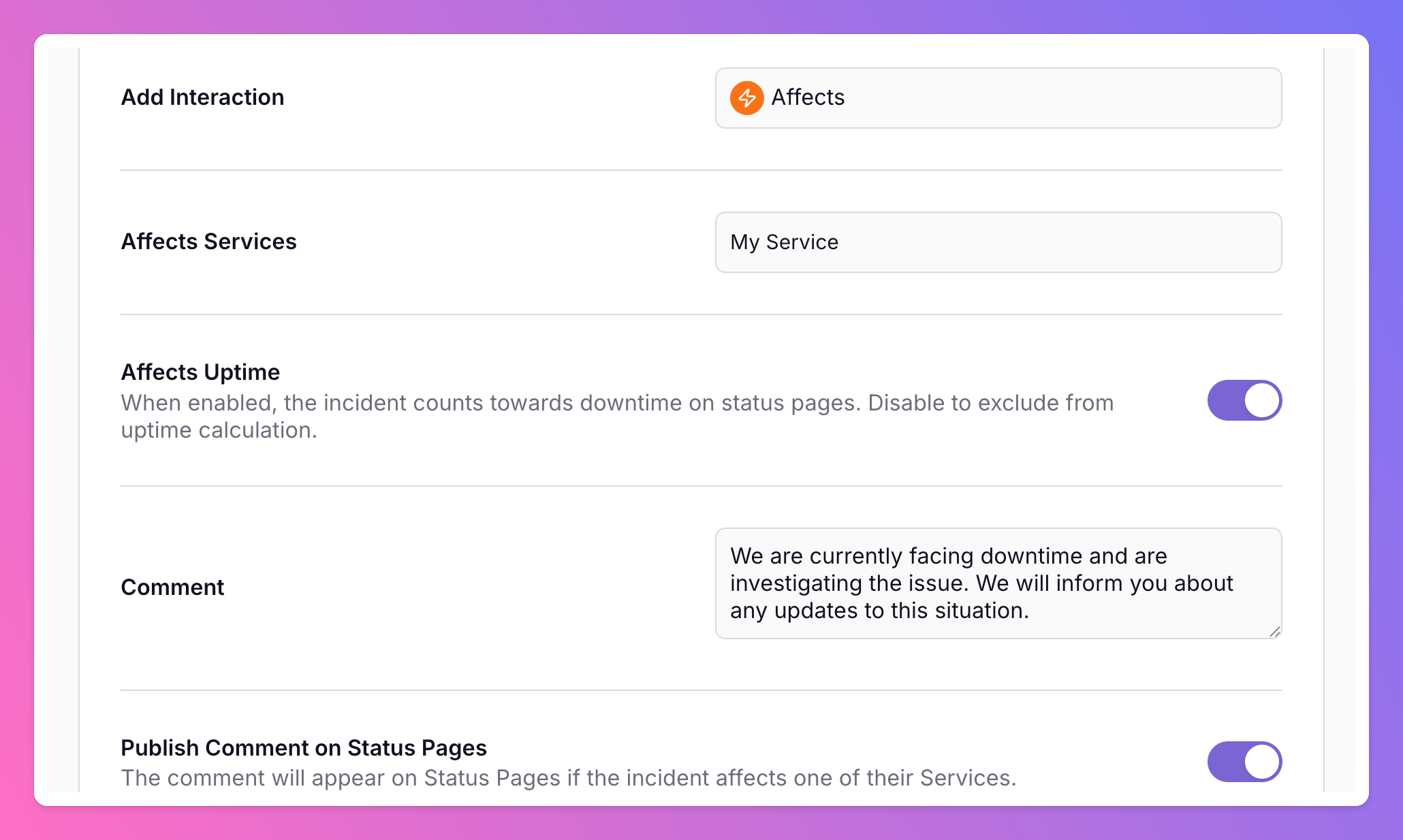
Affects Uptime Toggle and Routing Rule Comments
Control whether incidents count toward status page uptime when you affect services manually or via routing rules. Routing rules also support comments on more interactions, a dedicated Comment action, and optional status page publishing.
-
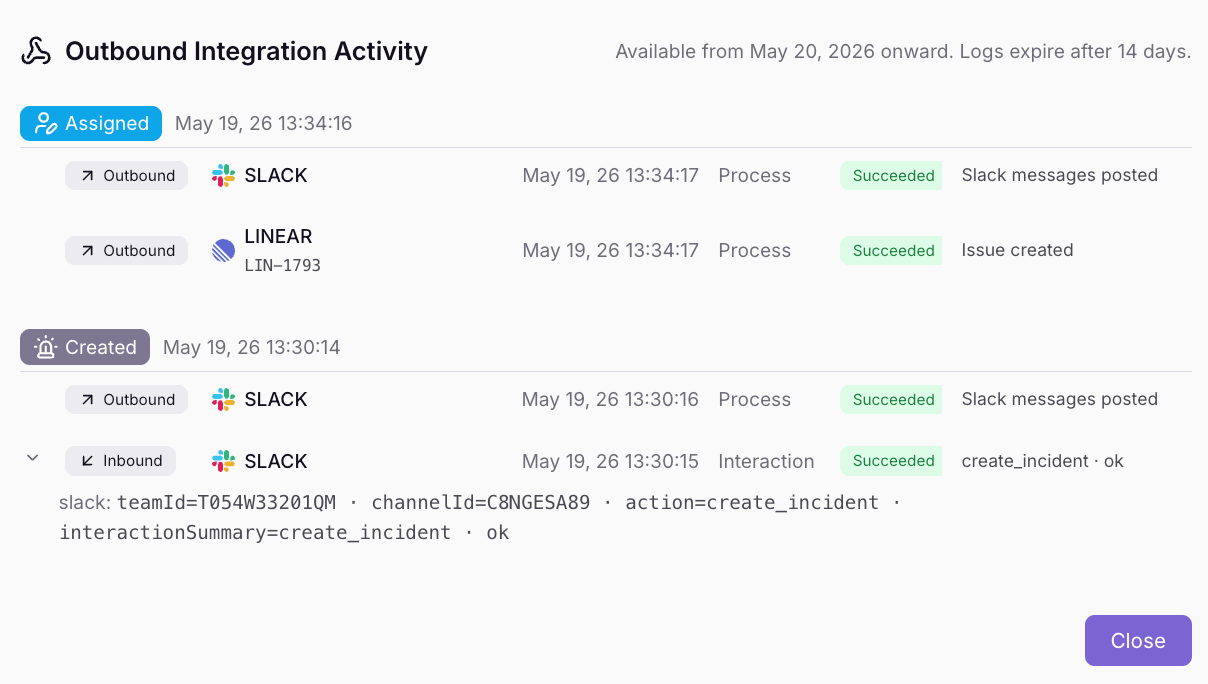
Outbound Integration Activity History
Outbound integrations now include a History tab with a complete activity trail of every integration event. View execution outcomes, error details, and cross-links to related incidents.
-
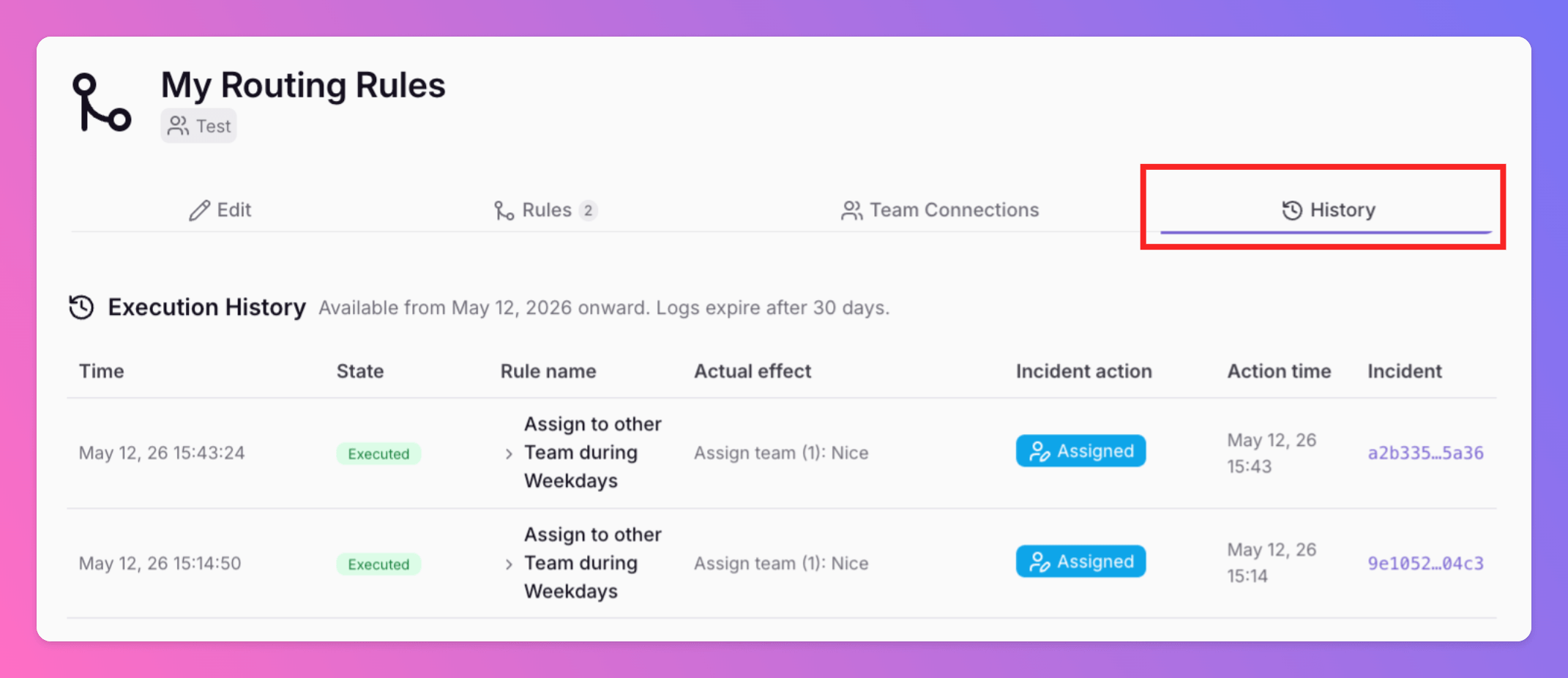
Routing Logs and Execution History
Advanced Routings now include a History tab. This feature provides a complete history trail of every routing decision. Execution Visibility: View exactly which rule was triggered and the changes applied.
-
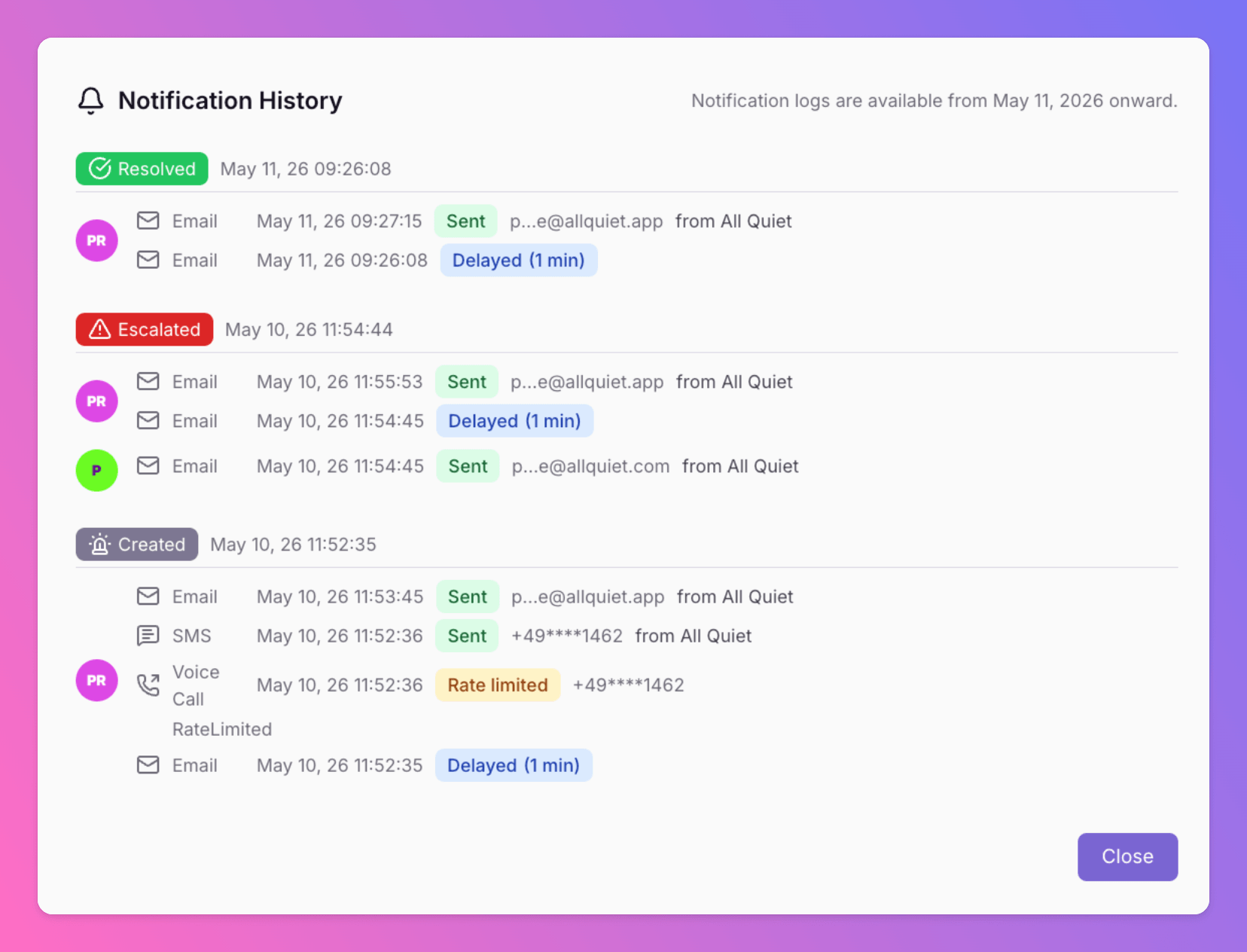
Notification History and Delivery Logs
All Quiet now provides a detailed history of all notifications. Users and admins can track delivery results for every alert to ensure critical information reaches the right person.
-
Terraform Provider: Version 3.0.0 - Flexible Notification Management
All Quiet Terraform Provider v3.0.0 is now available. This update introduces a breaking change to provide greater flexibility in how you manage users and their incident notification settings.
-
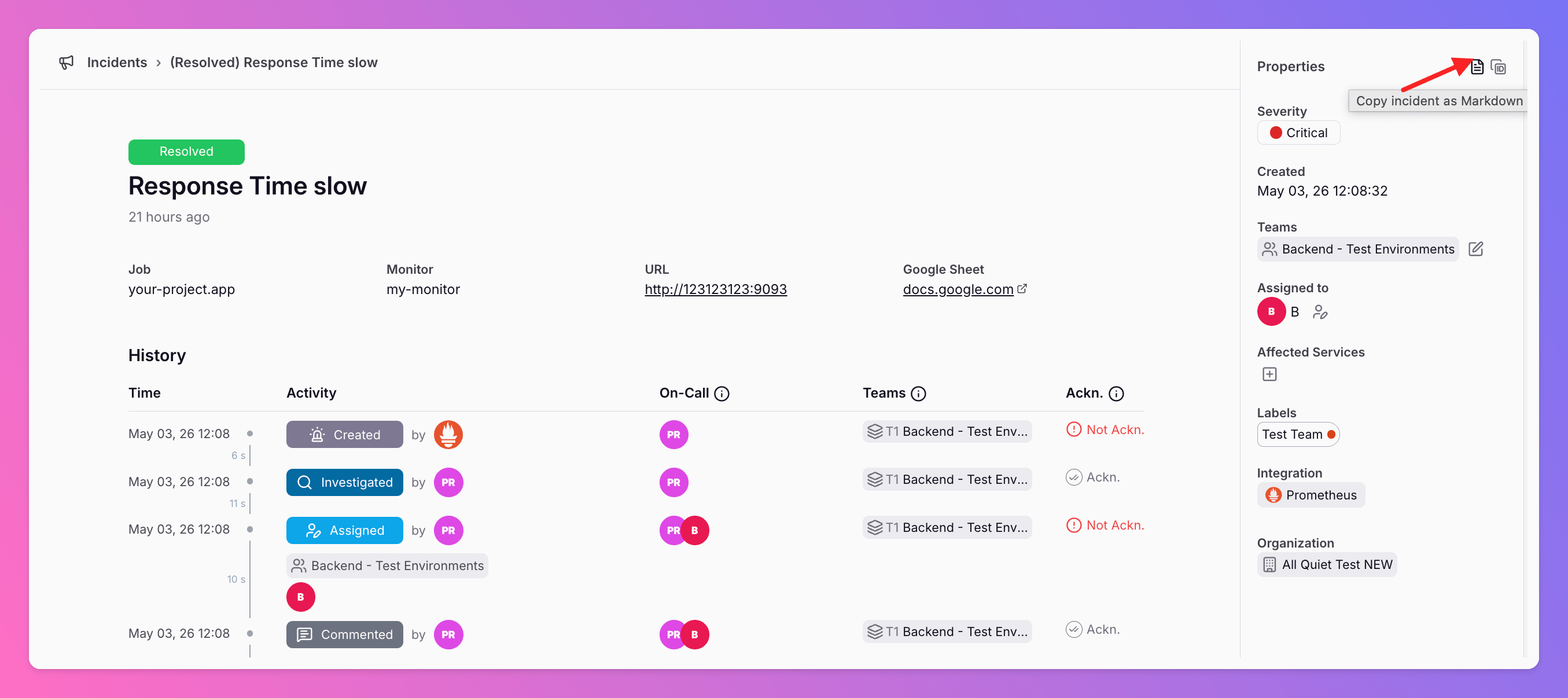
Export All Quiet Incidents as Markdown
Copy full incident data and event timelines as Markdown from the All Quiet web app or Public API. This feature provides structured data for postmortems, internal tickets, and AI analysis.
-
New Outbound Integrations: Google Docs and Google Sheets
Forward All Quiet incidents directly to Google Workspace. This integration automates documentation for postmortems and historical records within your existing team workflow.
-
New Integration: GitHub Two-Way Sync for Incident Management
We created a GitHub integration to support flexible workflows between your code and your on-call alerts. You can now sync GitHub issues and All Quiet incidents in three ways.
-
New Integration: Connect Observium to All Quiet
All Quiet now integrates with Observium. You can forward network alerts directly to your on-call teams using a lightweight alert transport script and inbound webhooks.
-
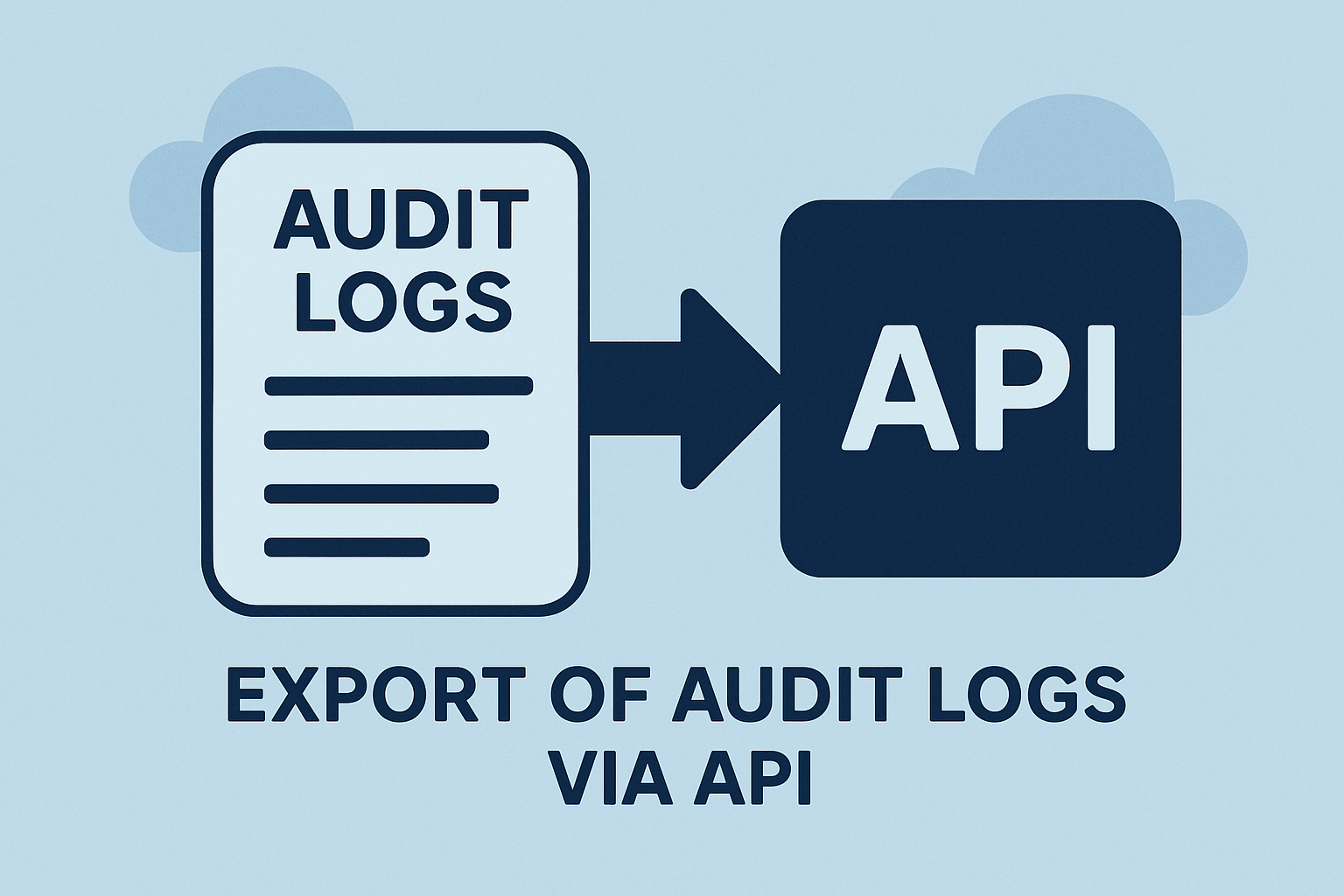
Public API Endpoints for Audit Log Export
We updated our Public API to include audit logs for both EU and US regions. This update allows teams to automate security workflows and programmatically manage compliance data.
-
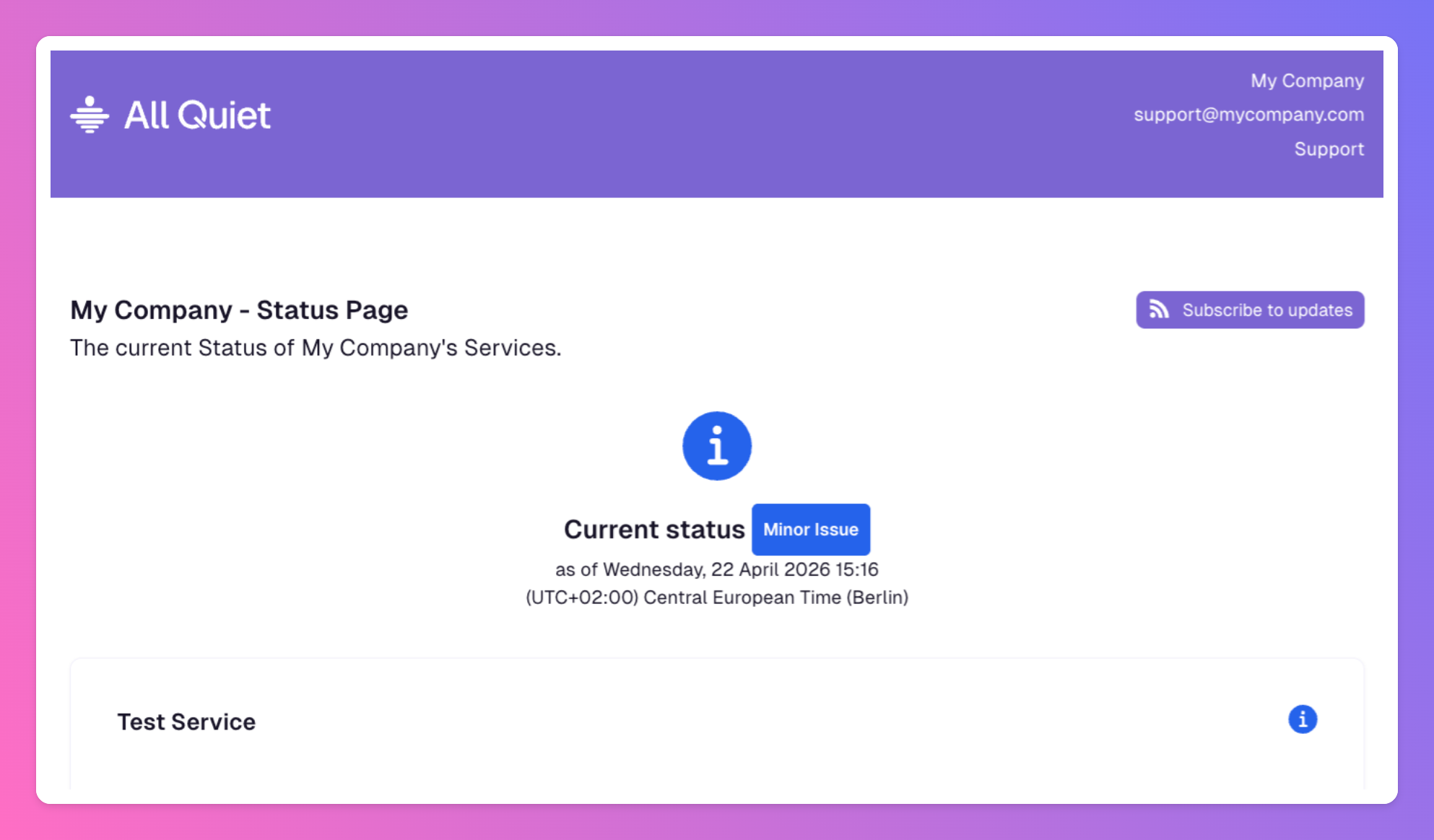
Additional New Privacy Controls for Status Pages
We updated All Quiet to give you precise control over your incident communication. You can now customize how much data your status pages reveal to the public or internal stakeholders.
-
New Integration: GitLab Two-Way Sync for Incident Management
We updated our GitLab integration to support flexible workflows between your code and your on-call alerts. You can now sync GitLab work items and All Quiet incidents in three ways.
-
New at All Quiet: ServiceNow Integrations for ITSM
All Quiet now integrates with ServiceNow to automate your incident response. These integrations allow data to flow in both directions between All Quiet and ServiceNow.
-
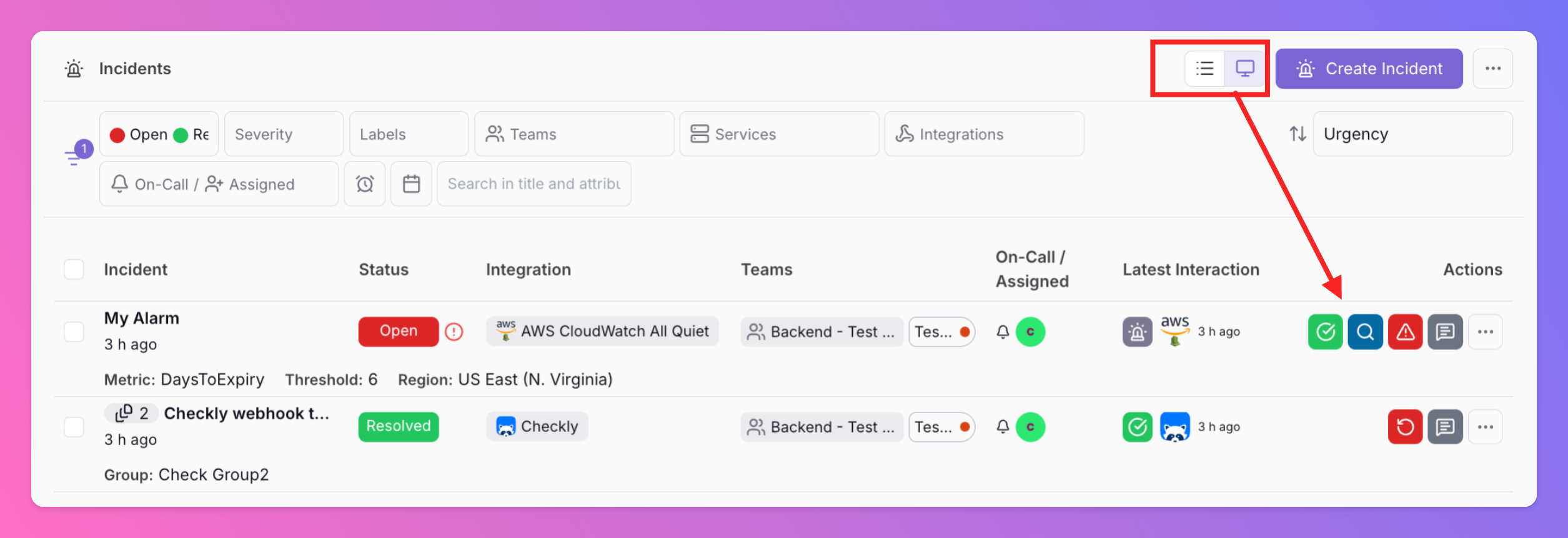
Faster Triage with the New Incident List
Faster Triage with the New Incident List All Quiet added an new compact view to the incident list to simplify incident management and speed up triage.
-
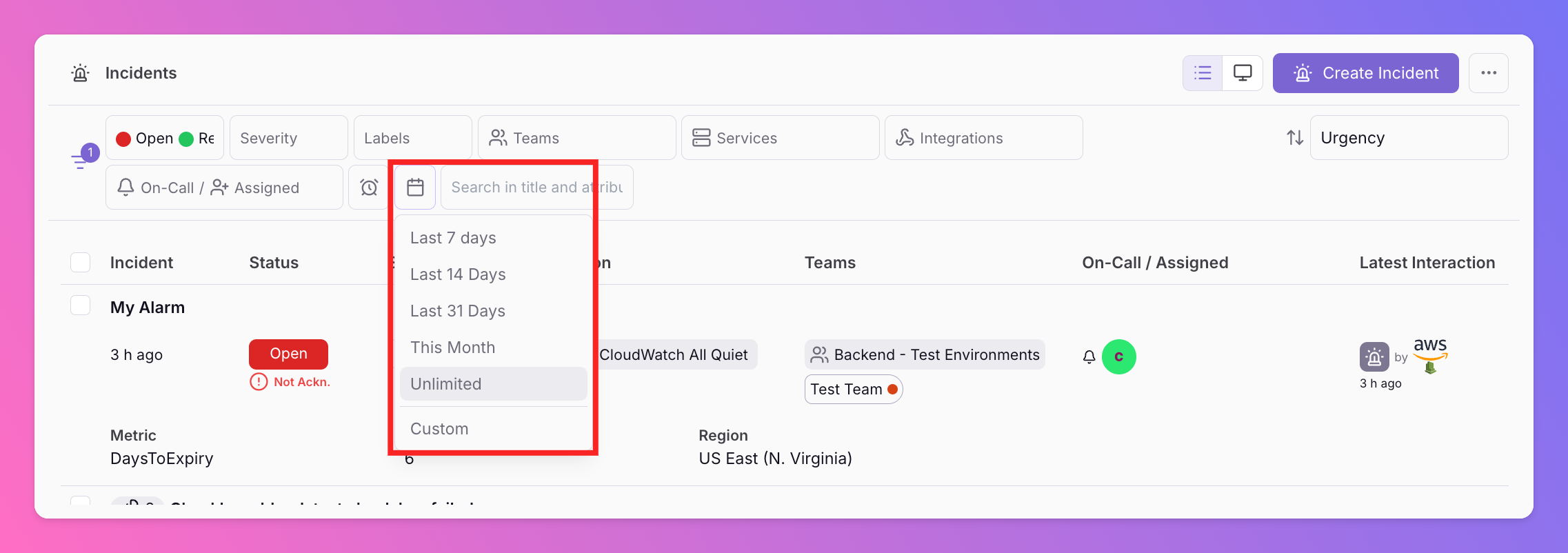
New Date Filter for Incident List
Data Precision with Date Filters Filter your incidents by specific date ranges to focus on the exact window you need. This tool helps teams analyze incident bursts and validate reporting periods.
-
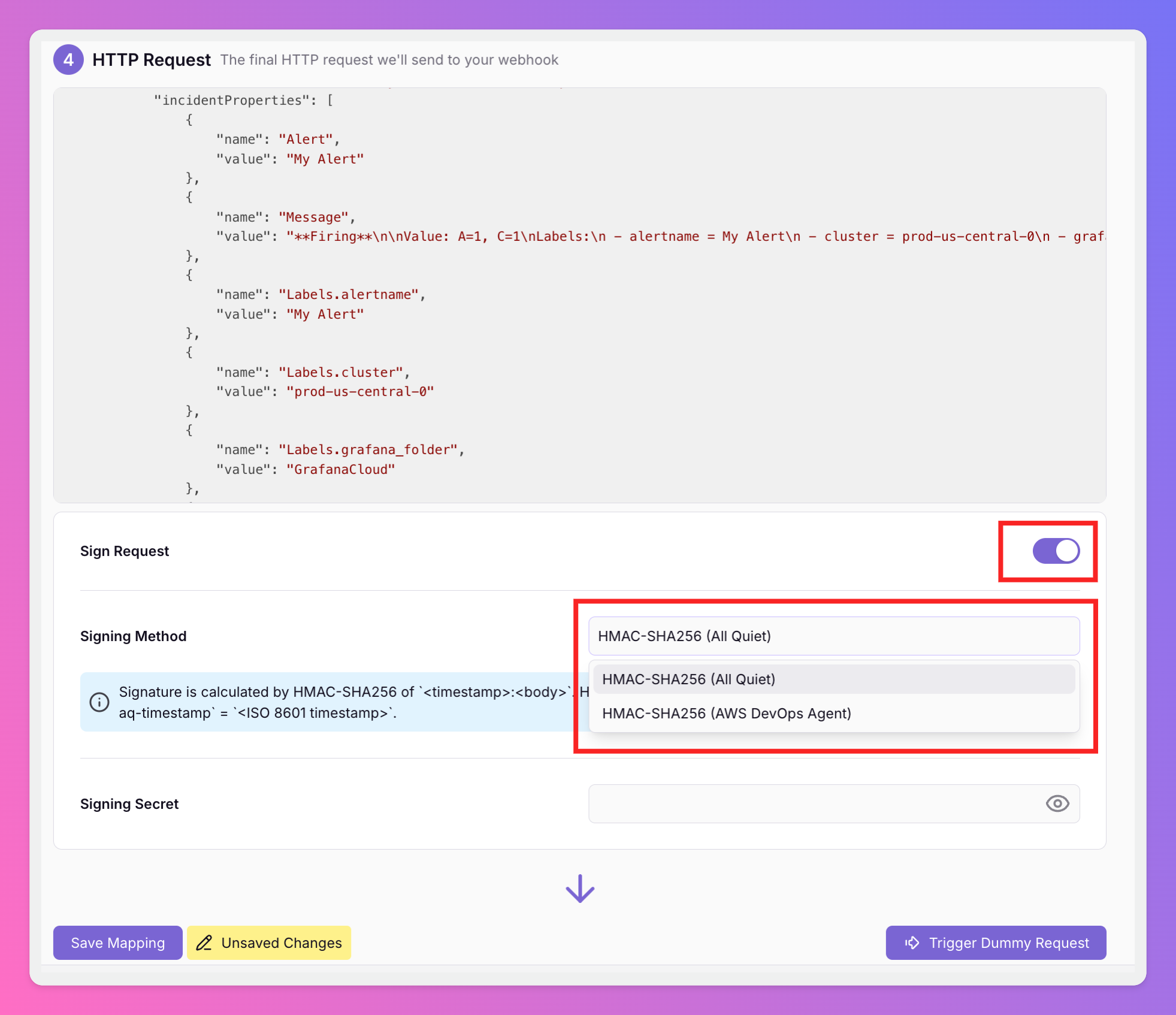
Secure Your Outbound Webhooks with HMAC Signatures
All Quiet now supports HMAC-SHA256 request signing for outbound webhooks. This update allows your receiving services to verify that every delivery is authentic and untampered.
-
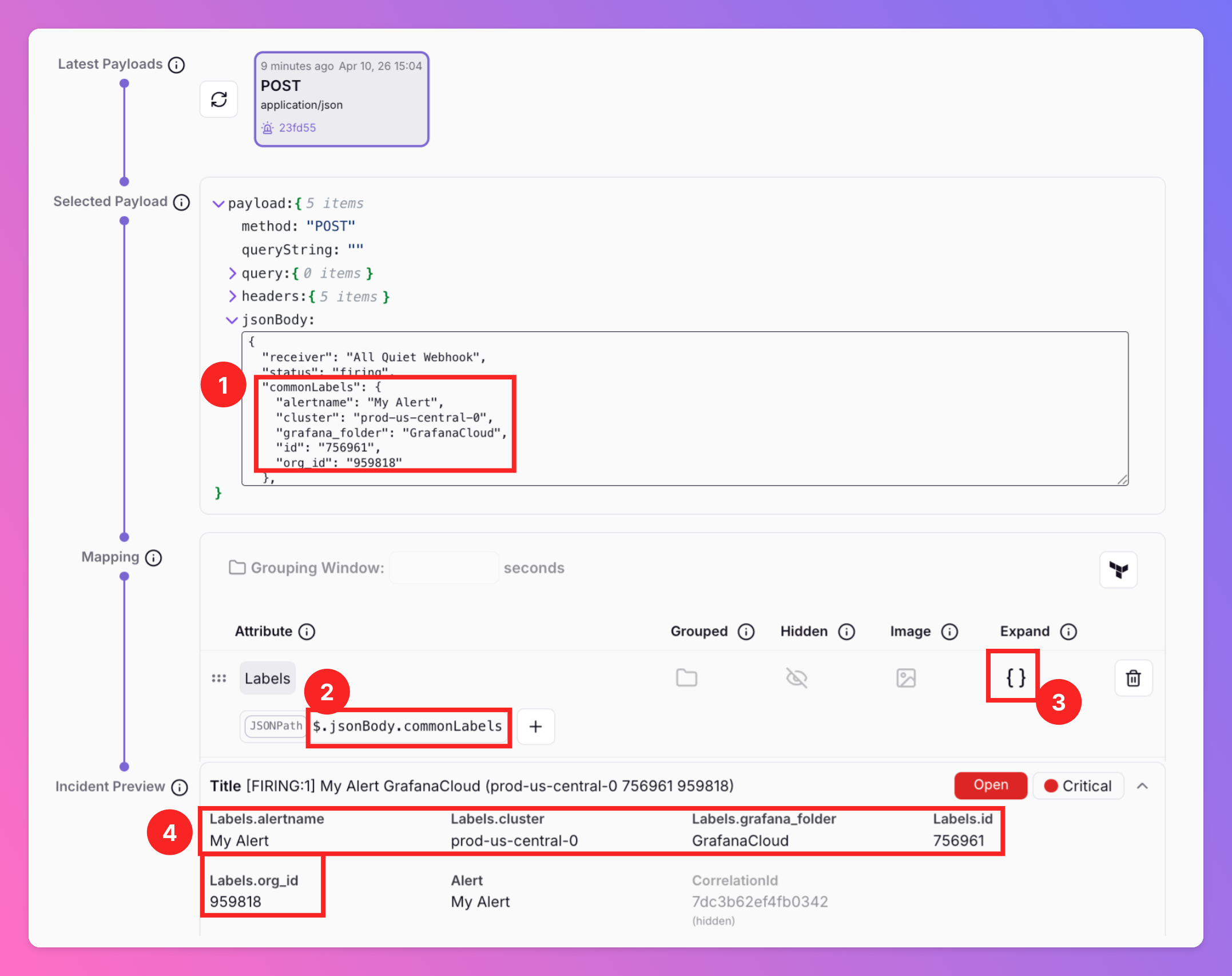
Simplified JSON Payload Mapping with \\\\
We’ve introduced the Expand key for payload mapping, making it easier to turn complex JSON blobs into individual incident attributes.
-
Terrafrom Provider: Version 2.9.2
labels (List of String) Labels that must appear on the routing team and/or the source integration of the incident. Use labels_match_type to require all listed labels (AND) or any one (OR).
-
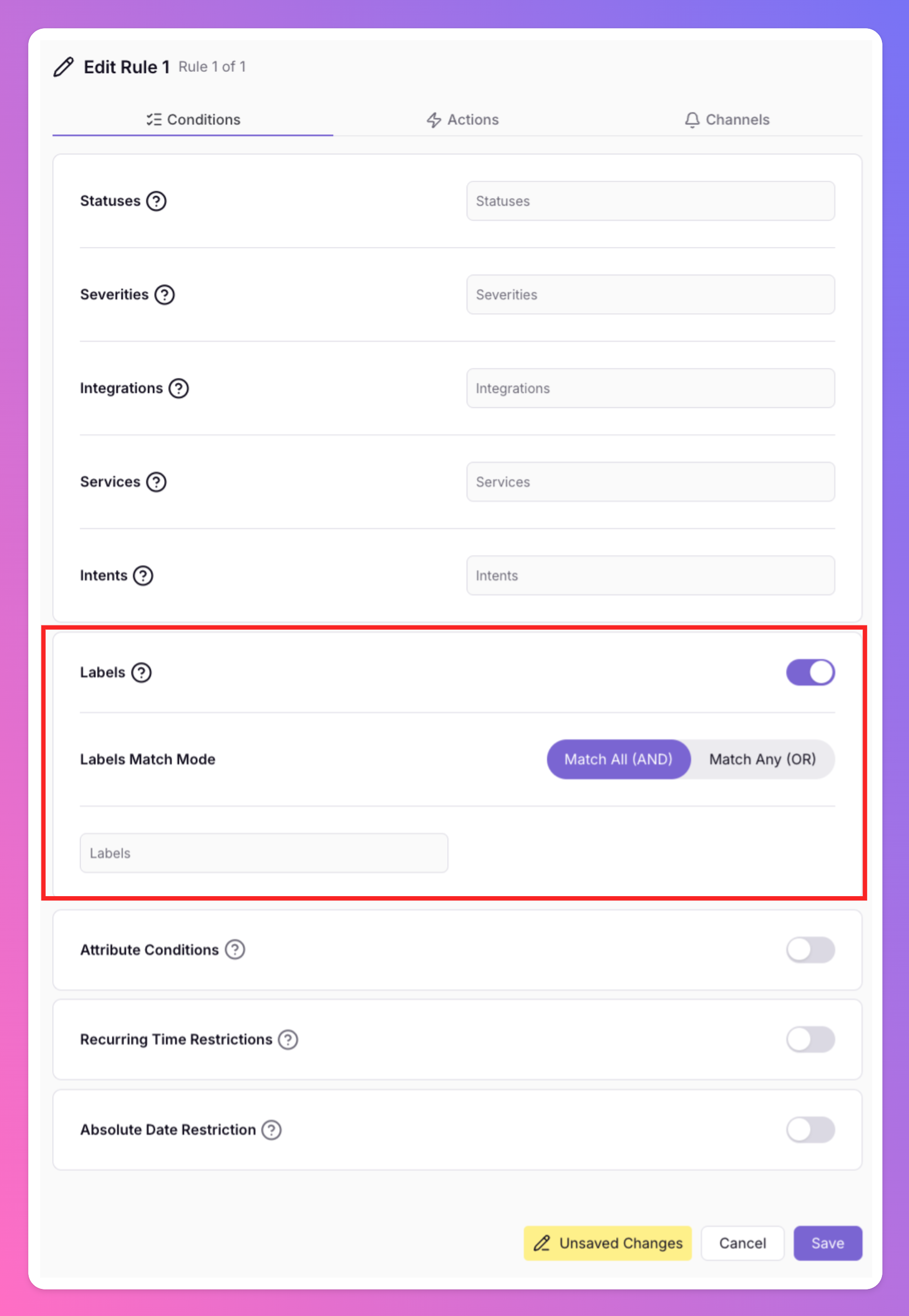
New: Label-Based Routing for Precise Incident Orchestration
We updated our routing rules to include Labels as a conditional filter. This update allows you to route incidents based on specific labels assigned to your integrations or teams.
-
All Quiet + StatusCake: Turn Uptime Monitoring into Actionable Incidents
Our new StatusCake integration connects your external availability signals directly to All Quiet.
-
Terraform Provider: Version 2.9.1
HTTP Monitors - Optional Attribute ignore_non_http_errors (Boolean): When true, connection and transport failures (non-HTTP errors) are ignored and do not trigger incidents
-
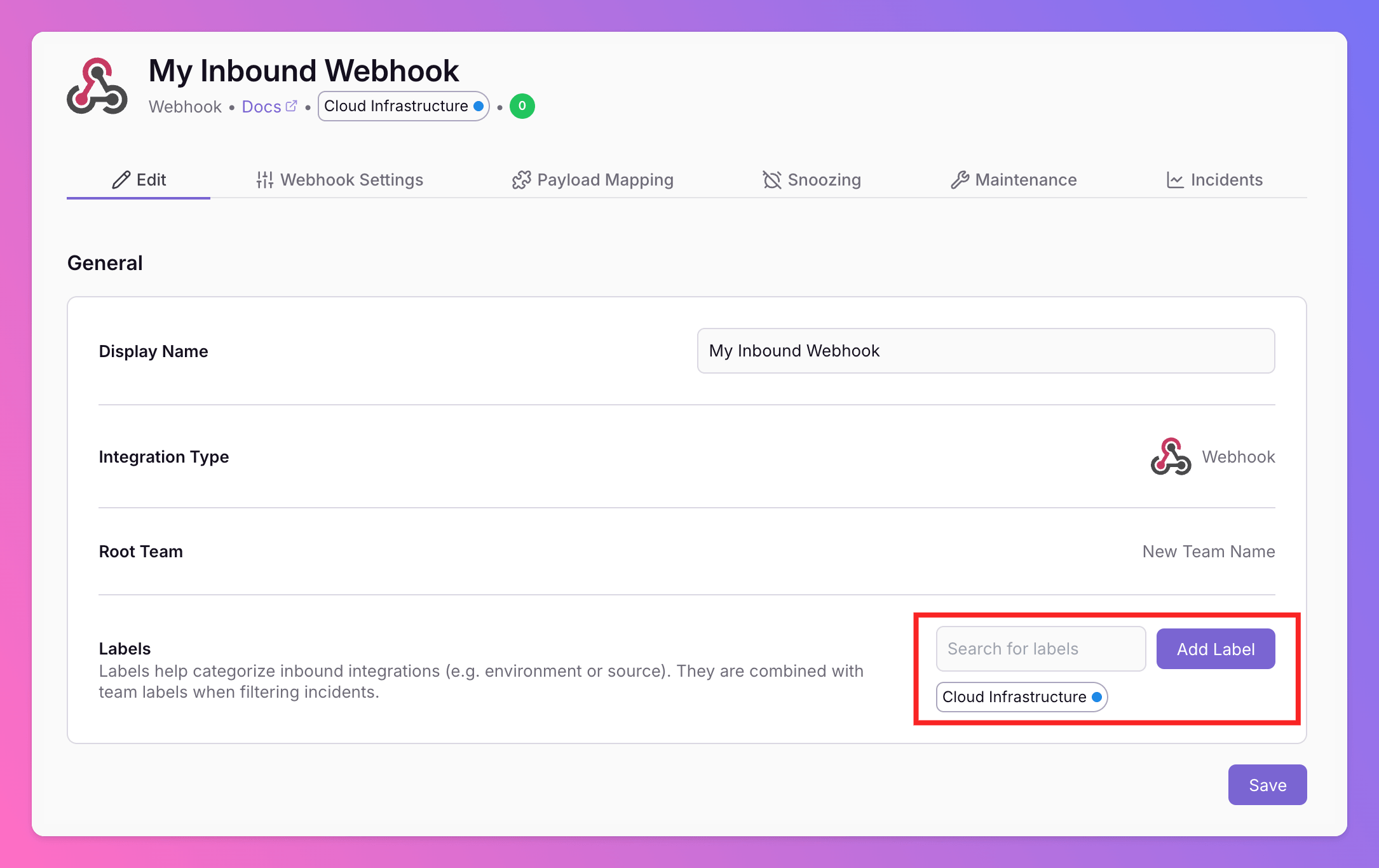
Integration-Level Labels for Incident Management
We added labels to the integration level. You can now manage labels for each integration , similar to how you use team labels . Effective incident management requires fast context.
-
New Integration - Mattermost
All Quiet now integrates with Mattermost 🎉 Send All Quiet incidents to your very own Mattermost servers Benefit from secure collaboration on your sovereign infrastructure. Deploy anywhere, control everything.
-
Terraform Provider: Version 2.8.5
HTTP Monitors - Optional Attribute override_accepted_status_codes (List of Number). If empty, 2xx status codes are accepted. If specified, only the specified HTTP status codes are considered 'up' (e.g.
-
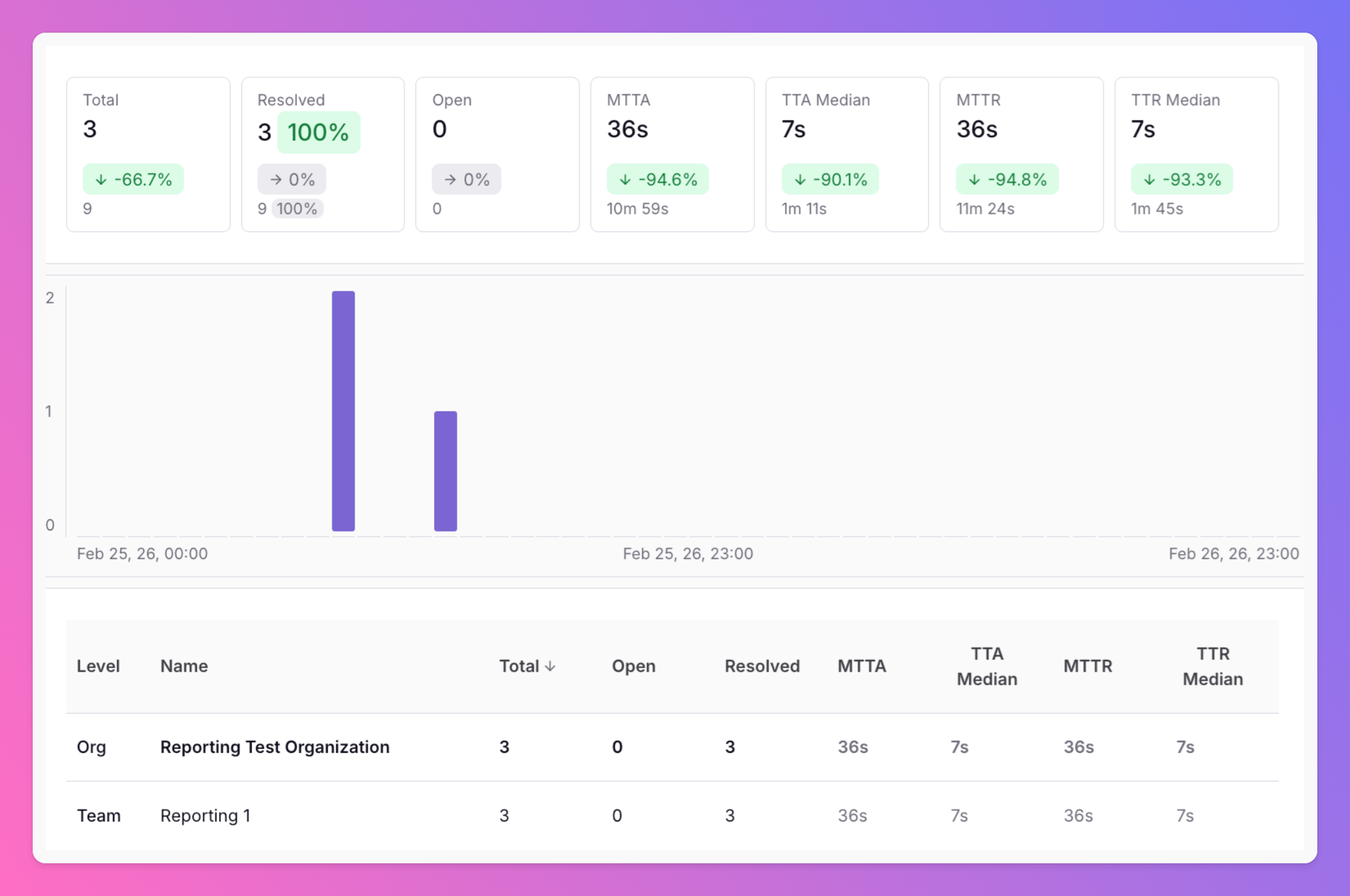
New: Integration, Team & Organization reports
We’ve added new report views at Inbound Integration , Team and Organization level, giving you clearer insight into alert volume, response performance, and trends across your whole setup.
-
🚨 New: Create Incidents via API
Pro and Enterprise customers can now create incidents directly through the Public All Quiet API.
-
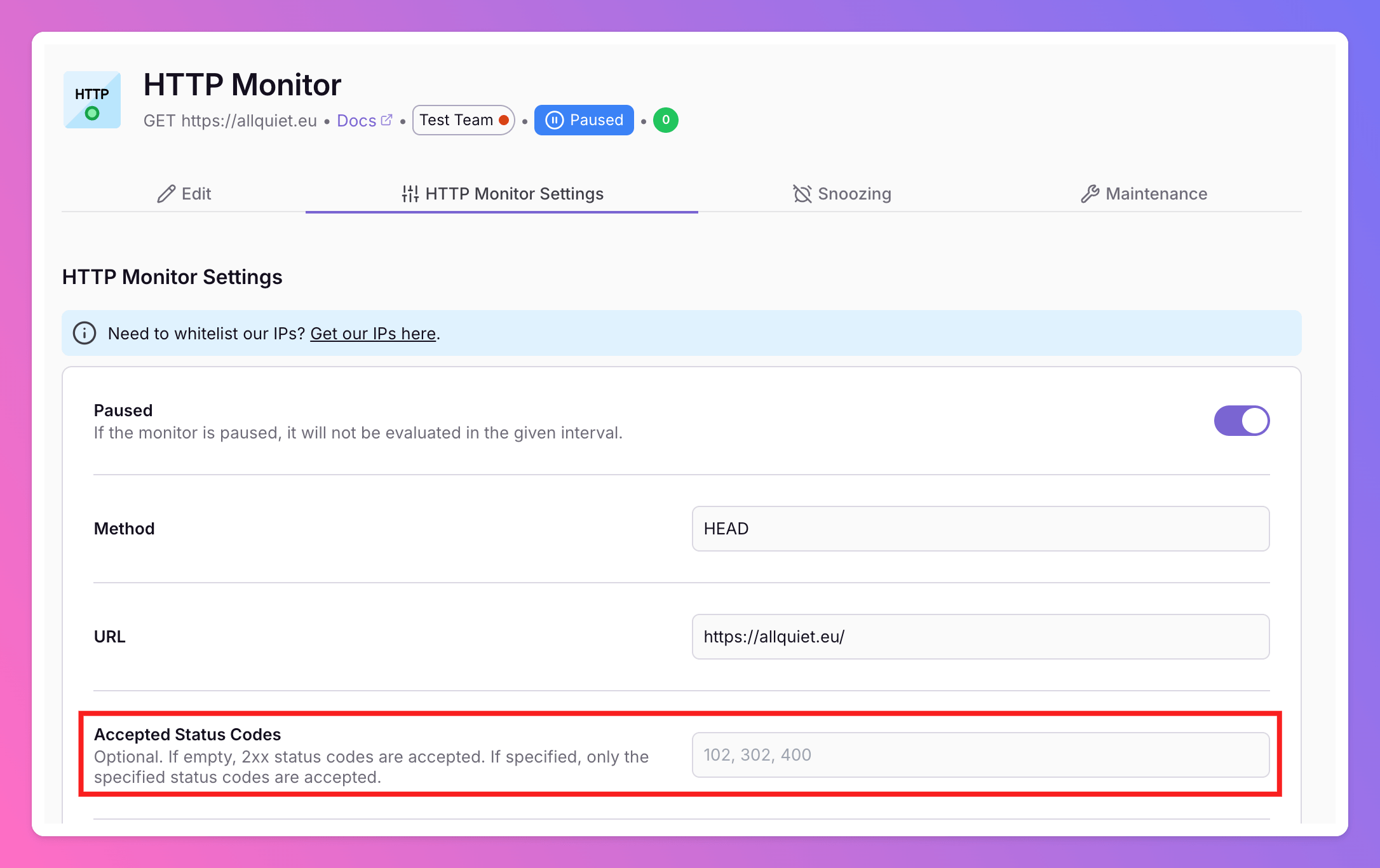
✨ Improvement: Custom Accepted Status Codes for HTTP Monitor
We’ve enhanced our HTTP Monitor to give you more control over what counts as “up.” You can now define the exact HTTP status codes that should be considered successful for your uptime checks.
-
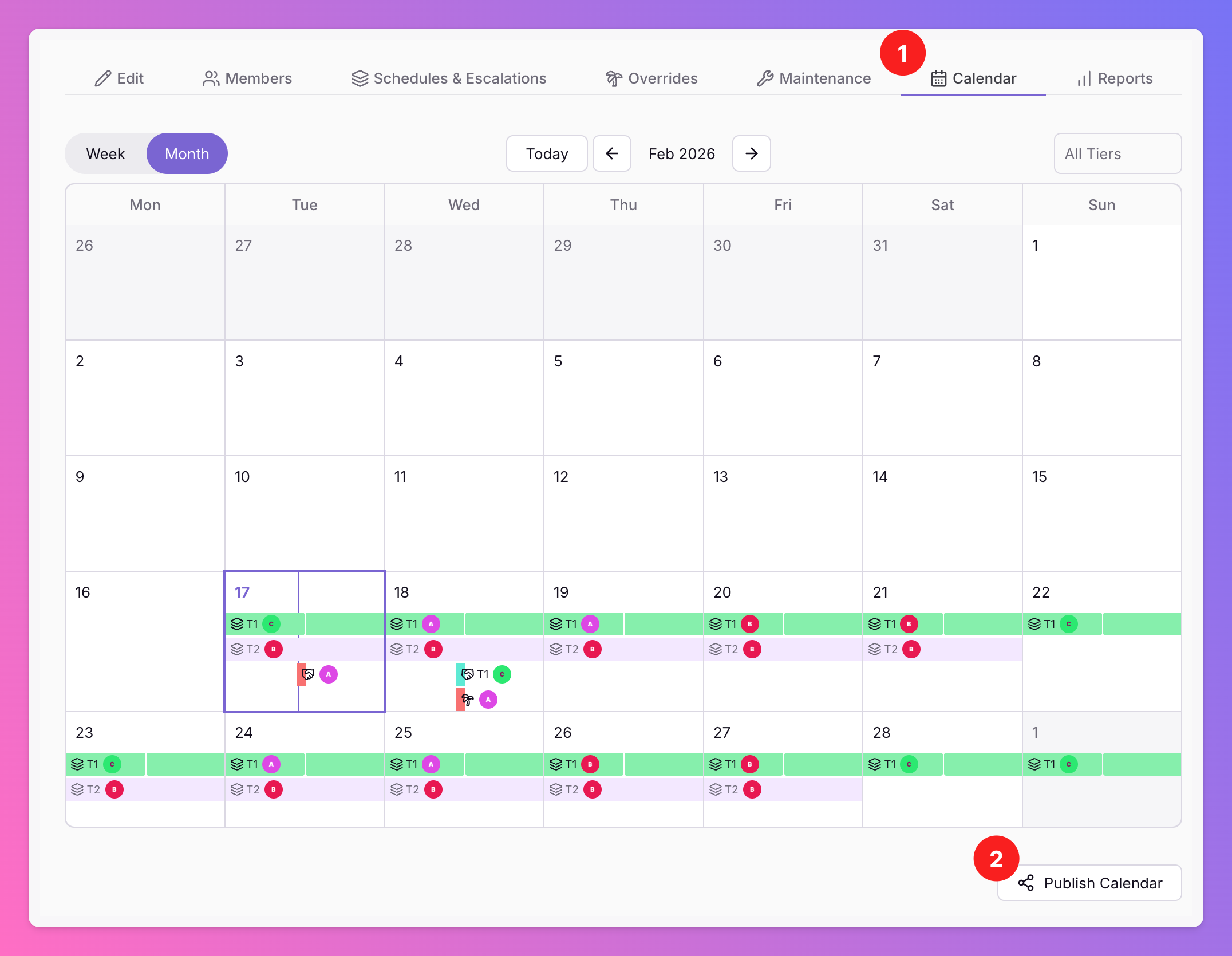
📆 New: Export & Subscribe to Your Team’s On-Call Calendar
Want to view your team’s on-call schedule in your personal Google, Apple, or Outlook calendar ? Or share a live view with management for better visibility?
-
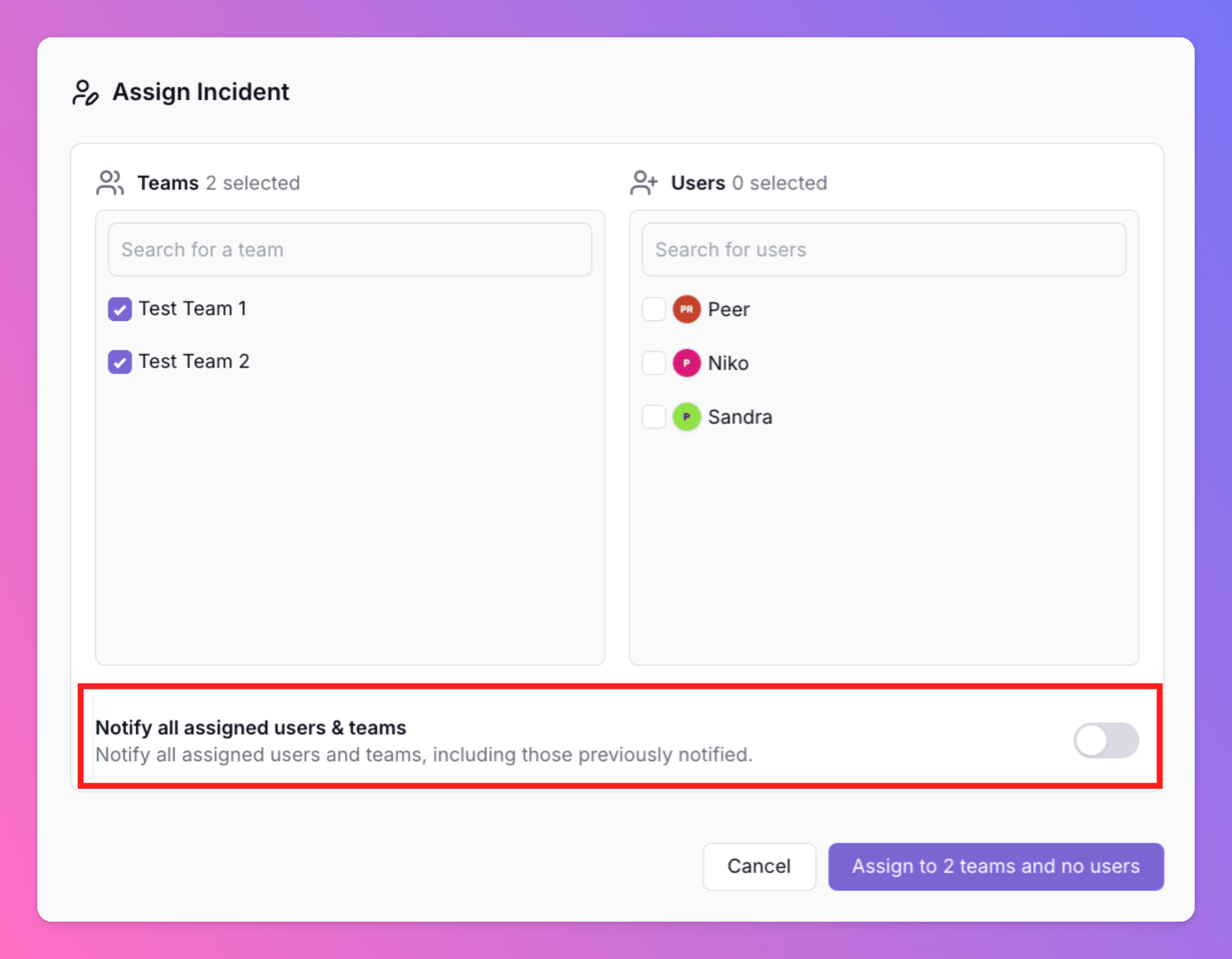
Assign Action - Notify only newly added colleagues
When re-assigning an incident, you can now specify if you want to notify all assigned users and teams or only those that are added to the incident with the assign action.
-
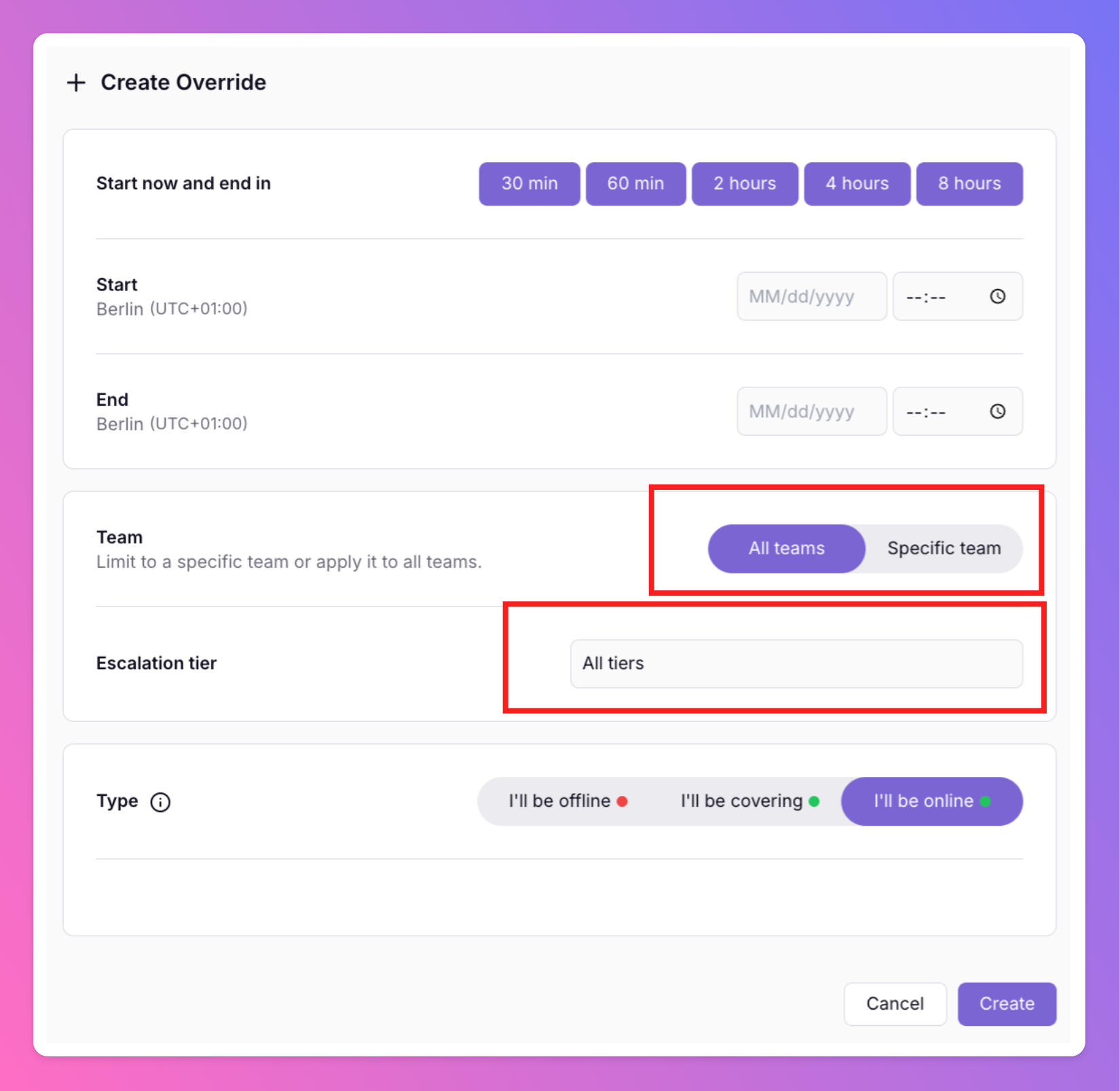
More Override Options
New features for Overrides: Team Member Overrides can now be specified on Escalation Tier. Personal Overrides can now be specified per Team and Escalation Tier.
-
App Updates - January 15, 2026
iOS & Android Updates - January 15, 2026 The releases 1.20.0 (Android) and 1.24.0 (iOS) bring better commenting and sharing , improved text interactions , and several Android-specific improvements .
-
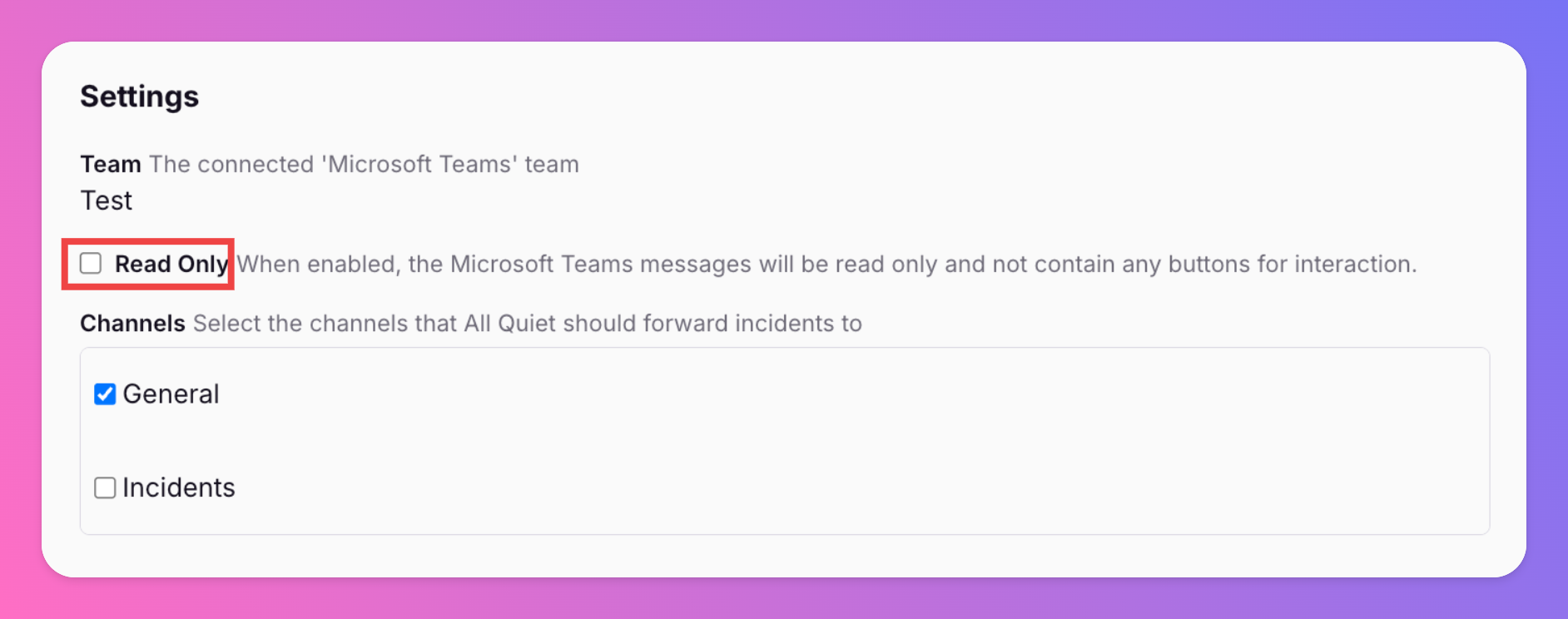
Read Only Mode for Microsoft Teams Integration Simplifies Internal Stakeholder Management
We added a Read Only mode for our Microsoft Teams Integration. In this mode, we will not send any action buttons to your MS Teams Channels, meaning users cannot interact with the incidents.
-
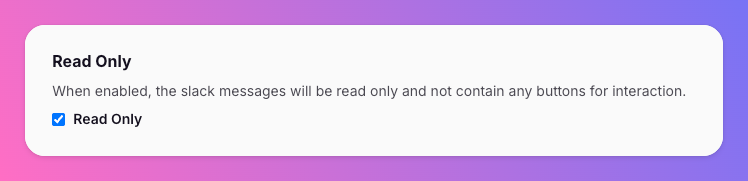
Read Only Mode for Slack Integration makes Internal Stakeholder Management a Piece of Cake
We added a Read Only mode for our All Quiet Integration for Slack to let stakeholders and managers follow incident updates.
-
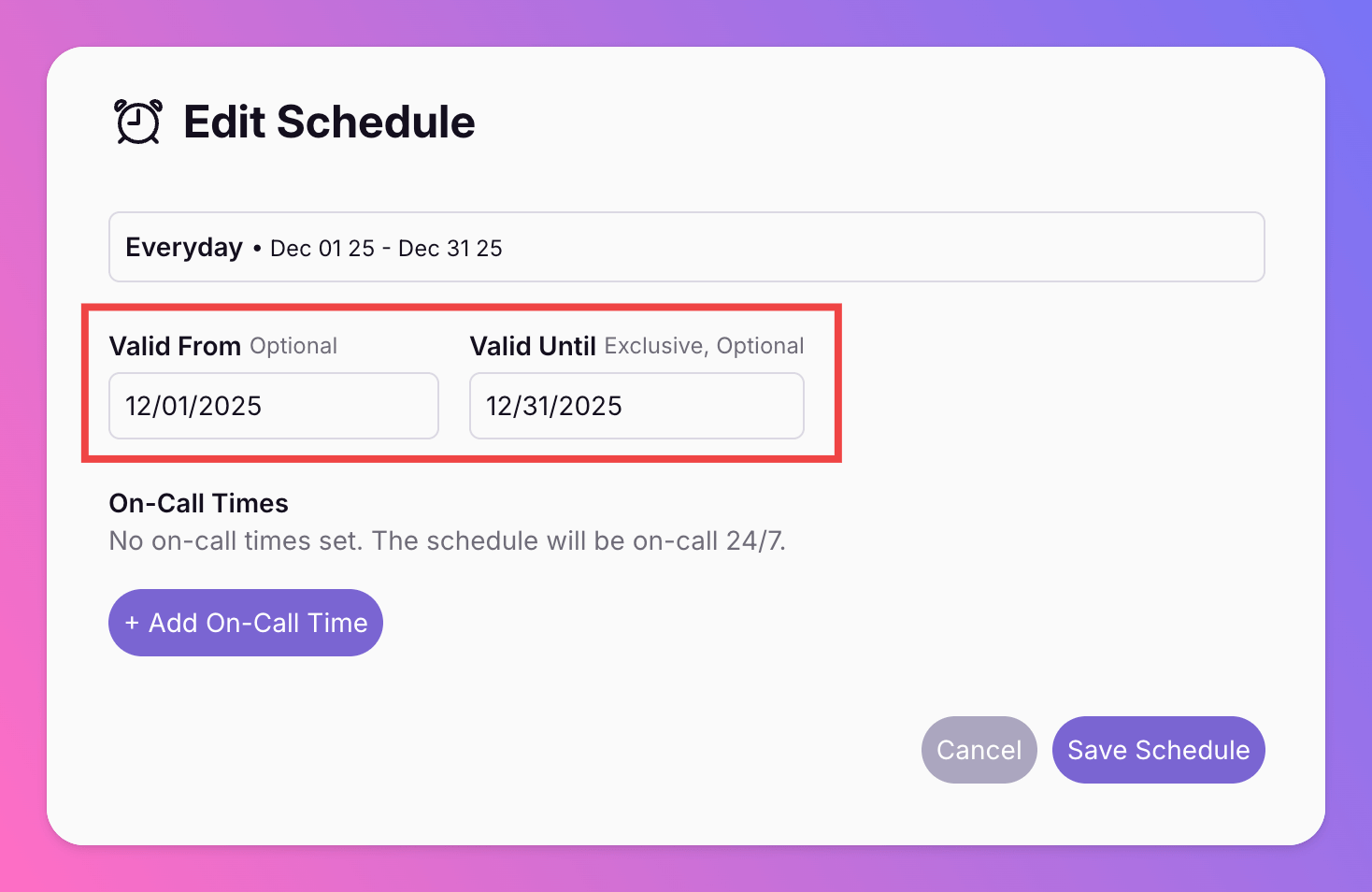
Schedules | Start and End Dates
You can now set start and end dates for your team's on-call schedules. The new "Valid From" date replaces the deprecated "Effective From" that was previously set on Rotation level.
-
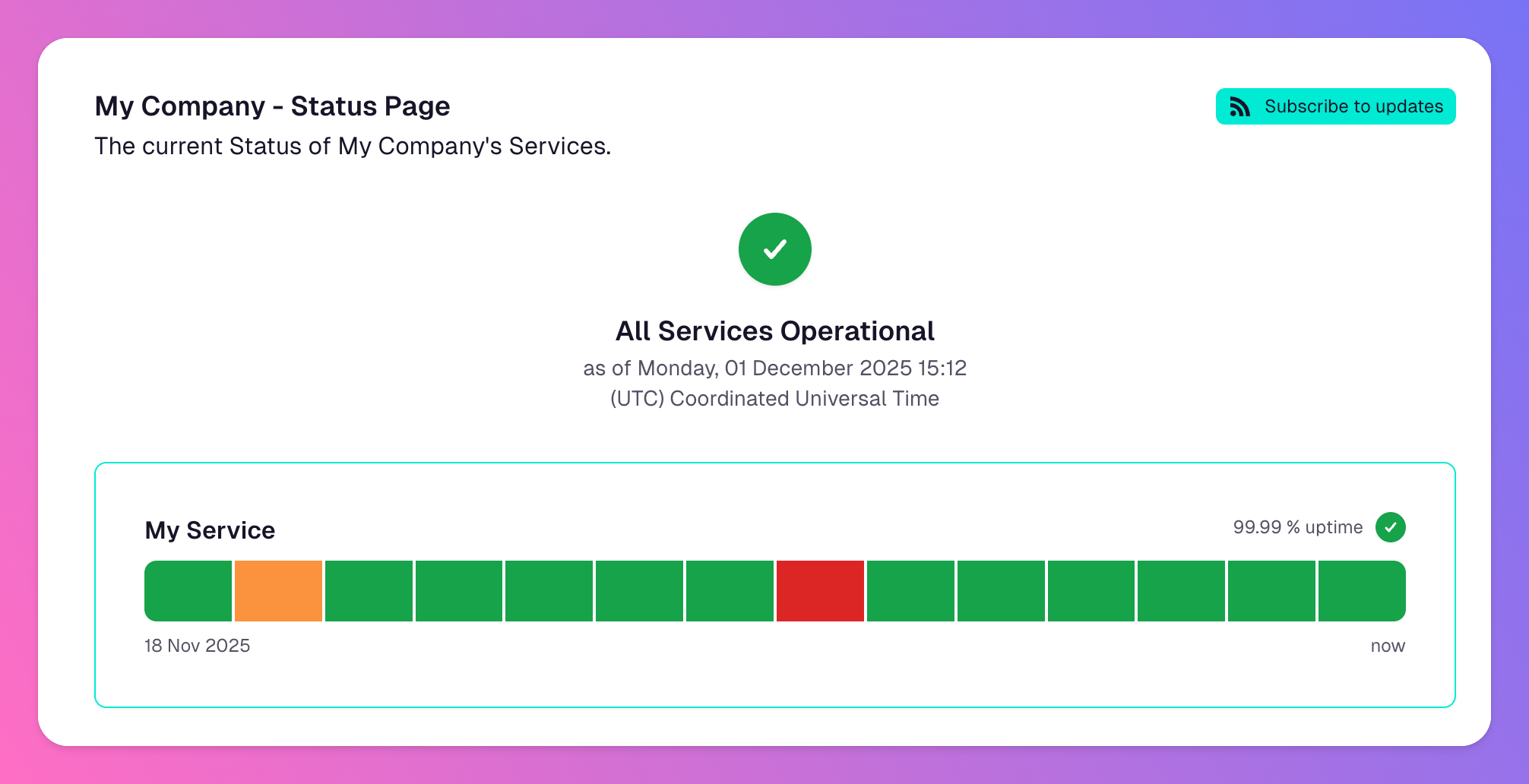
Status Pages - More Configuration Options to Match Your Brand's Styles
Our latest releases introduce expanded customization options for your Status Pages. Previously, you could customize your banner background and text colors. You can now define custom colors for:
-
Coralogix Integration
Coralogix is a cloud-native observability platform that helps developers monitor and troubleshoot applications with a focus on metrics, traces, and logs.
-
Nagios Integration
Nagios is an open-source monitoring and network management solution that helps developers monitor and troubleshoot applications with a focus on metrics, traces, and logs.
-
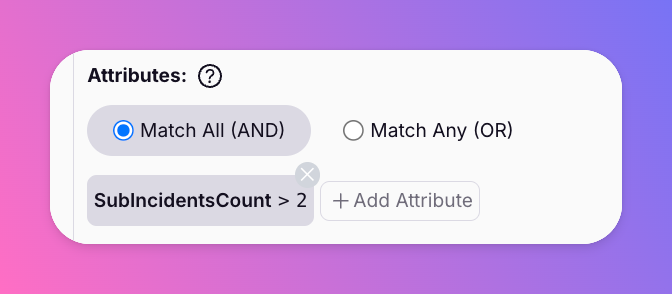
New Routing Rule Conditions & Sub-Incident Operators
Expanded routing rule conditions with numeric comparison operators such as >, <, >=, and <=, enabling precise thresholds for metrics and payload fields.
-
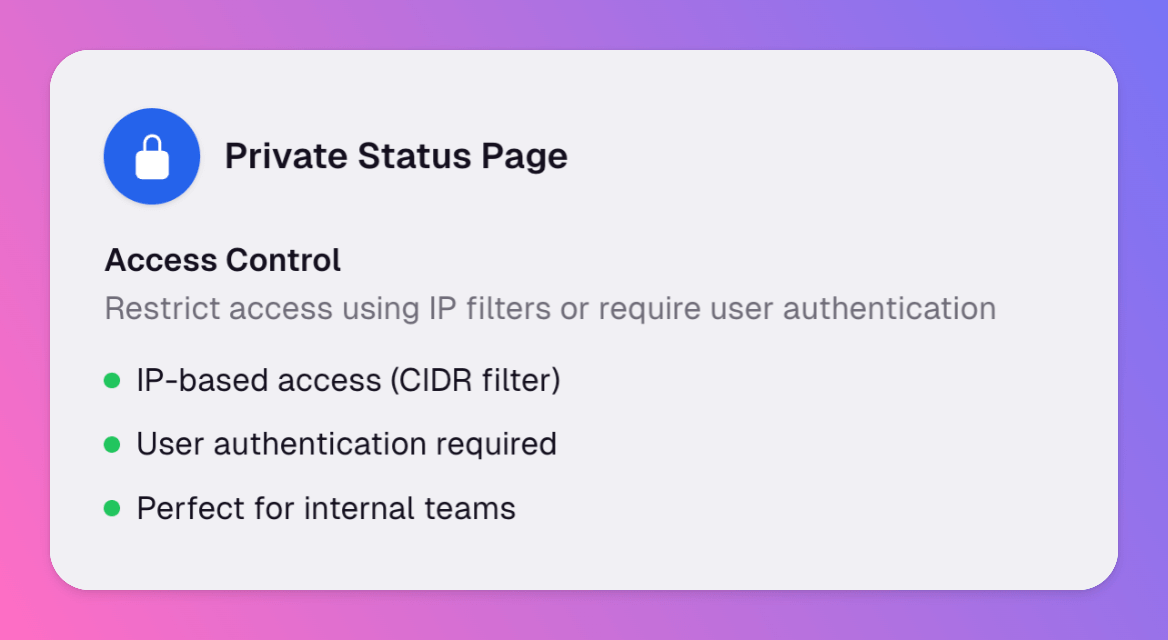
Private Status Pages
You can now create Private Status Pages and share updates with authorized users only
-
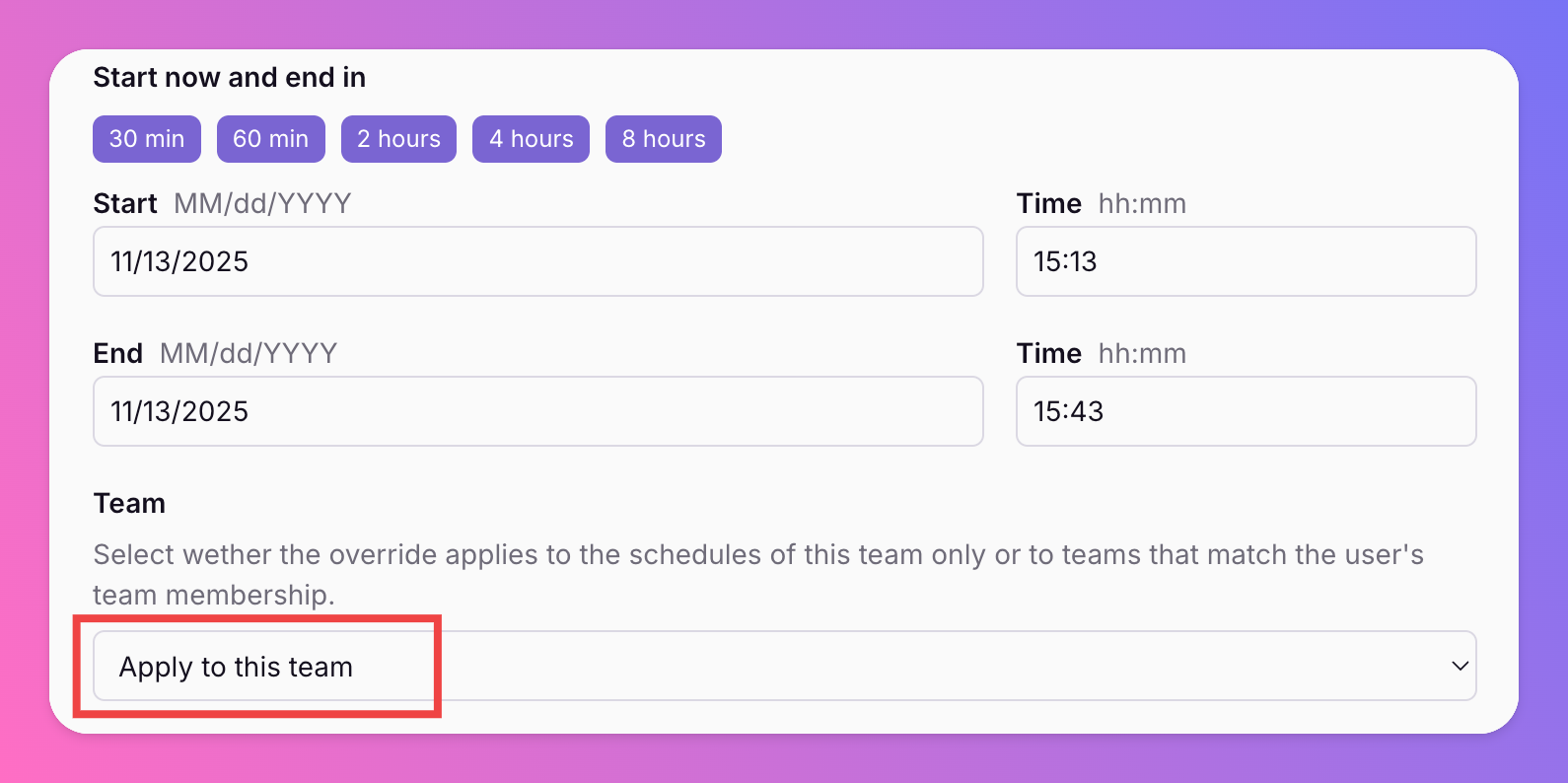
Team-Specific Overrides
Introducing a the Team Override option that limits an override’s scope to the selected team instead of every team on the escalation path.
-
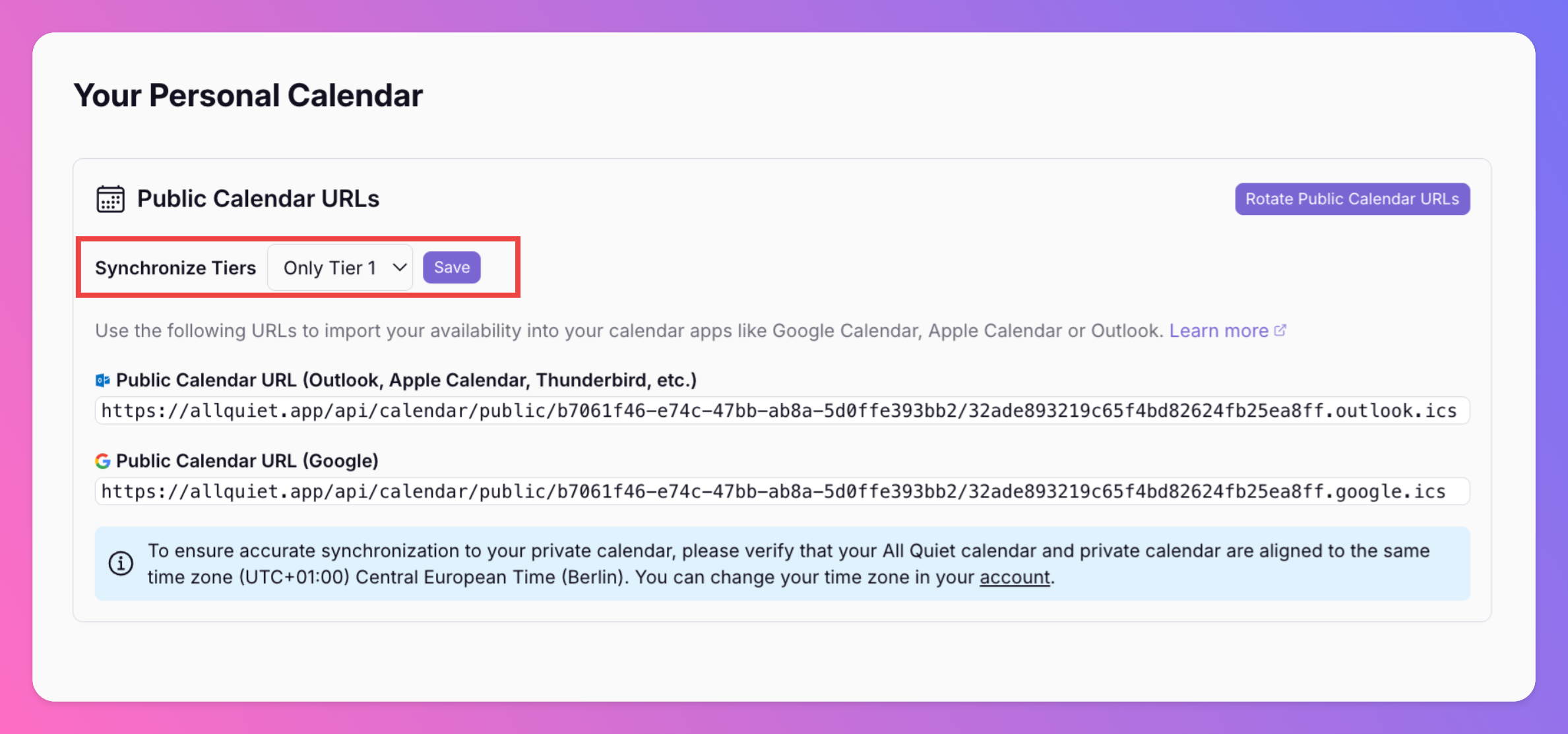
Tier 1-Only Calendar Export Option
Added a new option to filter personal on-call calendar exports to Tier 1 only, giving teams more control over what syncs to external calendars. Learn how to use it in our docs: Export Personal On-Call Calendar.
-
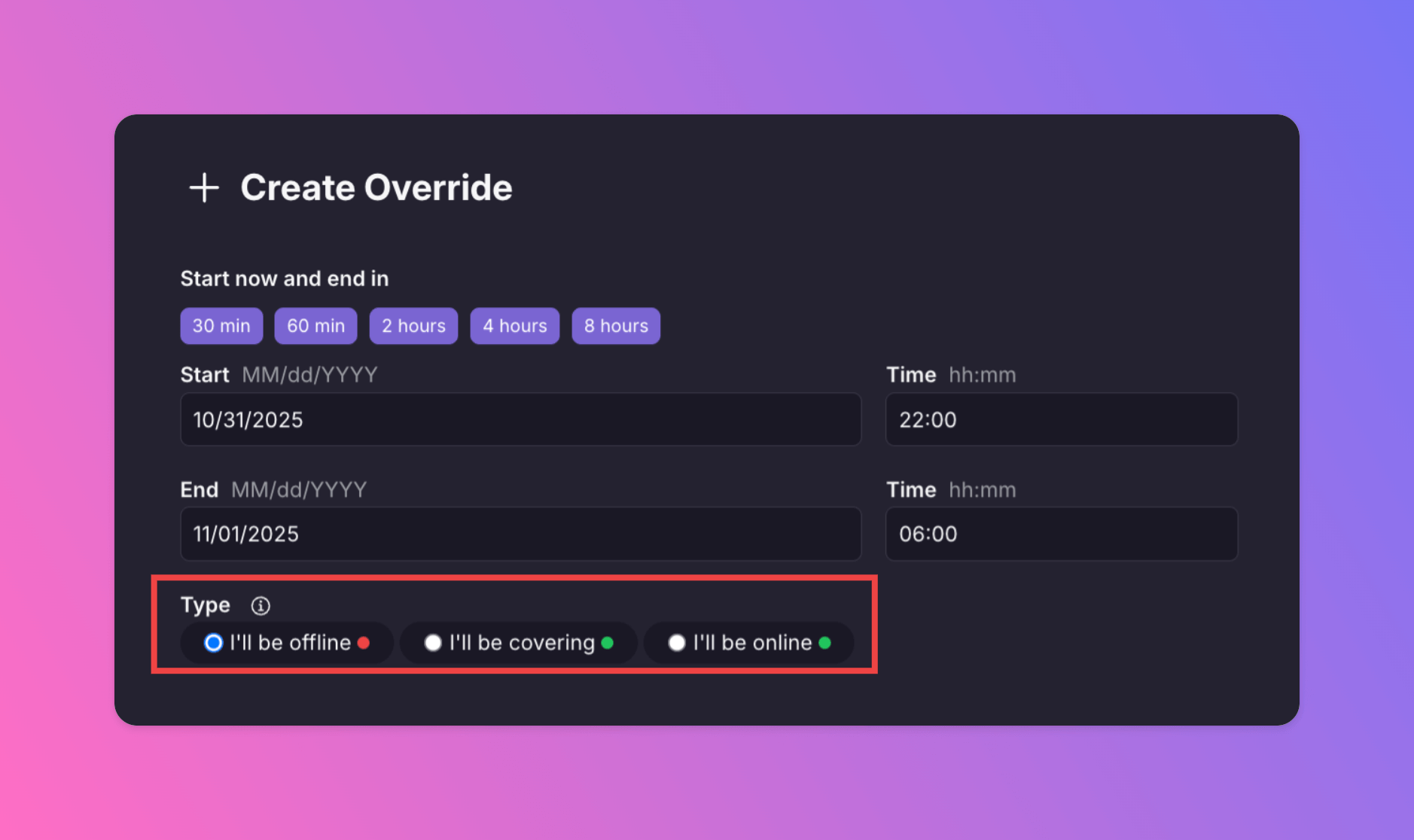
Overrides - Cover for Your Teammates 🟢
You asked for it, so we built it! We added a new override option that allows you to hop in for your team members and cover their shifts:
-
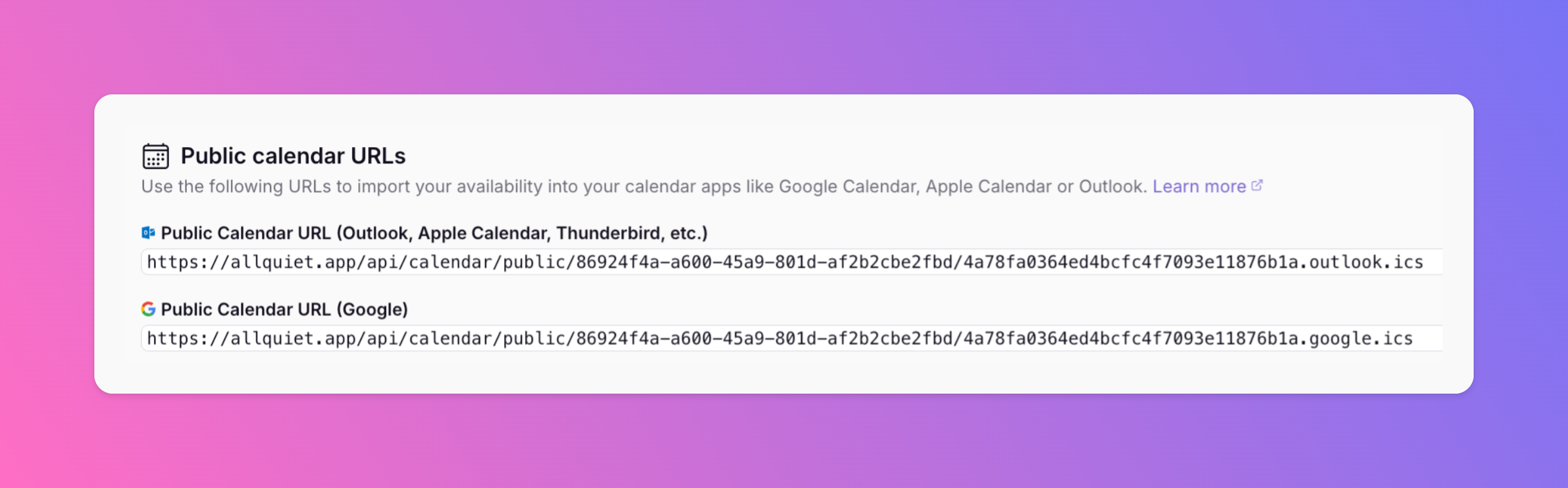
🗓️ NEW: Export your On-Call Shifts to your Personal Calendar
Never miss an on-call shift again! You can now export your All Quiet shifts directly to your personal calendar.
-
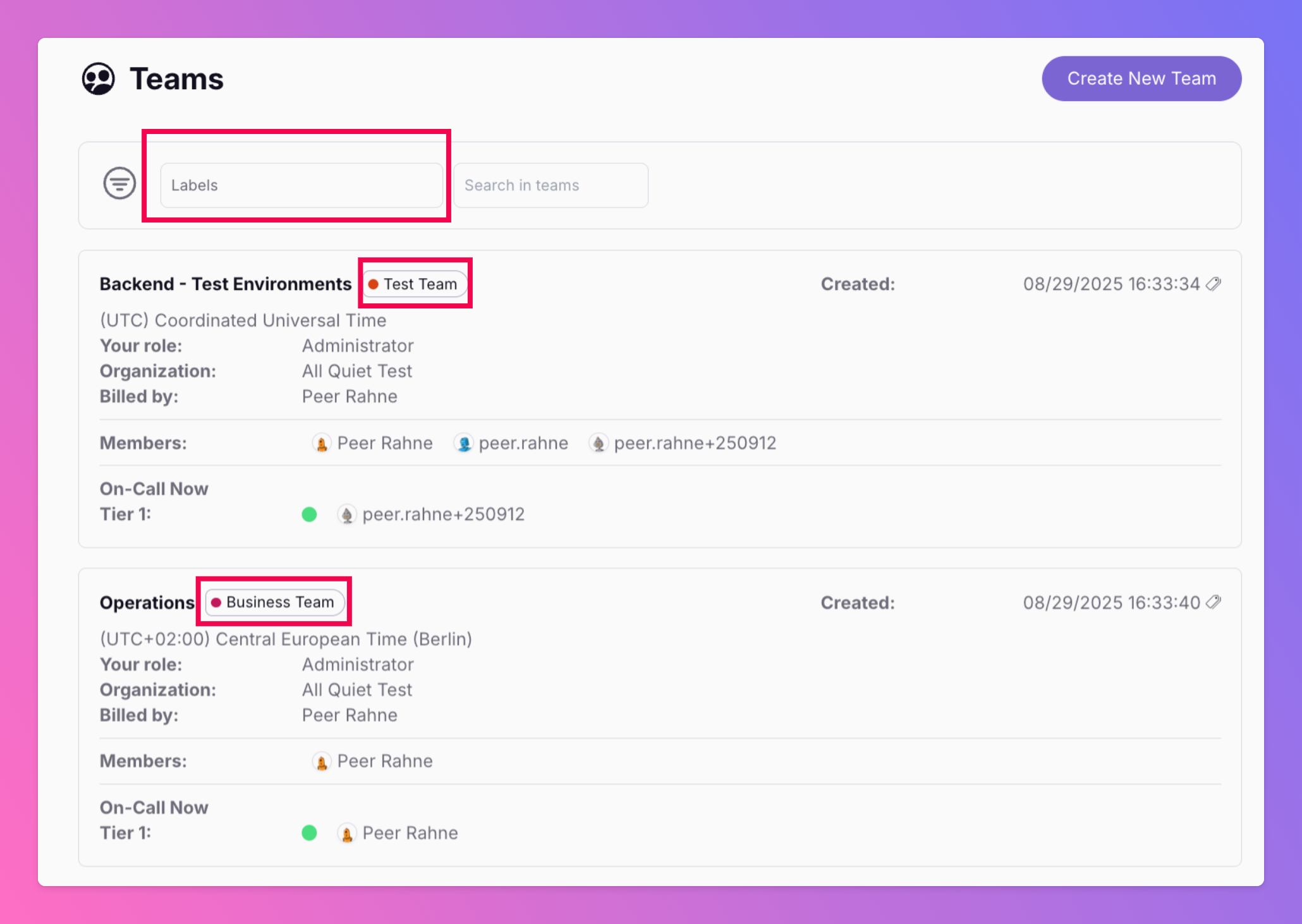
Labels for Teams
They are handy for larger organizations if you want to organize your teams into categories, e.g. departments or business units. You can also use them to filter your incidents or integrations.
-
Smarter HTTP & Ping Monitoring
HTTP monitoring now only processes results when the status actually changes. If the status stays the same, the system skips unnecessary work.
-
Introducing the All Quiet Ping Monitor
⏲ “Did that server just go offline, or am I just looking at an old alert?” When uptime checks are manual or incomplete, you end up chasing ghosts, reacting after the fact, or you’re even blind until someone complains.
-
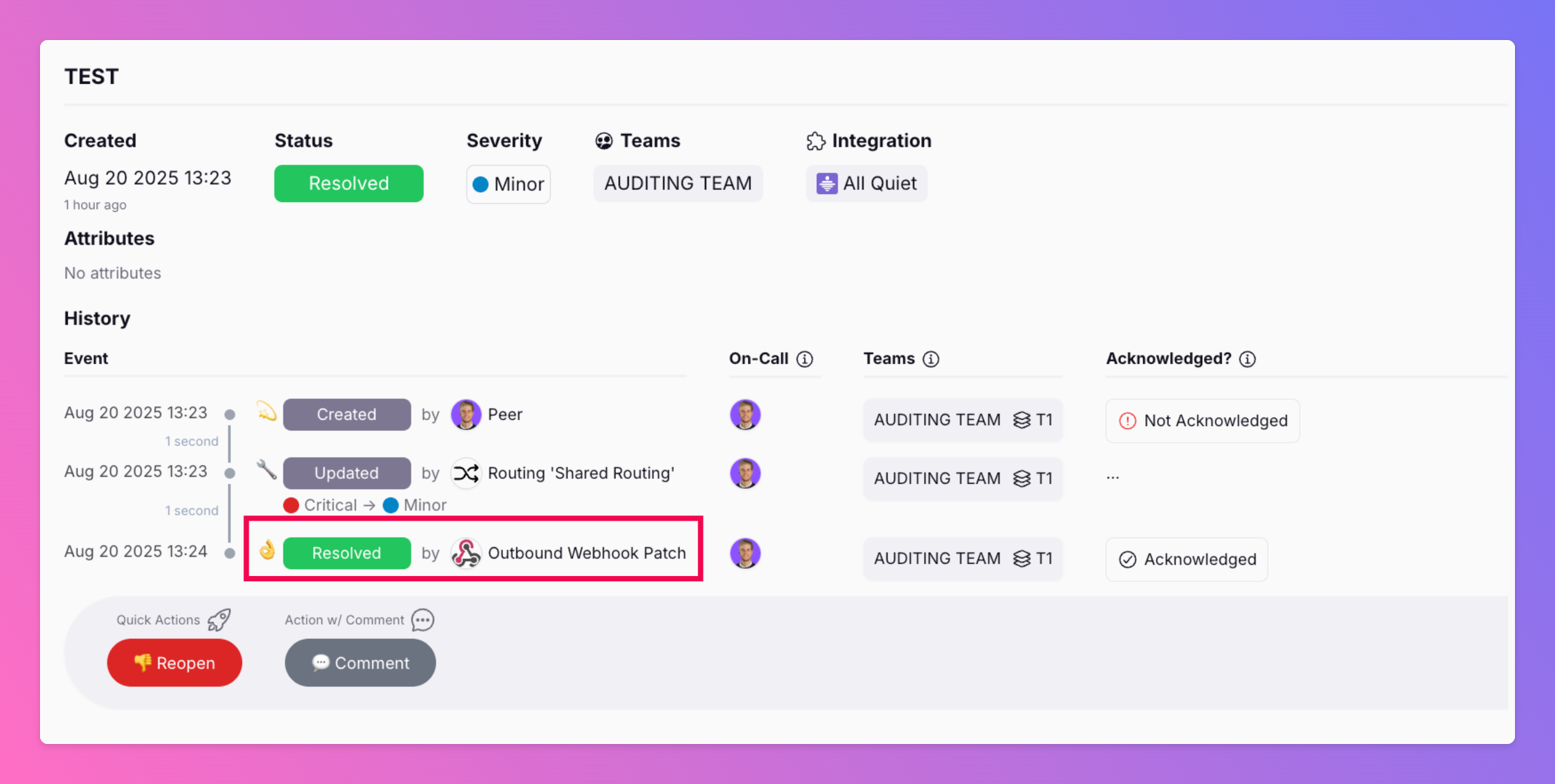
Update/Patch Incidents via Outbound Webhooks
🚨 “Wait, why is our system still out of sync?” When incidents are mirrored across tools but updates don’t flow back automatically, you end up with version conflicts, duplicate work, and stakeholder confusion.
-
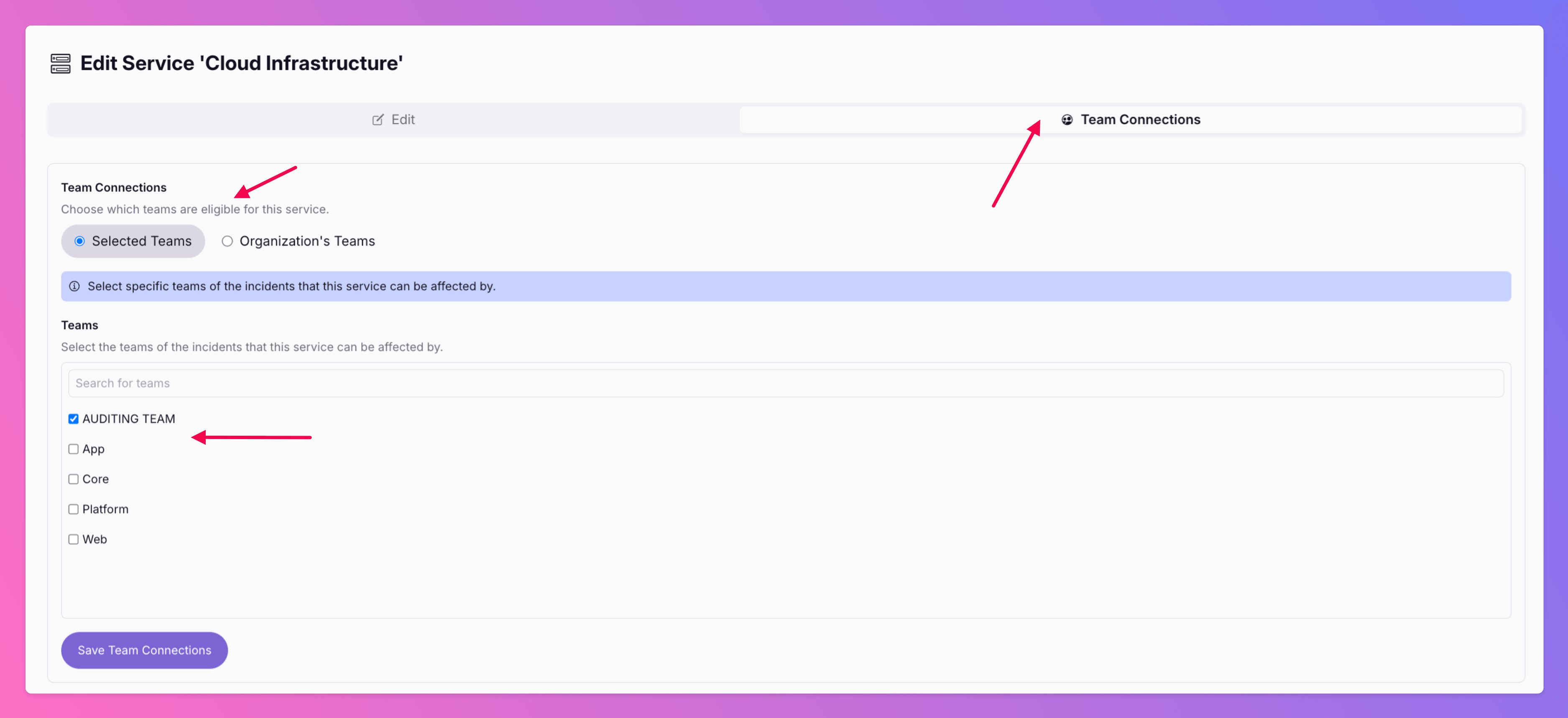
Allow Team's to own Services
💥 “Why does a downtime for Team A’s integration show up on Team B’s service?” Mistakes like these confuse customers, spook stakeholders, and drain trust.
-
New Routing Features
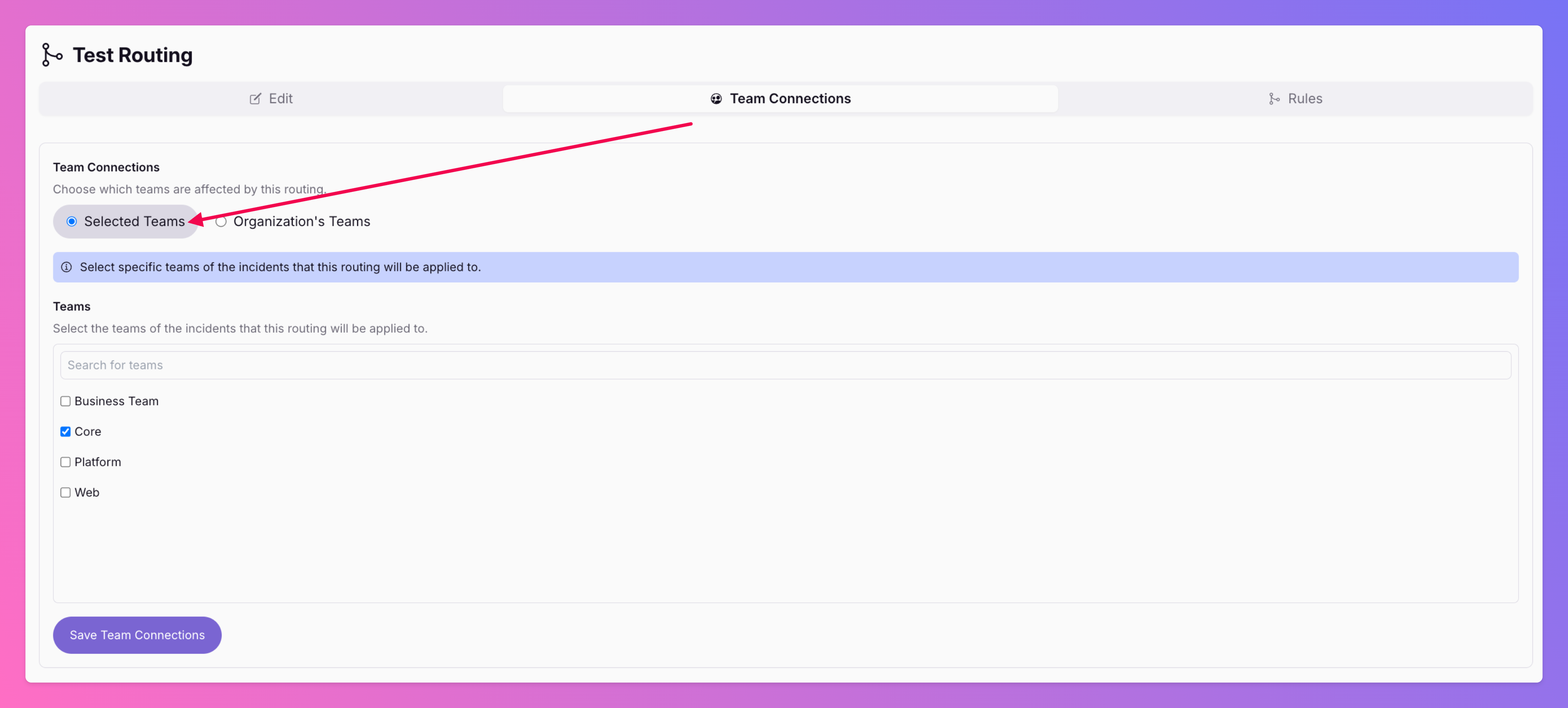
🎉 We've improved our advanced routing ! Share Routings with other Teams: Pro and Enterprise plan organizations can now share routings between different teams. This reduces redundancy and improves transparency.
-
PRTG Network Monitor Integration
Ever had a critical network outage where your monitoring system was screaming but your incident response was...silent?
-
Auto-Connect Incidents with Status Pages
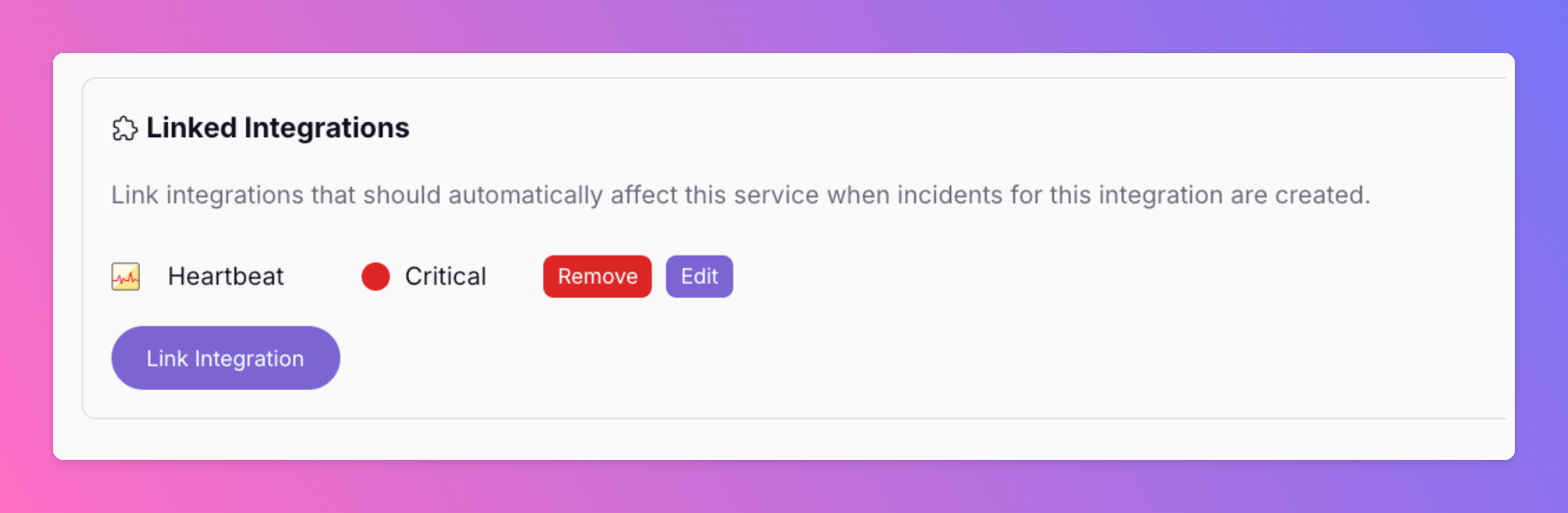
Incident management is tough. Why make it harder by updating status pages manually? Many teams still rely on spreadsheets, scattered chat threads, and manual updates to keep stakeholders informed during incidents.
-
All Quiet Heartbeat Monitor / Dead Man's Switch
Never miss a silent failure again. We’ve introduced a Heartbeat Monitor that continuously tracks periodic signals from your services.
-
New: Cron Job Monitor for Missed or Failed Runs
Your cron jobs just got a safety net. With our new Cron Job Monitor , you’ll instantly know if a scheduled job fails to run or doesn’t report back as expected.
-
More Flexible Rotations: Stable On-Call, Easy Reordering
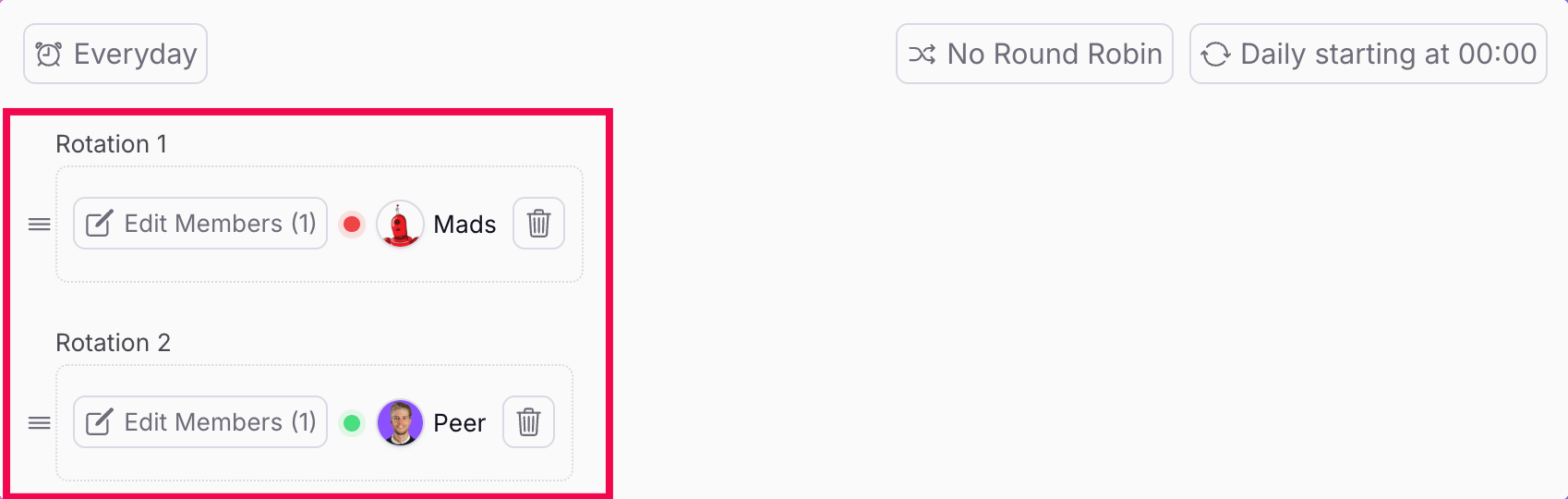
🧩 “We just added a new team to the rotation… and suddenly everyone’s on-call shifted.” 🥴 One click → unexpected chaos. We’ve all been there. That’s exactly what we wanted to fix.
-
Slack | Tag On-Call Colleagues
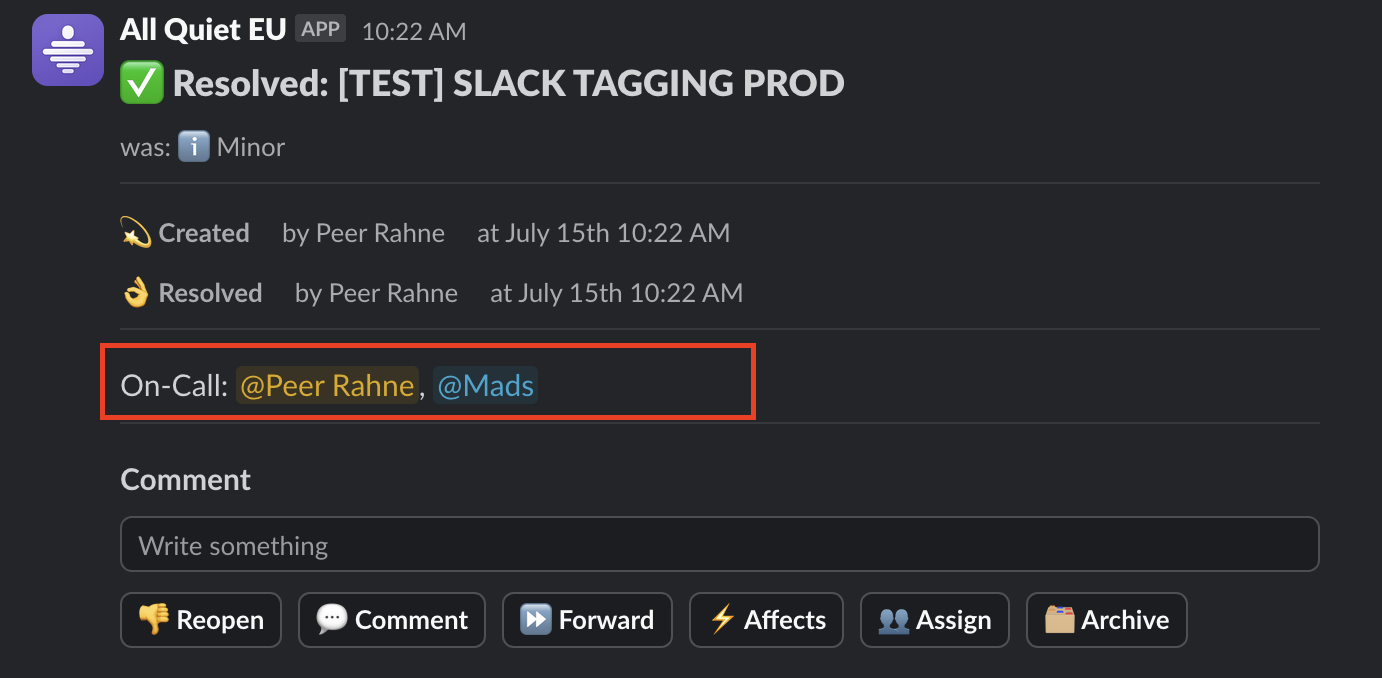
🔔 An alert drops in Slack. 3 people read it. 0 know who’s on call. Until someone finally checks the schedule. It’s the kind of delay that quietly slows down every response.
-
Status Pages 2.0
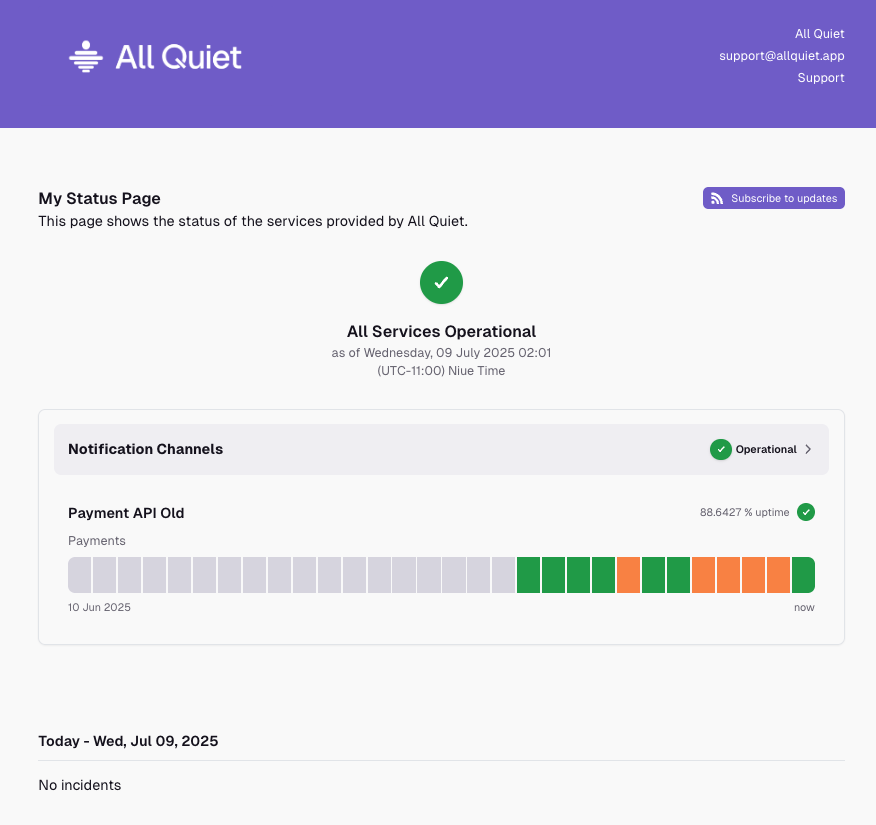
🧠 “The product is fine – but why do our status pages still look like they’re from 2012?” It’s a common disconnect: your system architecture matures, your team scales, your incident handling improves…
-
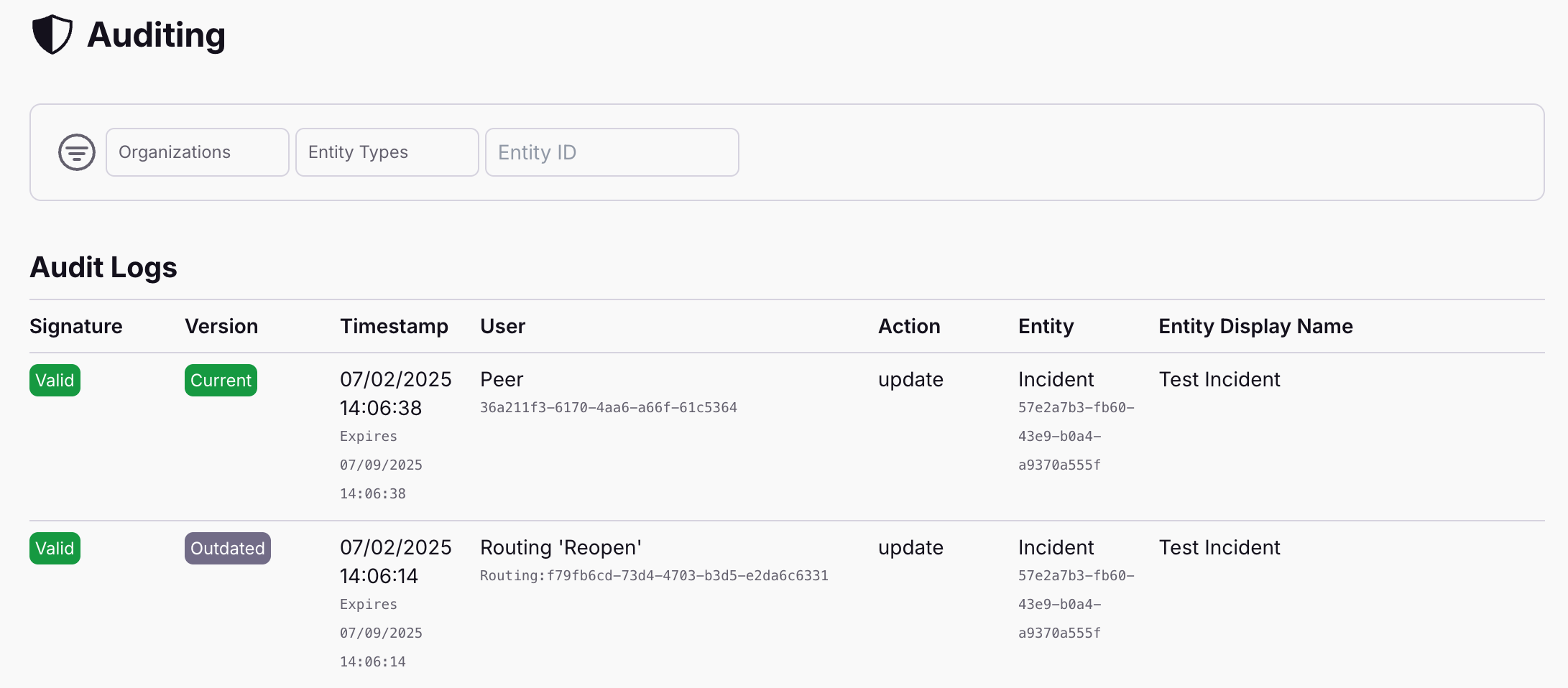
Audit Logs
That’s the nightmare moment. You’re digging through timelines, prepping for a post-incident review—or worse, reporting up—and suddenly a key piece of the puzzle is just… gone. And nobody knows who did it, when, or why.
-
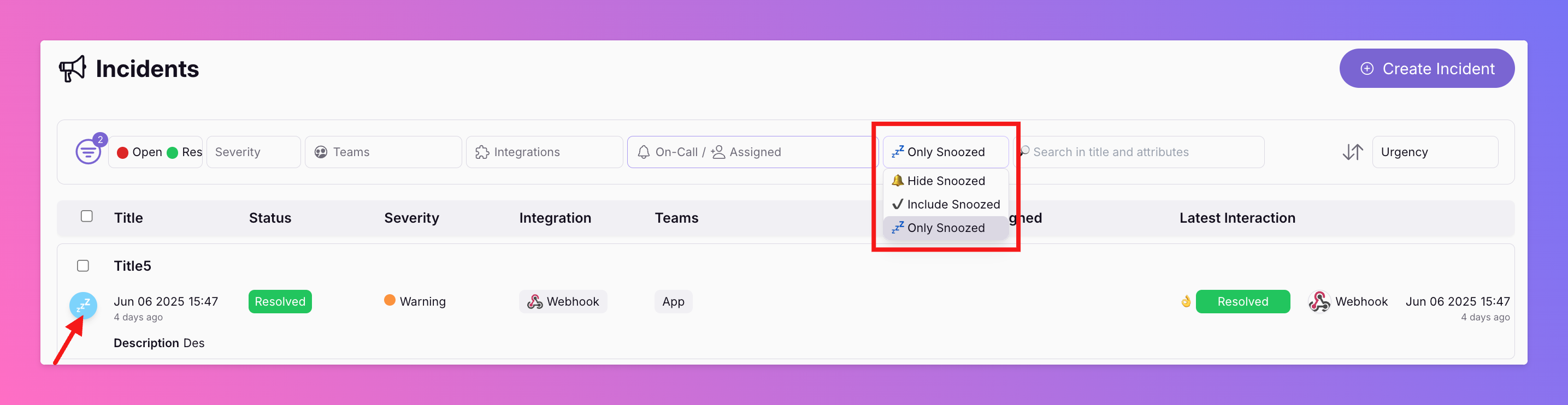
Filter for Snoozed Incidents Only
You can now filter the incident overview for snoozed incidents only (s. screenshot from Web App above). Starting from iOS 1.22.0 and And 1.17.5, our apps include this feature for the incident overview, too.
-
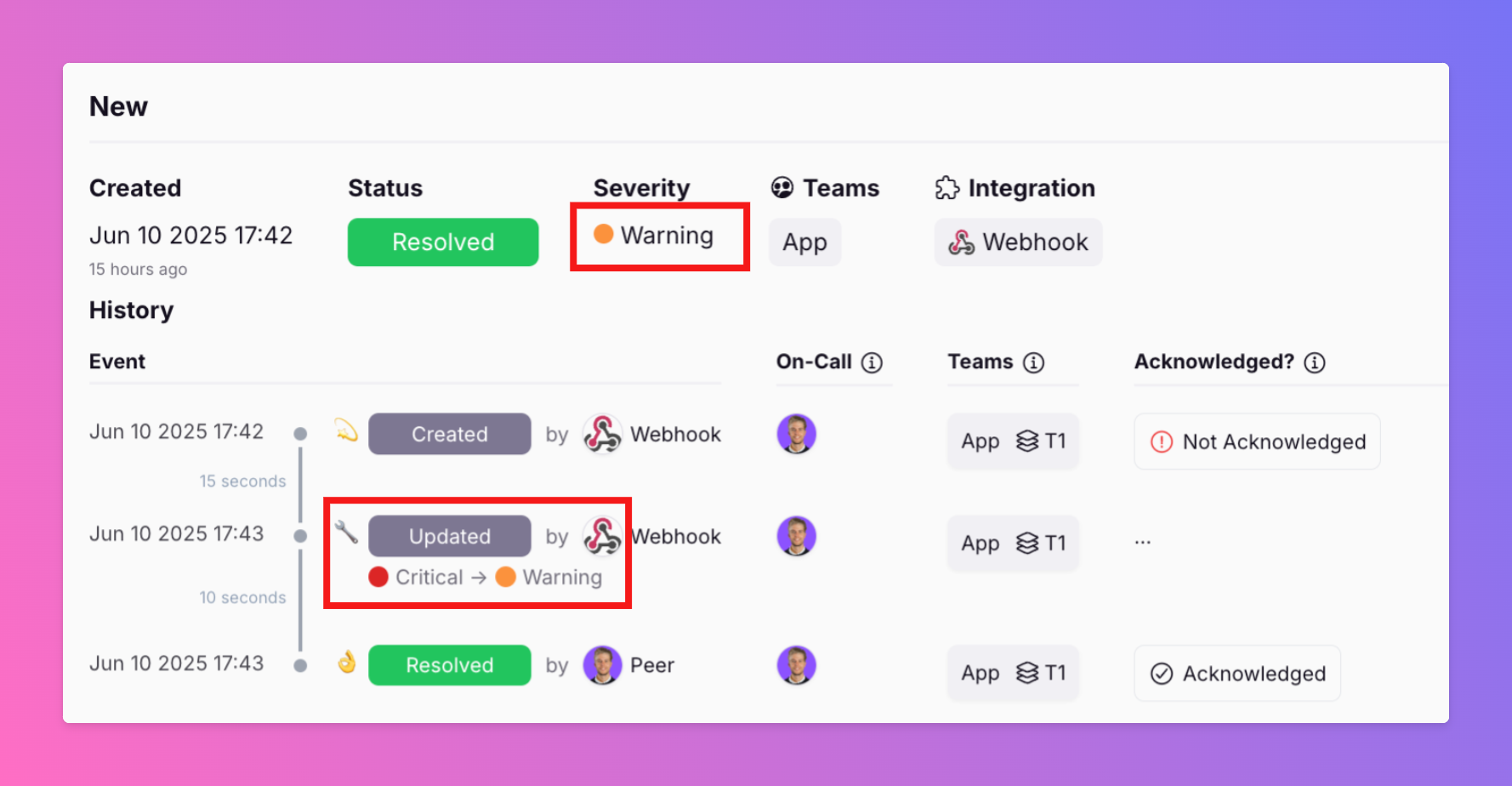
🚨 New Feature Alert: Incident Change History 🔍
We just made incident management more transparent and insightful. Our latest update now tracks and displays changes to incident attributes—like severity— every time a new payload is received.
-
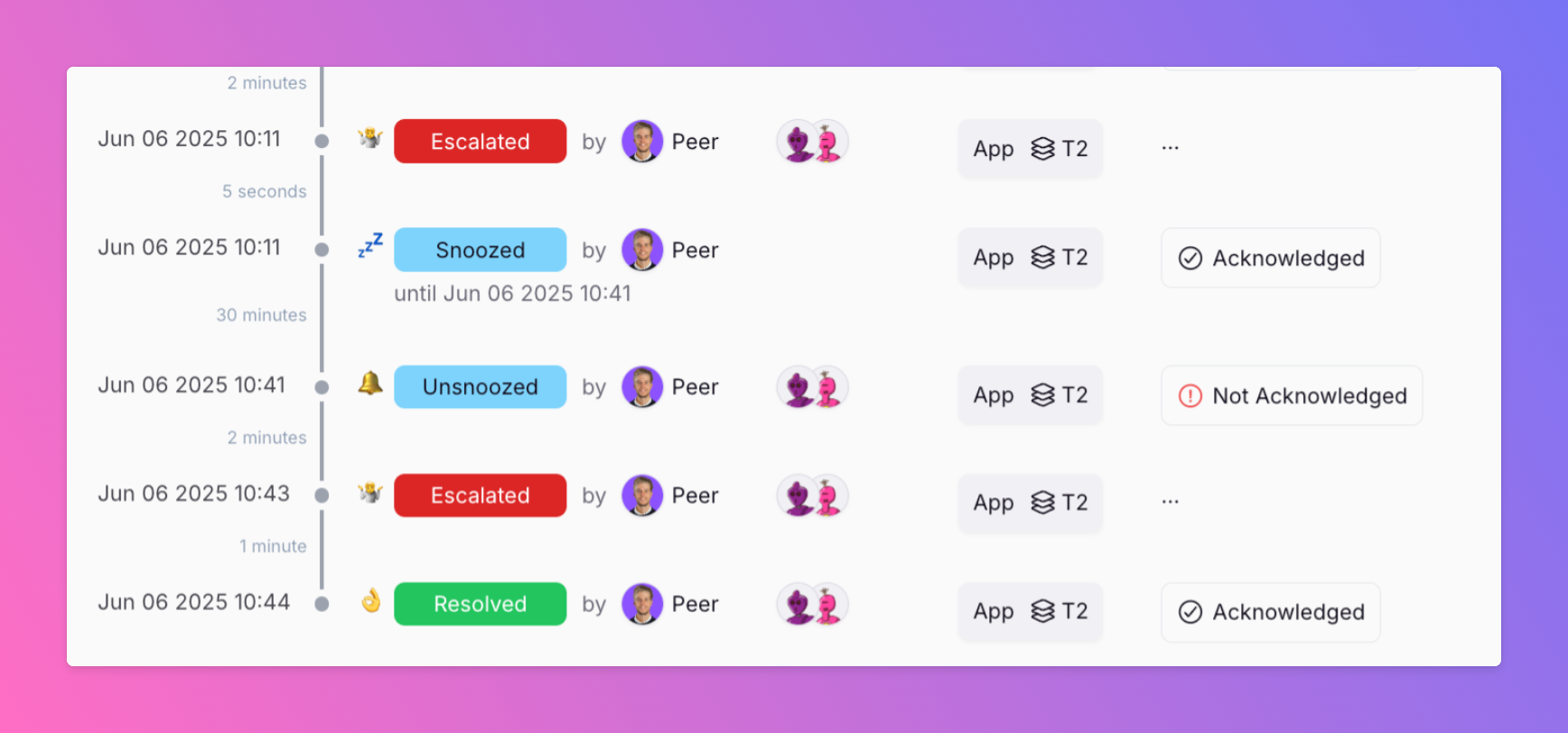
New: Snooze Incidents while you work on them
Ever had an incident where alerts kept escalating while you were already on it? Distracting. Unnecessary. We just shipped a small but mighty feature: manual snoozing for incidents.
-
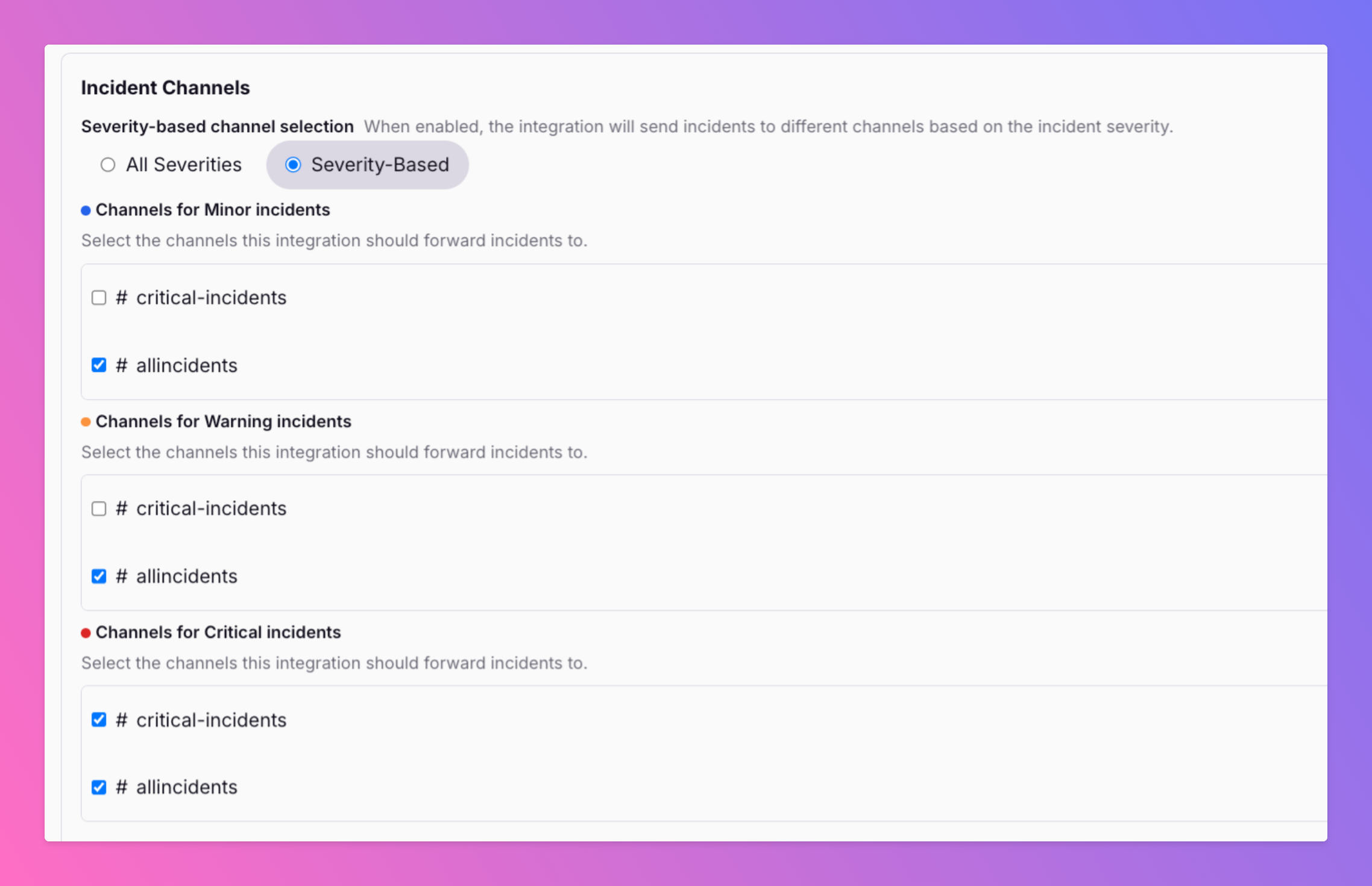
Filter Slack Channels For Incident Severity
🚨 Not every incident deserves a fire alarm in every Slack channel. A critical outage hits — your #oncall and #engineering-alerts channels need to know now .
-
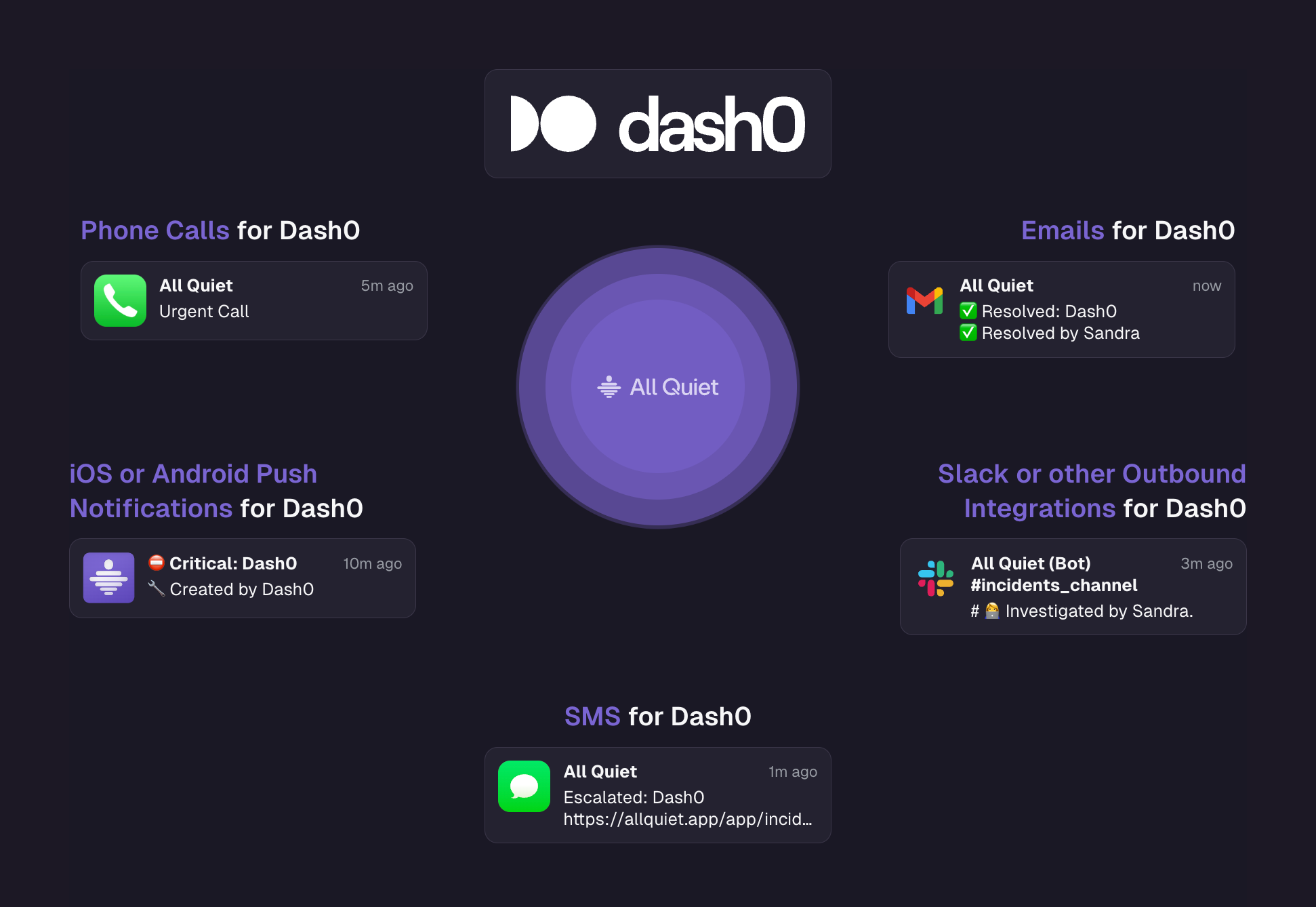
Native Integration with Dash0
Dash0 The first full OpenTelemetry-Native Observability tool. We're super excited about our new native integration.
-
🚨 Now Live: Splunk Integration with All Quiet! 🔧
We’re excited to introduce our new Splunk integration , designed to streamline incident response and reduce alert fatigue.
-
🛡️ New Integration: CrowdStrike + All Quiet 🚨
We’re proud to announce our latest integration: CrowdStrike now connects directly with All Quiet to supercharge your security incident response.
-
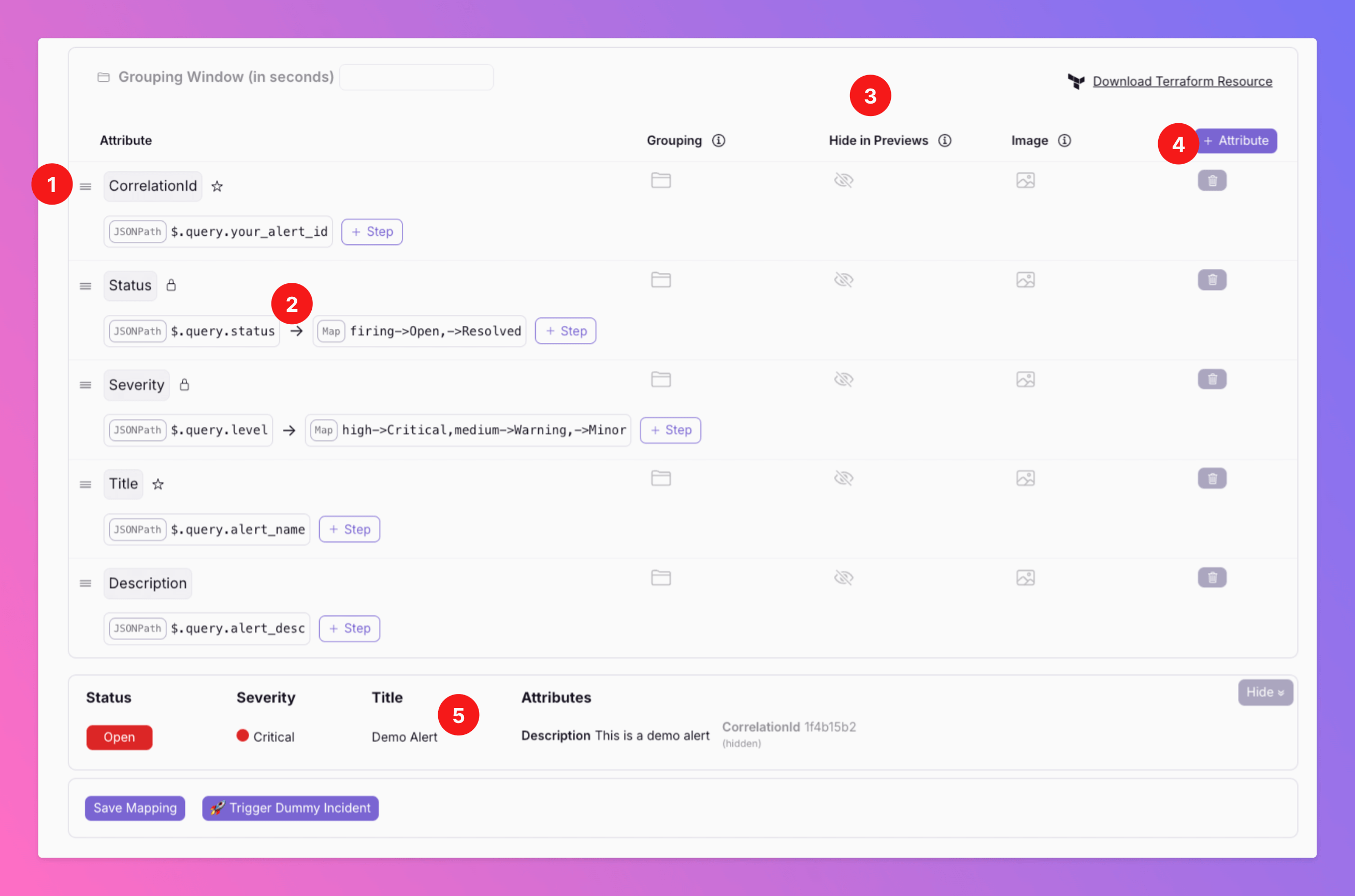
Smarter, faster incident mapping — fully redesigned!
We’ve supercharged the payload mapping experience for inbound integrations to give you more clarity, control, and speed. ✨ Every attribute, clearly listed.
-

New Integration with Zabbix!
We are excited to announce our new integration with Zabbix, a leading open-source monitoring solution.
-
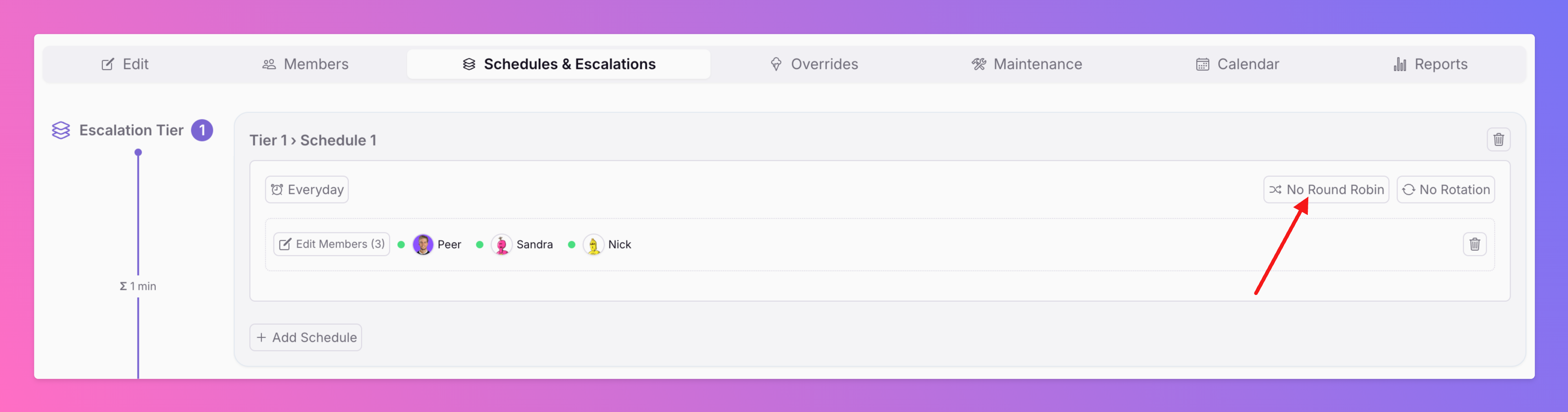
Distribute Incidents Across Your On-Call Users With Round Robin Alerting
We’ve just launched Round Robin Alerting —a smarter way to distribute incidents fairly when multiple people are on-call at the same time. Round Robin ensures that no single person is overwhelmed by consecutive incidents.
-
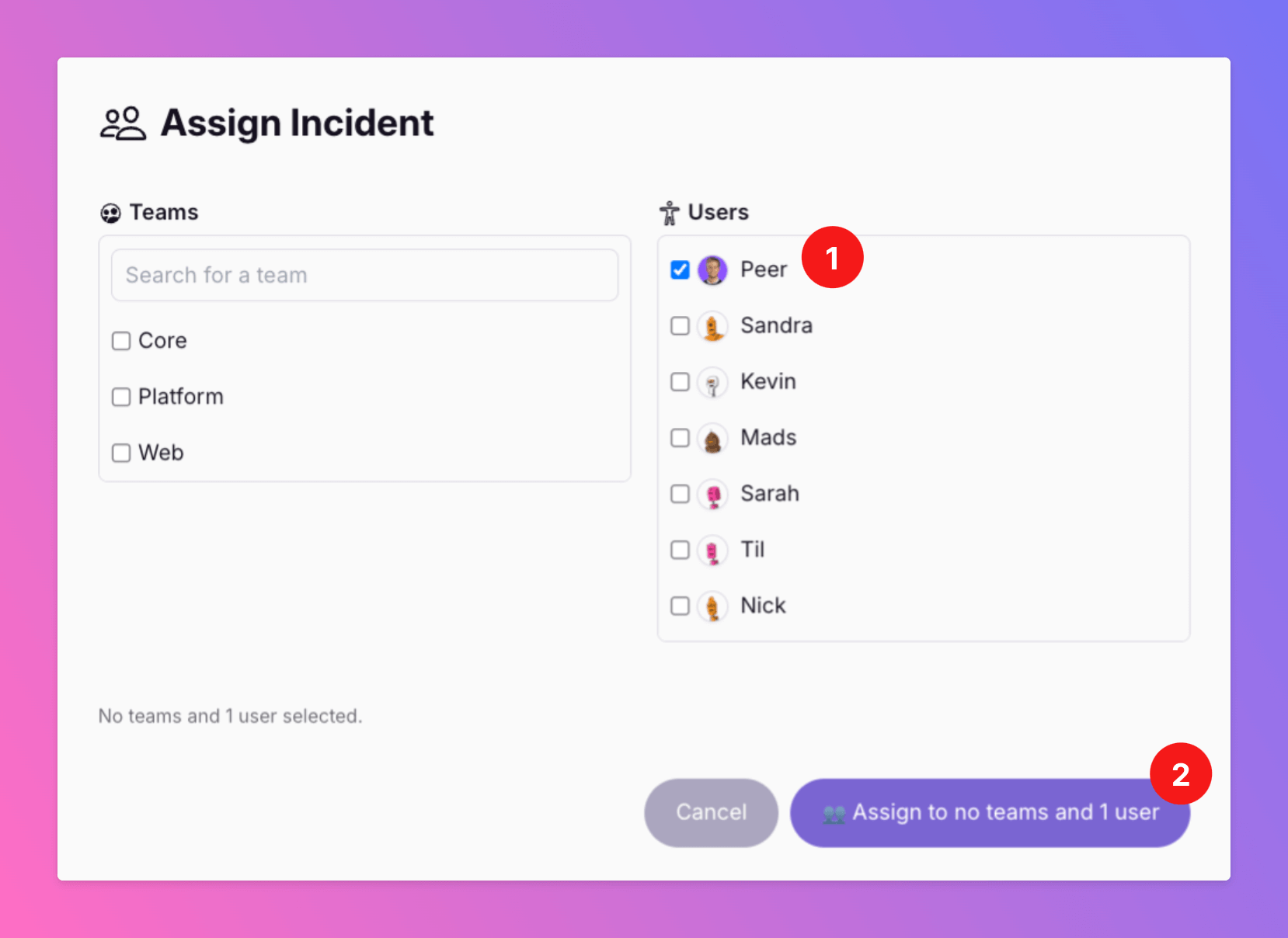
Assign Incidents to Specific Users
“How do I make sure the right person sees this - without spamming everyone?” “What if someone specific needs to be involved, even if they’re not on-call?”
-
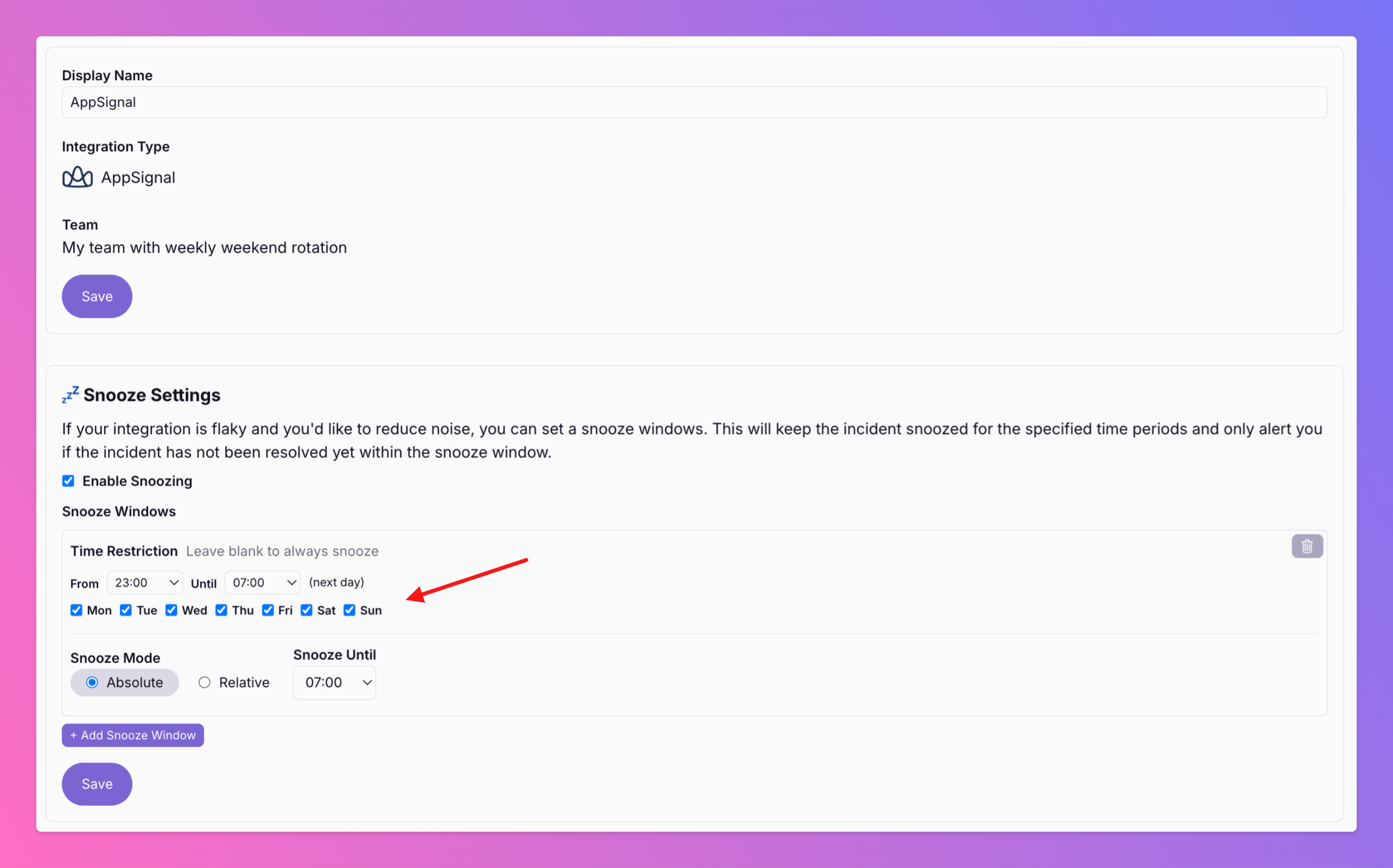
Snooze Mode Just Got Smarter
You can now set time restrictions for the snooze window, allowing you to snooze only during specific periods, such as working hours, to maintain focus.
-
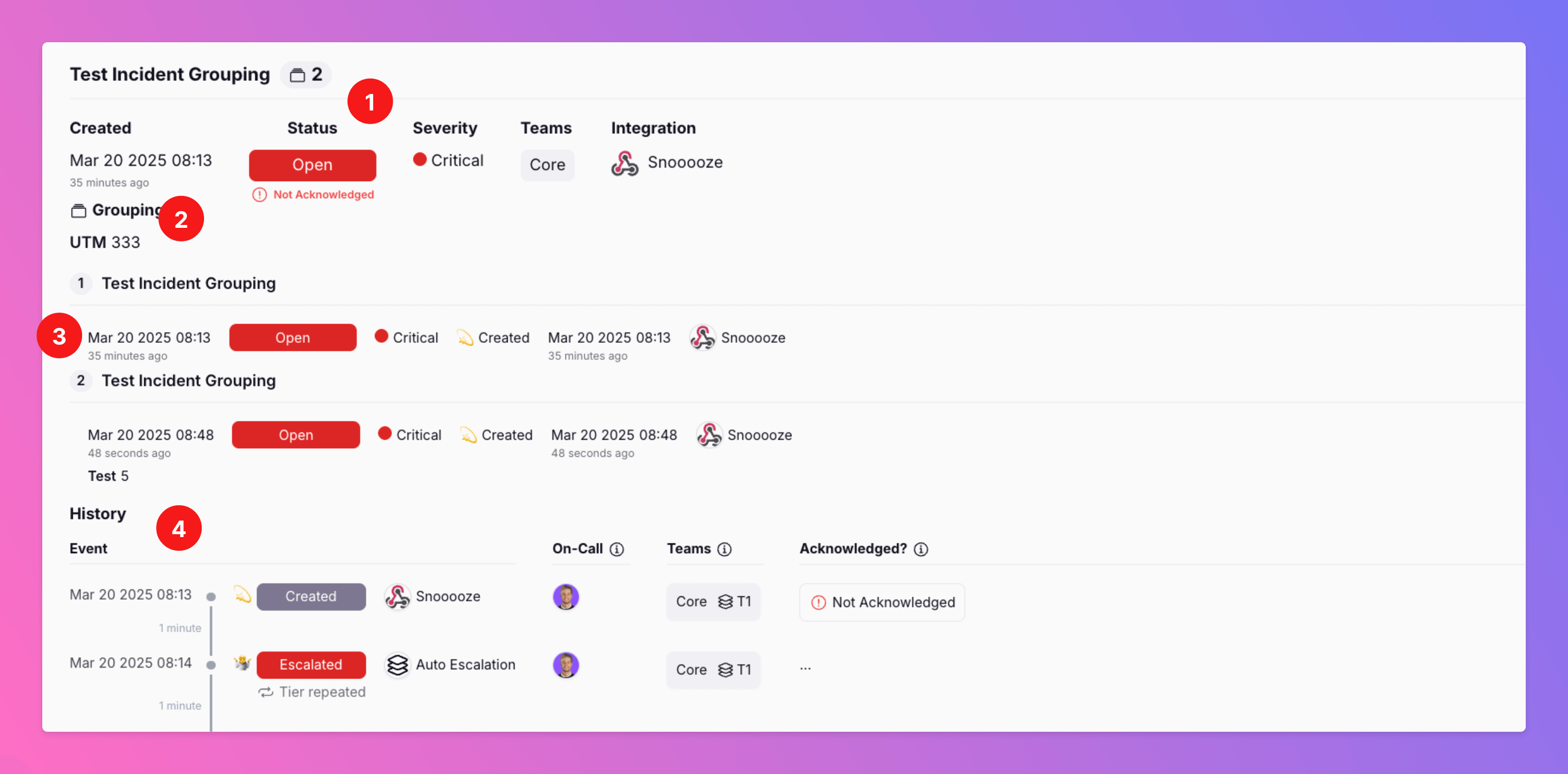
🆕 Incident Grouping Helps to Reduce Noise
Are you experiencing a cascade of connected alerts for certain incidents that occur in your system? Our incident grouping feature helps cut through the noise, keeping your team focused on resolving the issue.
-
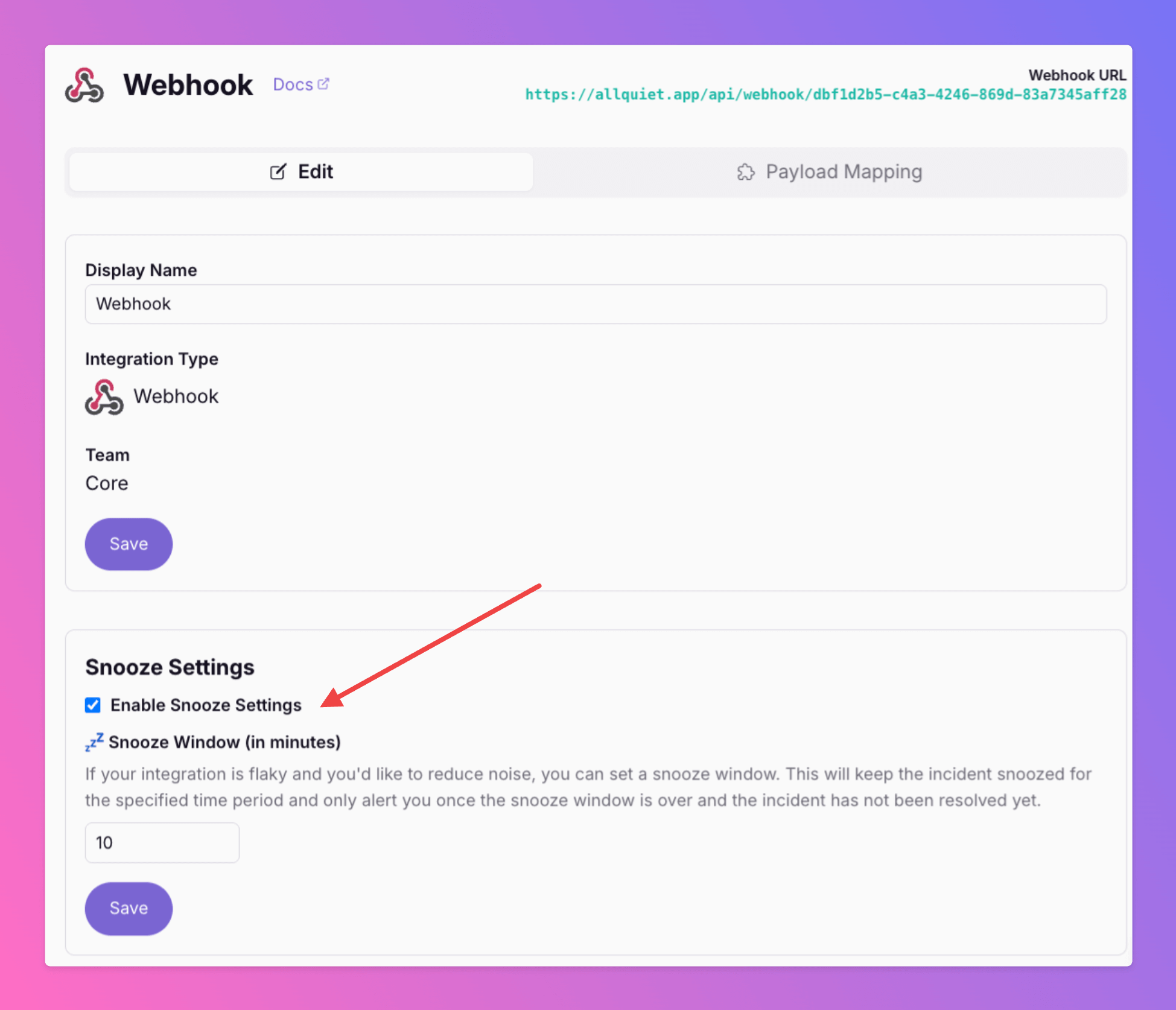
Snooze Integrations to Reduce Noise
Is your integration sometimes flaky and trigger incidents that auto-resolve just minutes later? Reduce noise and minimize stress for your on-call colleagues by activating the new "Snooze" feature.
-
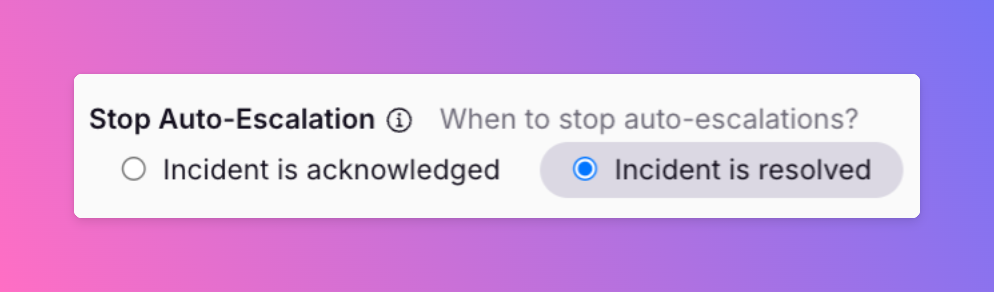
Escalate acknowledged, but unresolved incidents
We've all been there. You acknowledge an incident, something even more important comes in.. aaaaaand you lost track of it and forget about it as there are no further reminders.
-
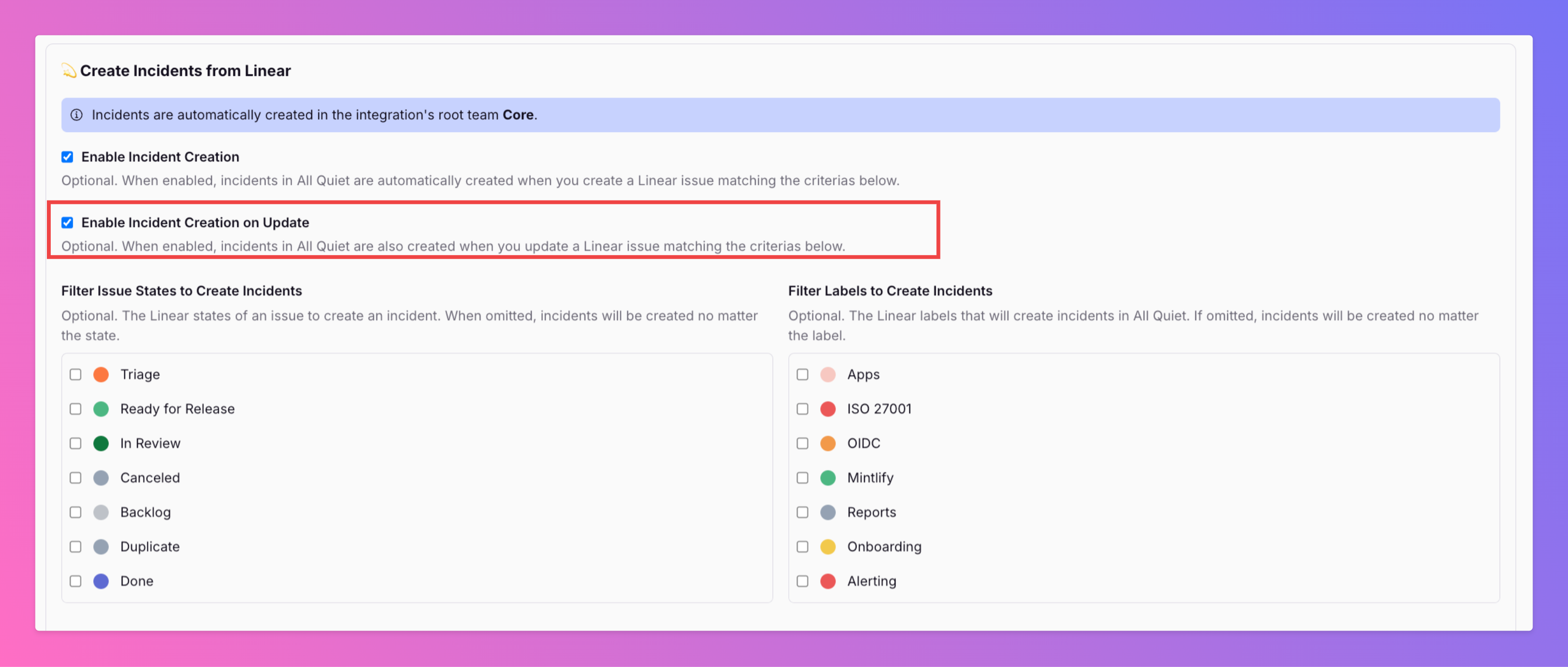
Linear Inbound Integration | Create All Quiet incidents by updating Linear issues
In the past, you've already been able to create All Quiet incidents by creating Linear issues matching certain criteria. Now, you can also create All Quiet incidents by updating existing Linear issues .
-
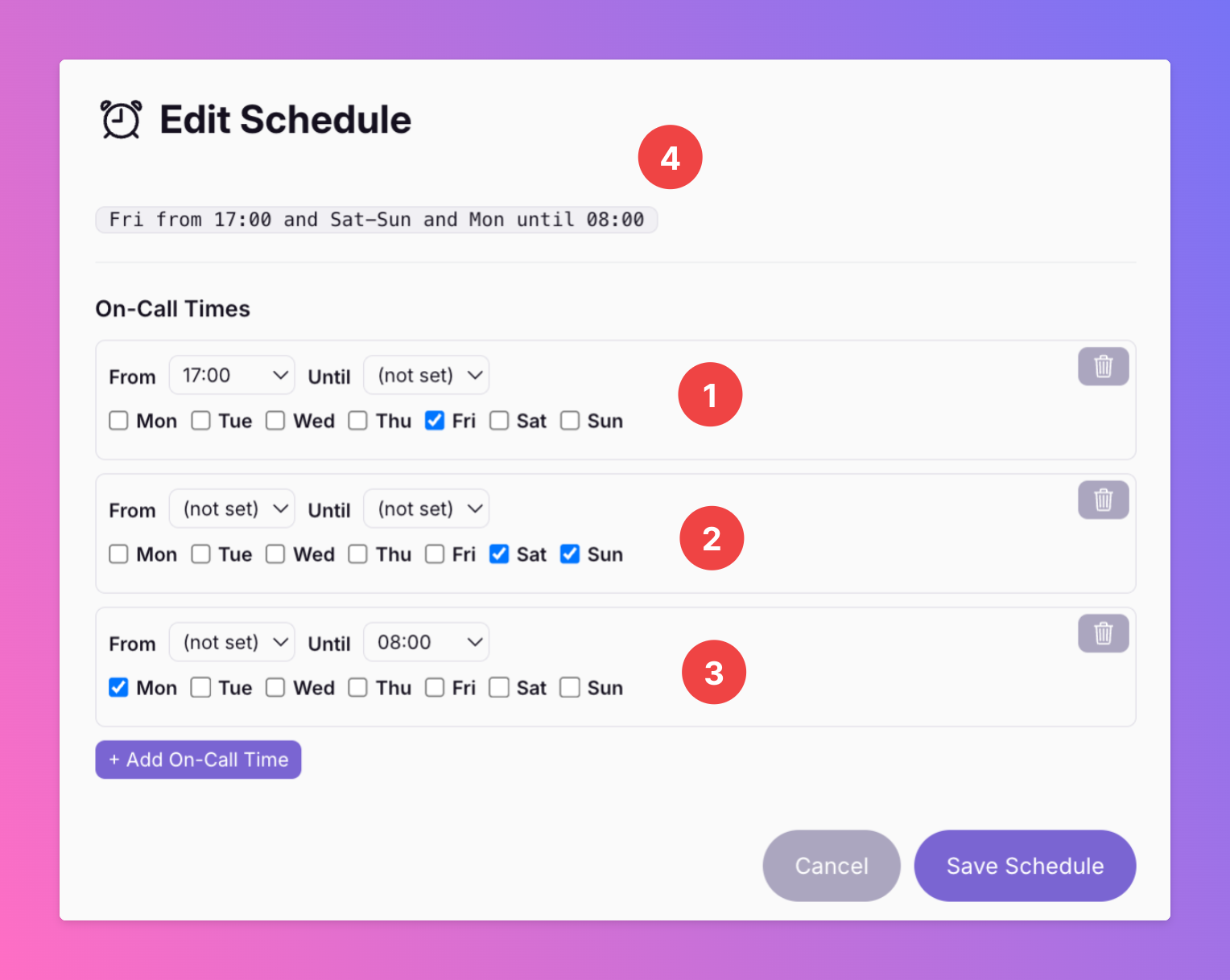
Introducing - Schedules 2.0
Our schedules just got even more flexible! Now, you can include several on-call times in one schedule. This is great to create e.g. weekend schedules.
-
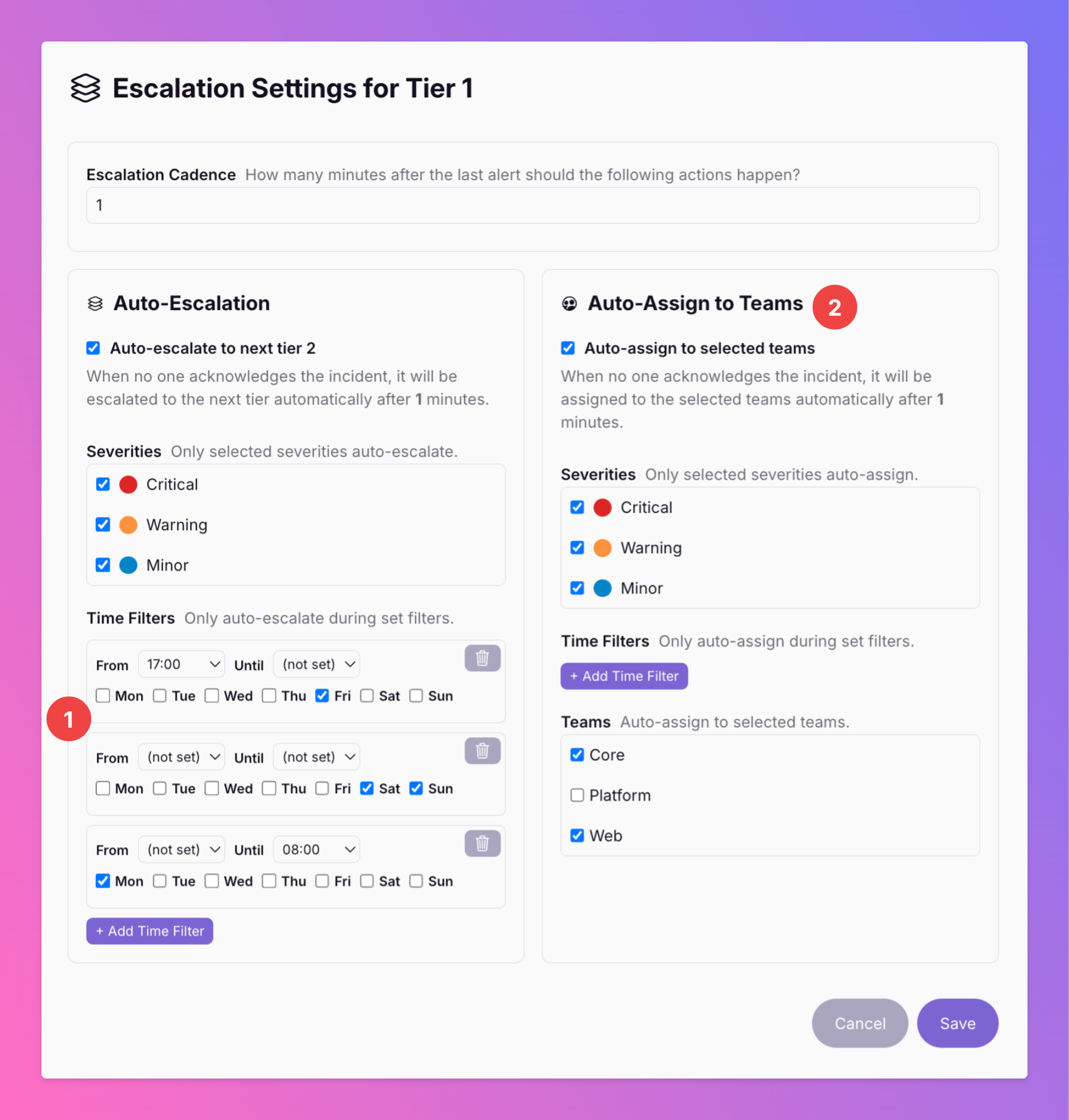
Escalations - Filter for Times & Auto-Assign
We're consistently adding functionality to our Escalations We've added a time filter for auto-escalations. you can now filter escalations to only happen during the weekend from Friday 5 p.m. to Monday 8.am .
-
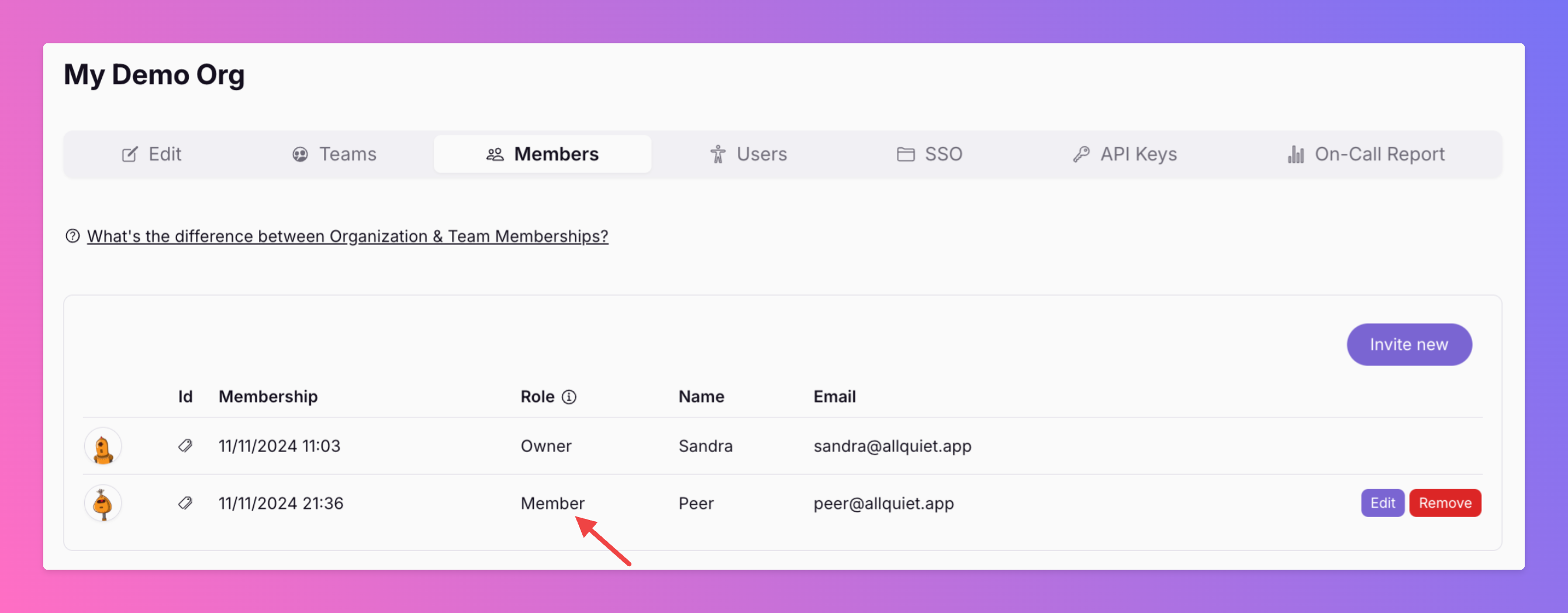
Introducing \\\\
These users have implicit member rights in all teams and, therefore, can also interact with incidents that are currently in other teams than their own - a great additional role for users that shouldn't have any admin…
-
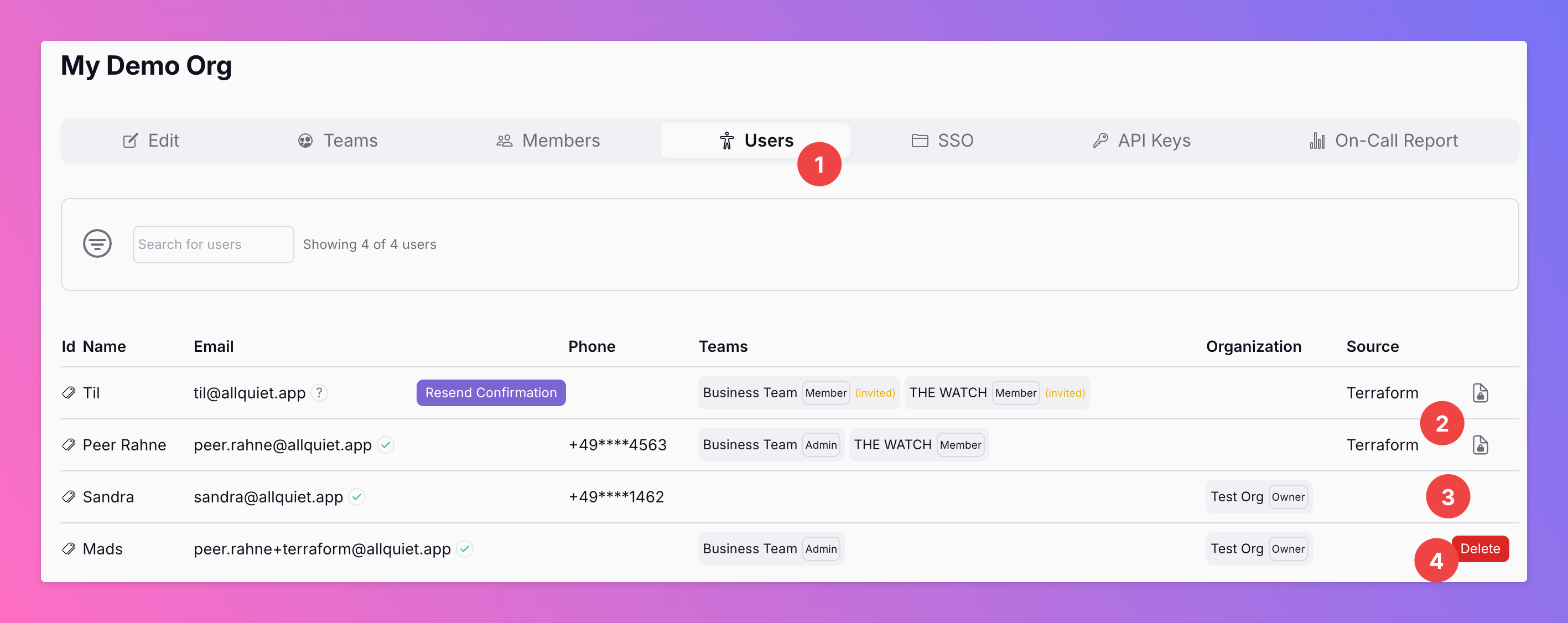
Organizations | Simplified User Management
In your organization, we've added a tab called "Users". This tab shows all your users with their current team & organization roles. Also, Organization Owners can delete users via this view.
-
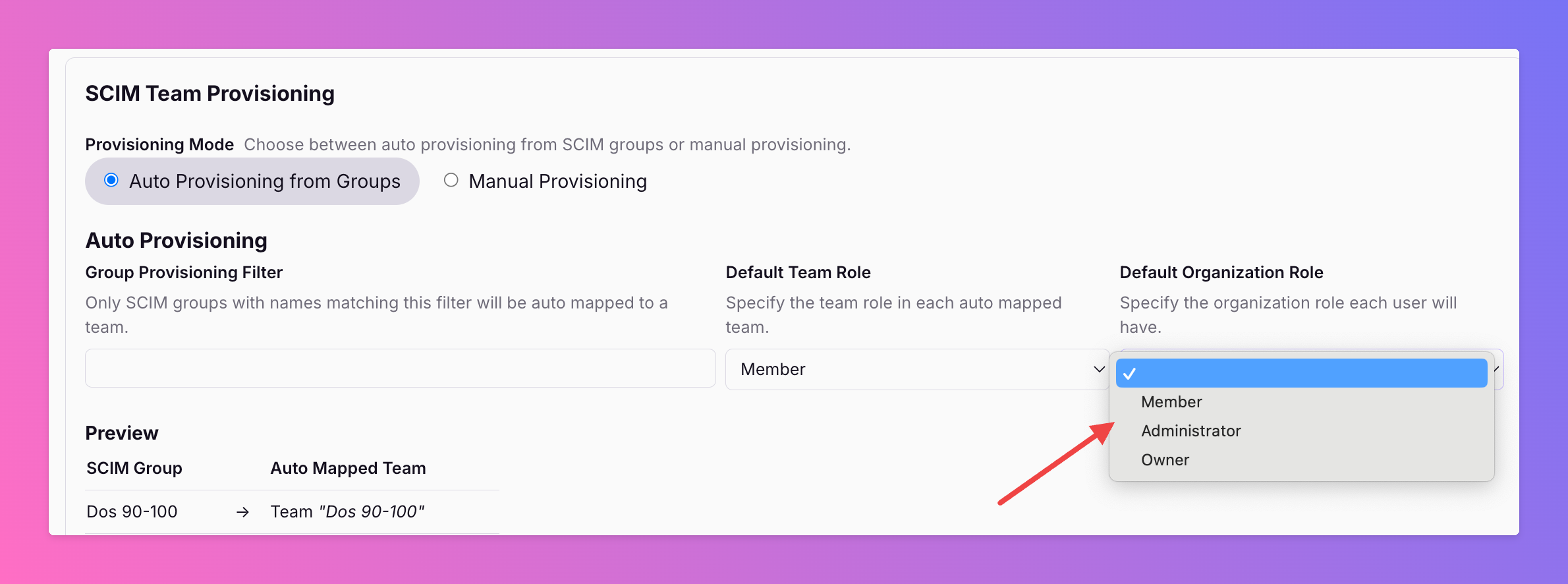
SCIM | Provision Organization Roles
If you're using SCIM provisioning, you can now provision organization roles for your SCIM user groups. Auto-Provisioning: Add a default organization role for all provisioned users (see above)
-
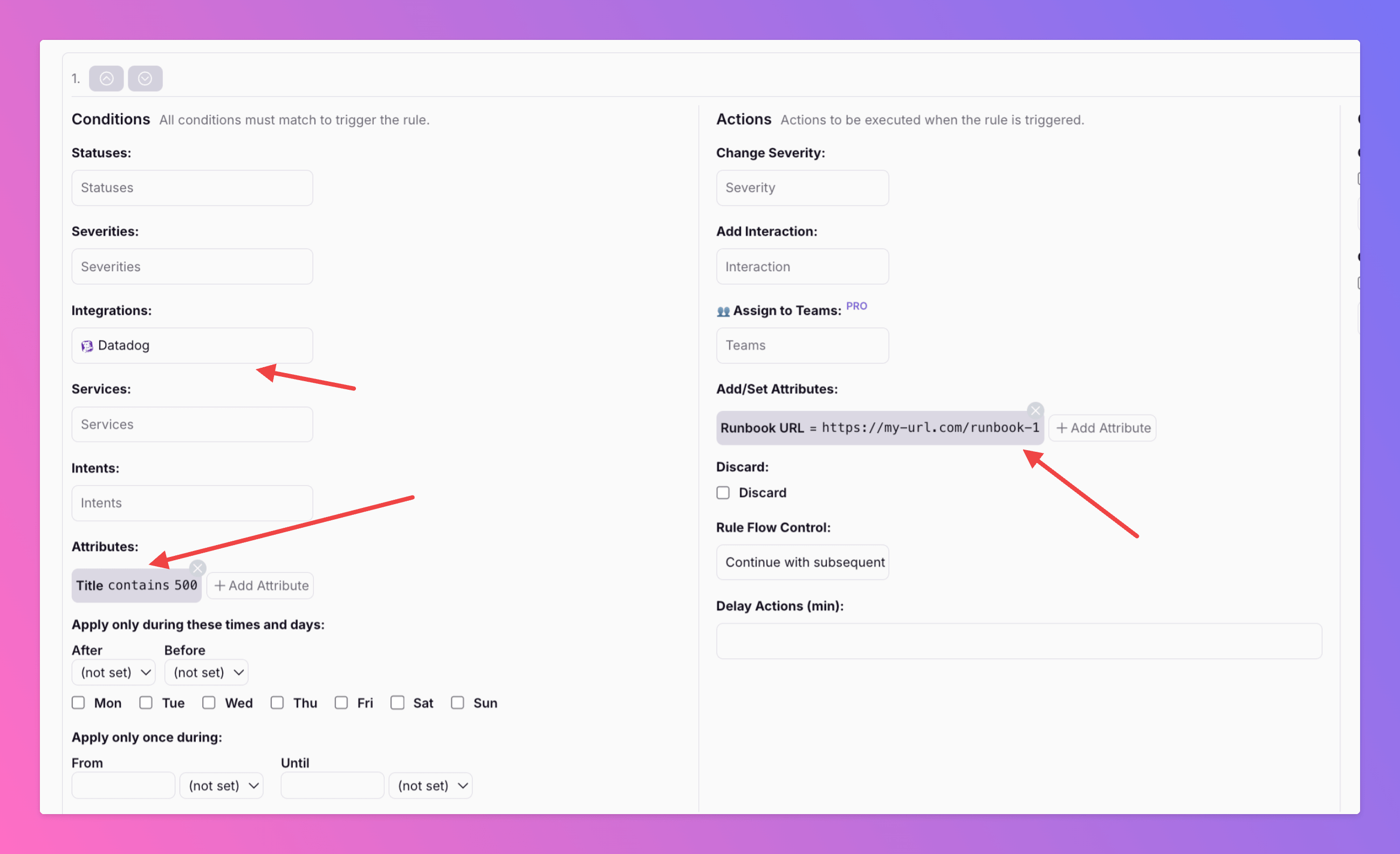
Add or Change Incident Attributes based on Incident Conditions
Want to add or modify incident attributes based on specific conditions? With our latest update in the Routing & Workflows section, you can now do exactly that.
-
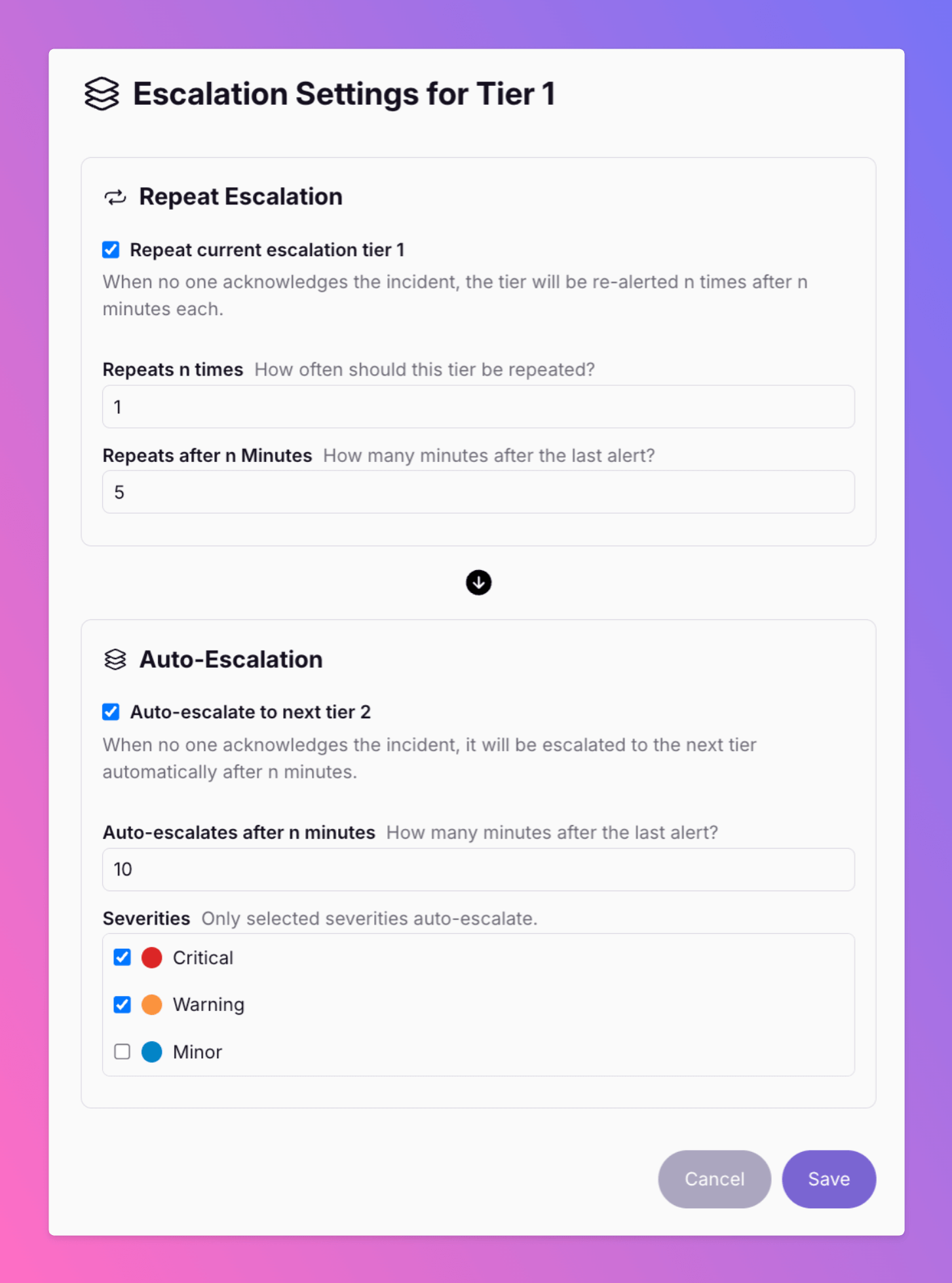
New - Repeat Escalation Tier & Filter for Severities
We've added further improvements to the Team Escalations. ______________________________________________________________________________________ Want to re-alert your Tier 1 users before auto-escalation to Tier 2?
-
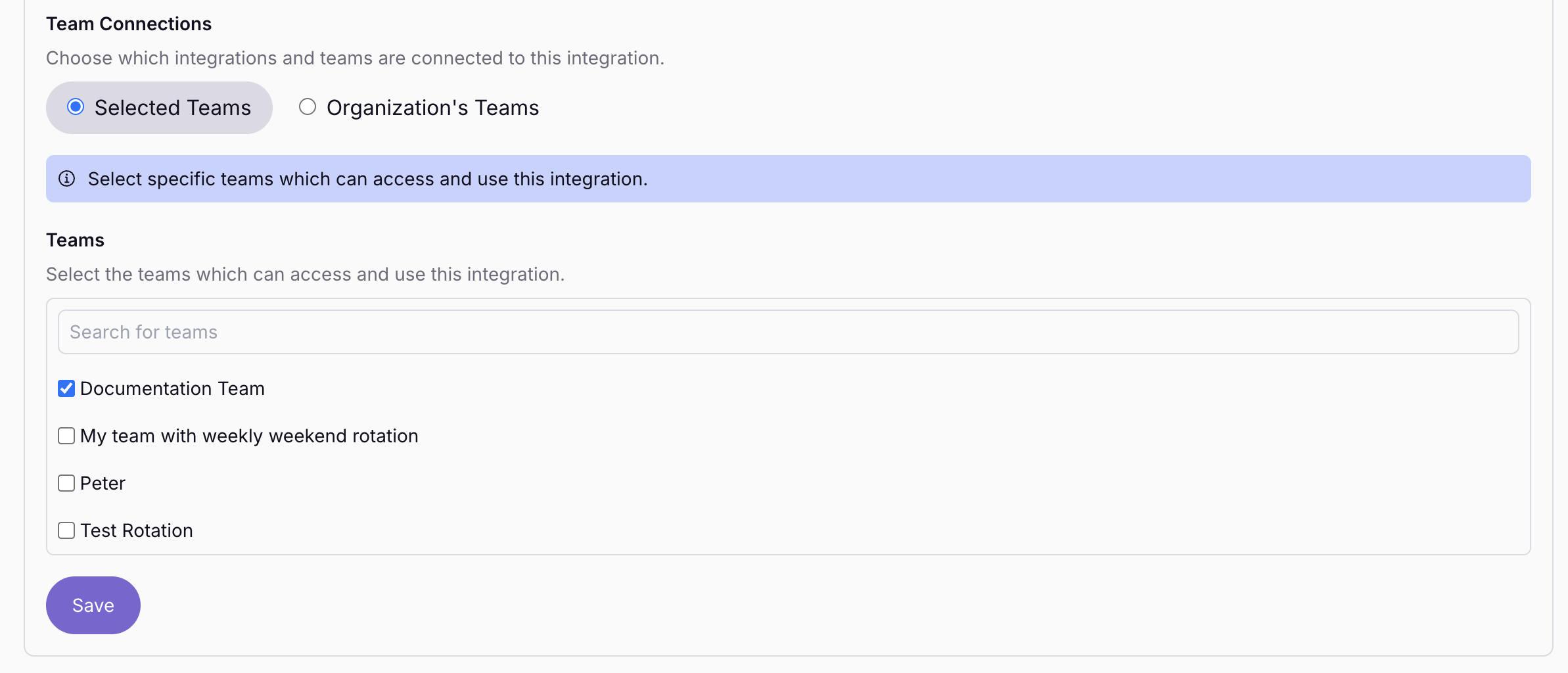
Connect one Outbound Rotation with Multiple Teams
Available for Pro and Enterpris Plan You can now connect one outbound integration with multiple teams. This feature brings several advantages.
-
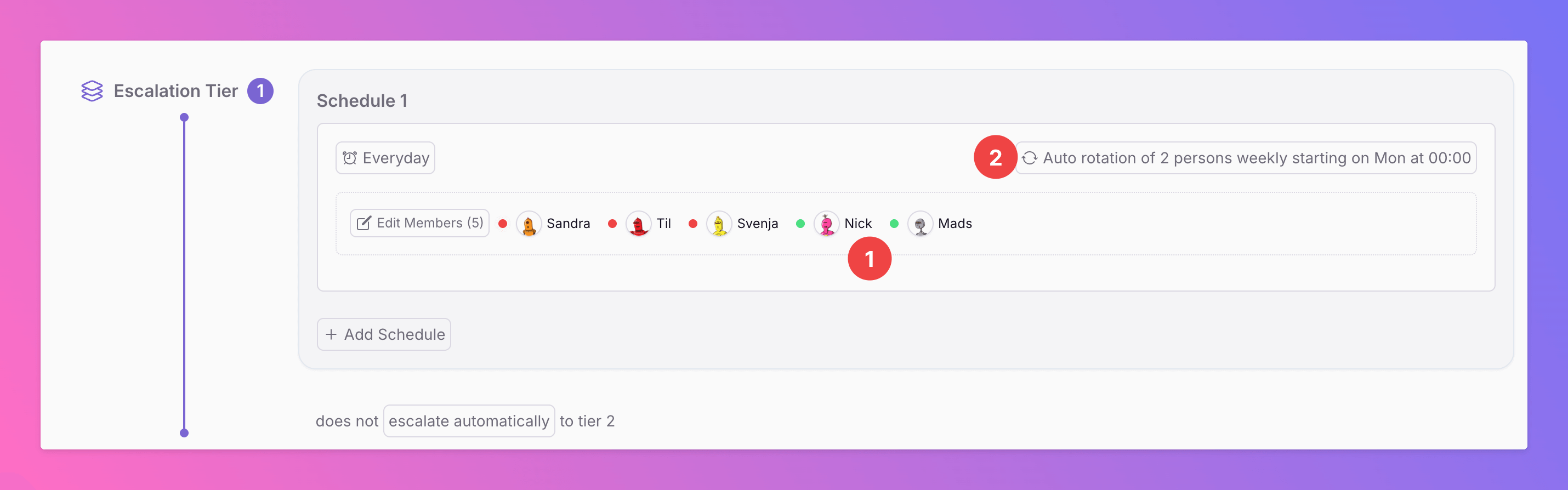
Auto-Rotations Are Live
With Auto Rotations , your team’s on-call duties rotate automatically, eliminating the need for manual setup. In the example above, a team of five members rotates on-call duty weekly in pairs:
-
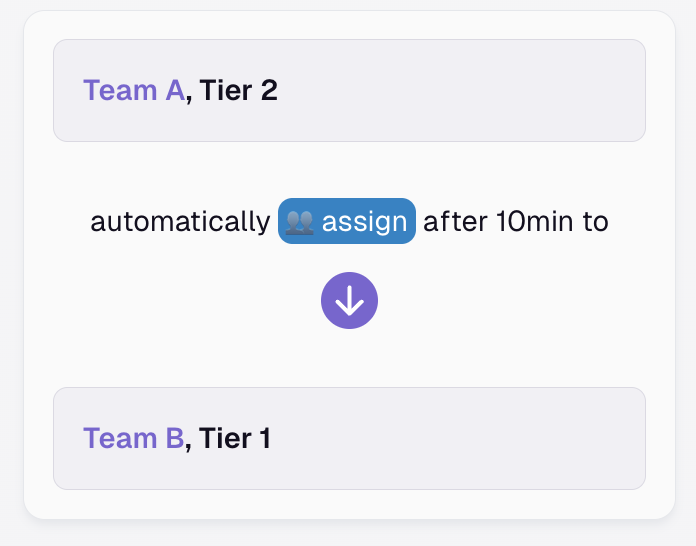
Assign Action - Escalate Incidents Across Several Teams
Need to involve colleagues from other teams to resolve an incident? Or want to reassign it to a totally different team?
-
🚀 Introducing the Microsoft Teams Integration
We’re excited to announce that All Quiet now integrates with Microsoft Teams, making it easier than ever to keep your team connected and informed. What Does This Mean for Your Team?
-

Create Incidents from Linear & Jira
We've extended the functionality of our Linear and Jira integrations. Now, you can also use them as an inbound integration and create All Quiet incidents by creating issues in you Jira & Linear board.
-

New Integration - Elastic Observability
We just release our integration for Elastic Observability. Now, you can create All Quiet incidents from alerts in your Elastic Observability Project.
-
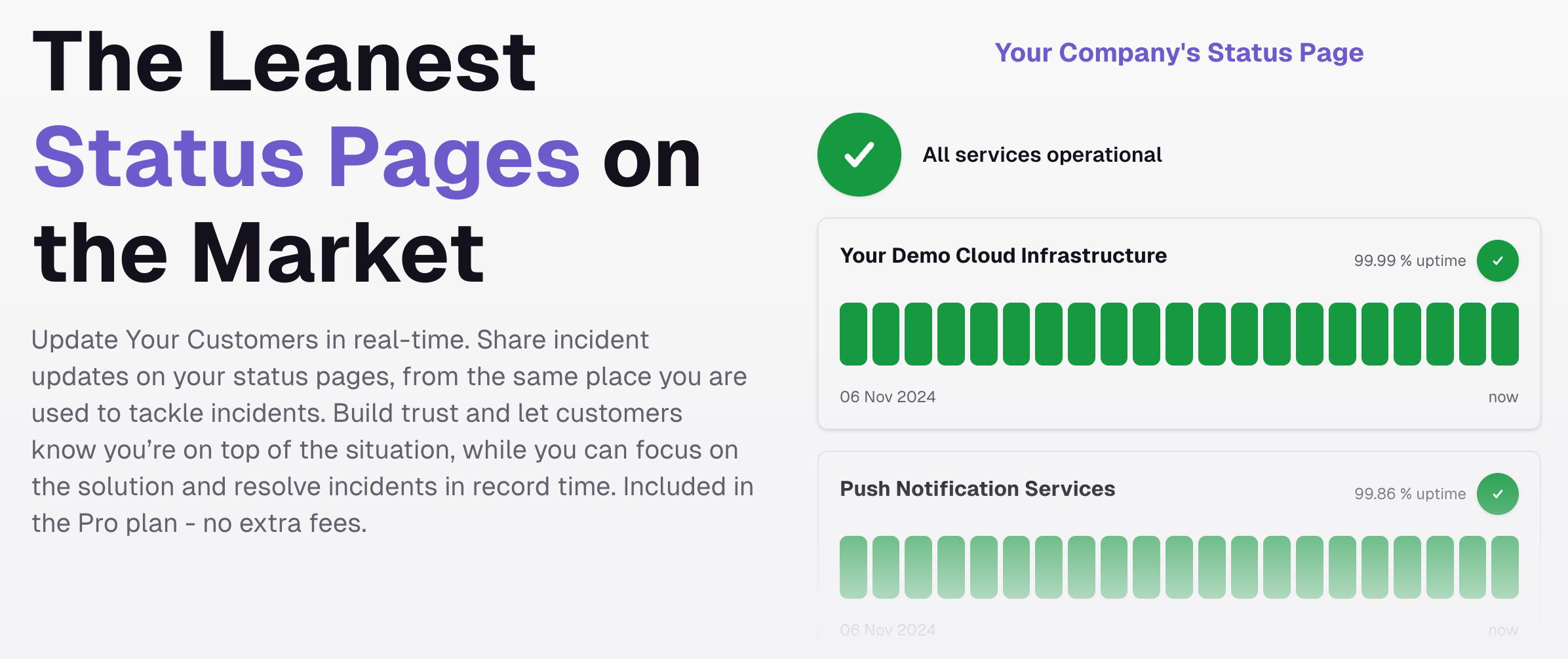
🆕 - Status Pages
We just released the leanest Status pages on the market. Update your customers in real-time, whether it's to show your uptime, or if something is going wrong.
-
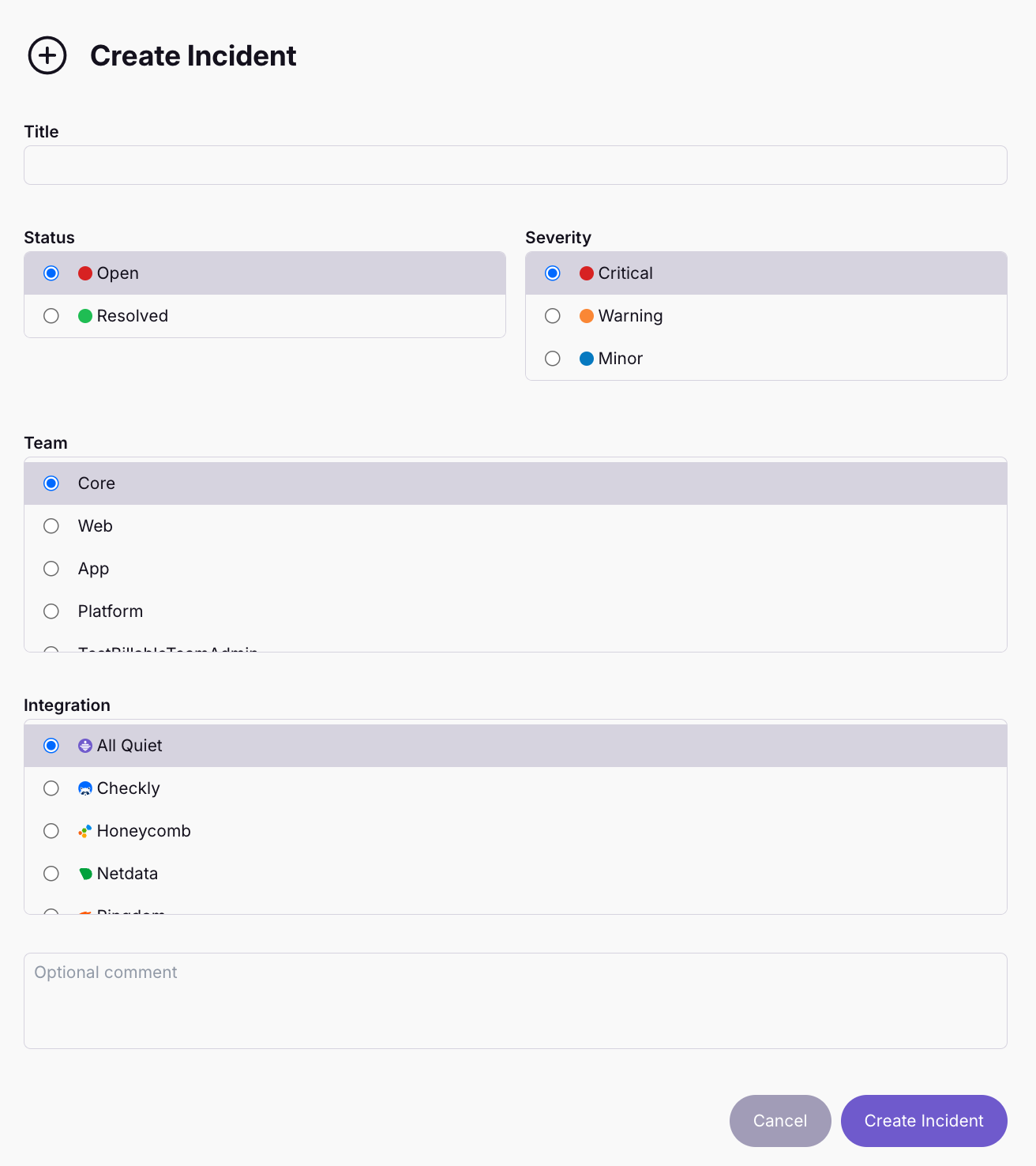
🆕 Manually Create Incidents
🤔 Sometimes, you know there's something wrong but your observability tools are silent. For these cases, we added the option to manually create incidents in All Quiet.
-
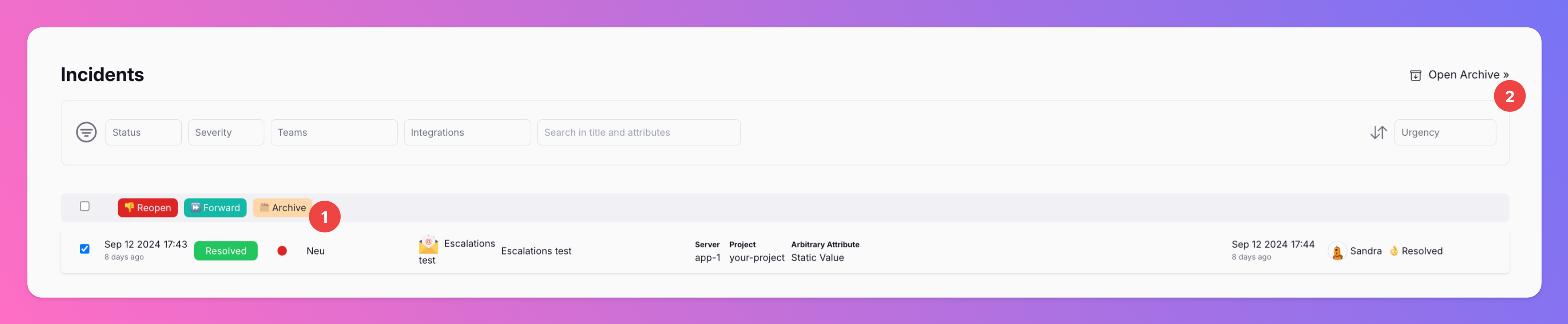
New \\\\
If you want to clean up your incidents overview, you can now archive incidents. Archiving incidents does not change their resolution state, only moves them from the incidents overview to the archive.
-
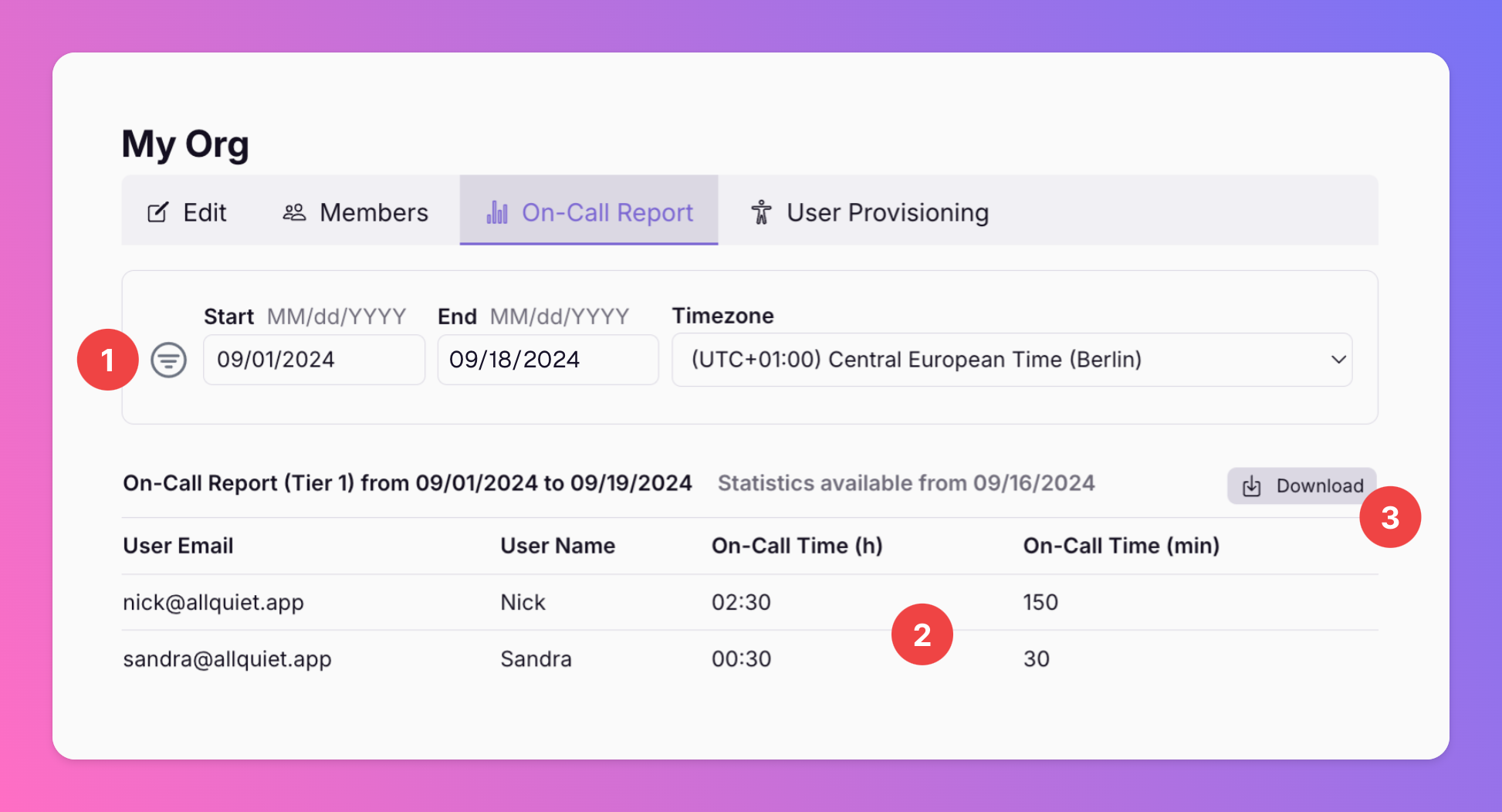
New: On-Call Reports
Available for Organizations with Pro and Enterprise plans. With this new report, you can get an overview of the on-call times of all of your organization's users.
-

When All-in-One tools meet. Connect Notion with All Quiet
Notion is one of today`s most celebrated software tools. And for good reason. It's usability and depth make it THE all-in-one productivity solution.
-
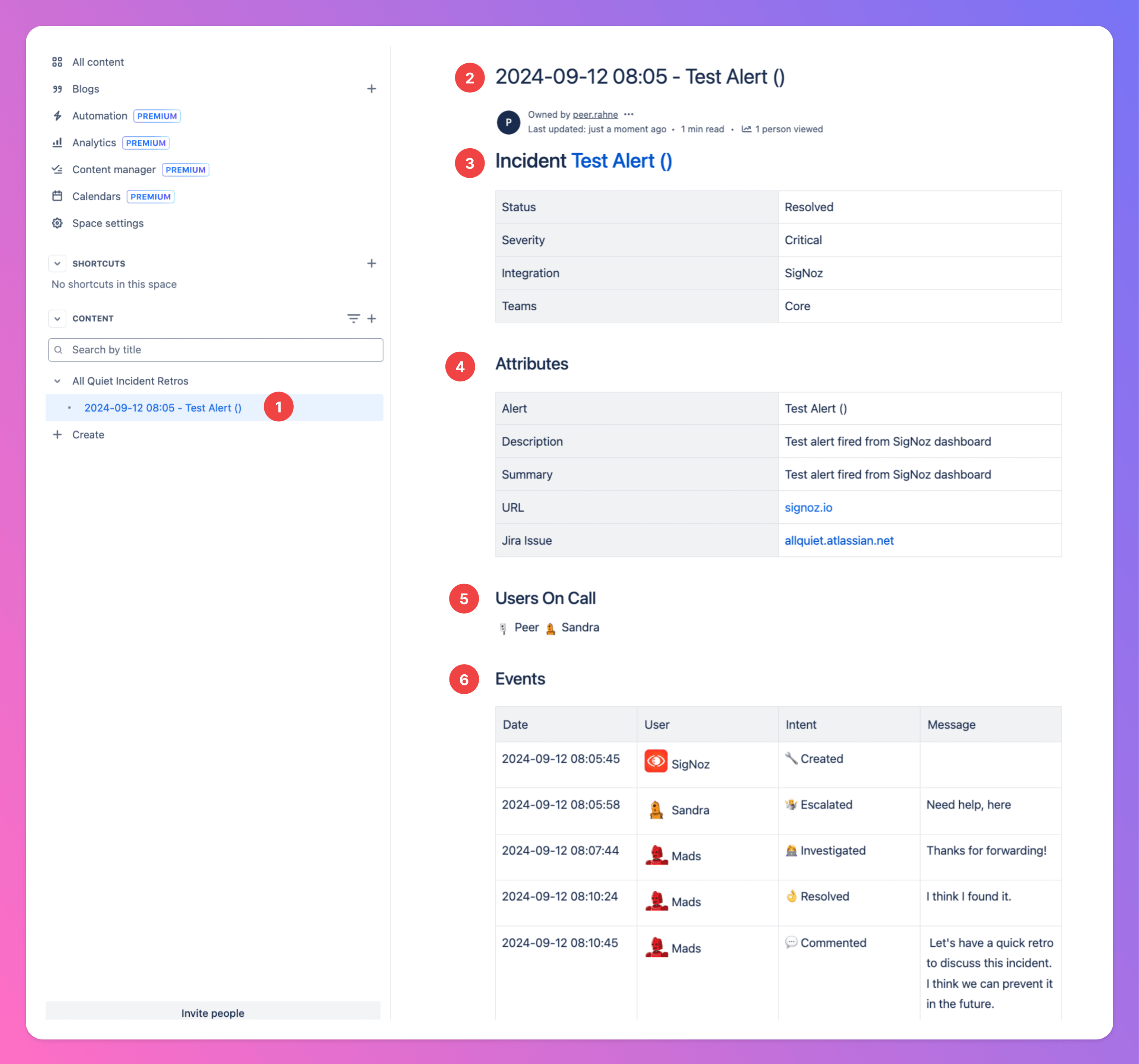
Incident post-mortems and retrospecives with Confluence
We started as an on-call platform, but are continously trying to help you improving your whole incident response cycle. That's why we added an outbound integration with Atlassian's Confluence.
-

Manage Incidents with Jira
Jira is the O.G. of product development software and by far the most used tool of this kind.
-

Manage your incidents with Linear
As we love using Linear as much as many of you, we wanted to make sure to build an integration. From now on, you can automatically create Linear issues from All Quiet incidents, pre-filled with incident details.
-
Introducing our SigNoz Integration
SigNoz is a new open source alternative to DataDog and New Relic. From now on, you can send your SigNoz alerts to All Quiet and benefit from our on-call management and incident response features.
-
New Product: All Quiet Website Monitor
We've added a website / HTTP Monitor to All Quiet, allowing you to easily check the availability and response times of their your websites.
-

Netdata Integration is live!
We added another inbound integration. Connect Netdata and All Quiet via webhook and create All Quiet incidents based on Netdata alerting.
-
Out Checkly and Pingdom Integrations are here!
We just added new inbound integrations for Checkly and Pingdom, allowing you to connect their monitoring with our end-to-end incident management.
-

Our AppSignal Integration is here
We are happy to announce our new AppSignal Inbound Integration. Create All Quiet incidents with AppSignal alerts and errors. Notifiy All Quiet via Webhook for any types of detected anomalies or downtimes.
-
New: 3-Click PagerDuty Importer
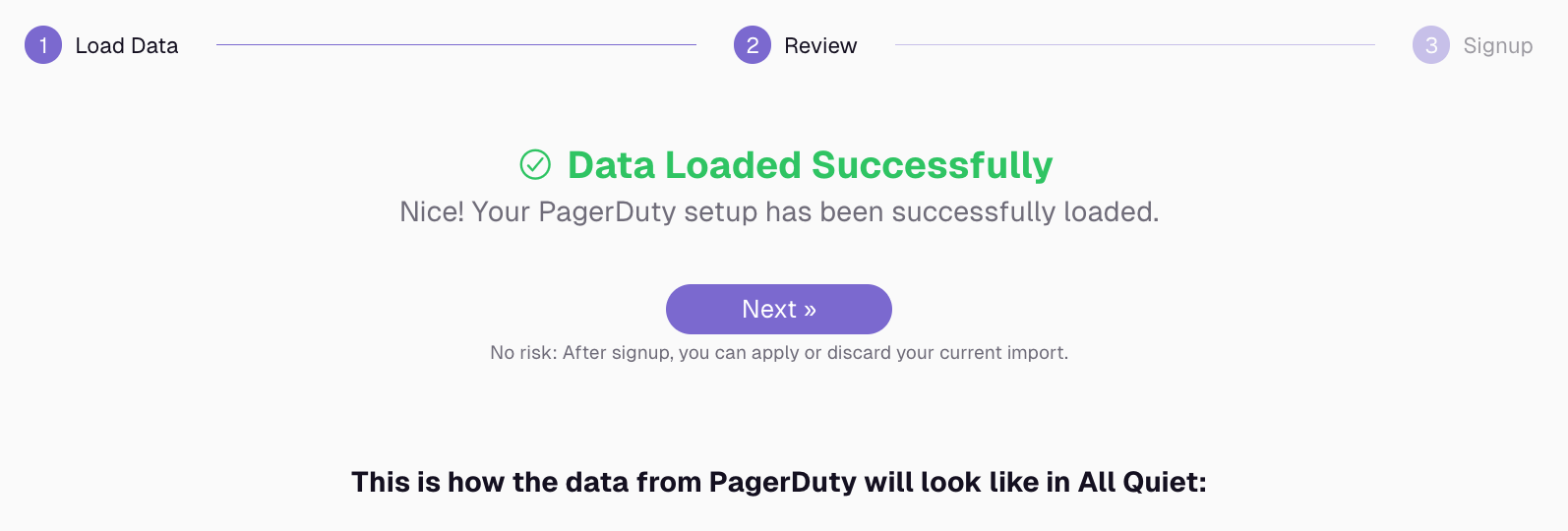
[Retired] We're excited to introduce a new 3-click importer to seamlessly bring your PagerDuty setup into our platform! API Key : Enter your PagerDuty API key to securely connect your account.
-

New Inbound Integration for Site24x7
We just added our new integration for Site24x7, allowing you to create incidents in All Quiet using alerts from your Site24x7 Monitors. Here's how you set up the integration in ~2 minutes:
-

Our Rollbar Integration is Here!
Use our new Inbound integration to connect our incident management platform with Rollbar's real-time error tracking.
-

Introducing Our Zapier Integrations!
We're excited to announce All Quiet now supports Zapier! Zapier allows you to connect our platform with over 3,000 apps, automating your workflows and saving you valuable time.
-
Our Dynatrace Integration is Here!
We're thrilled to announce that All Quiet now supports Dynatrace! This integration allows you to use Dynatrace alerts and notifications for performance issues and anomalies to create custom All Quiet incidents.
-
We added an Inbound Integration for Cisco AppDynamics!
This integration allows you to forward Cisco AppDynamics alerts to All Quiet by setting up custom HTTP Requests. Set up your integration within minutes: https://docs.allquiet.app/integrations/inbound/appdynamics
-
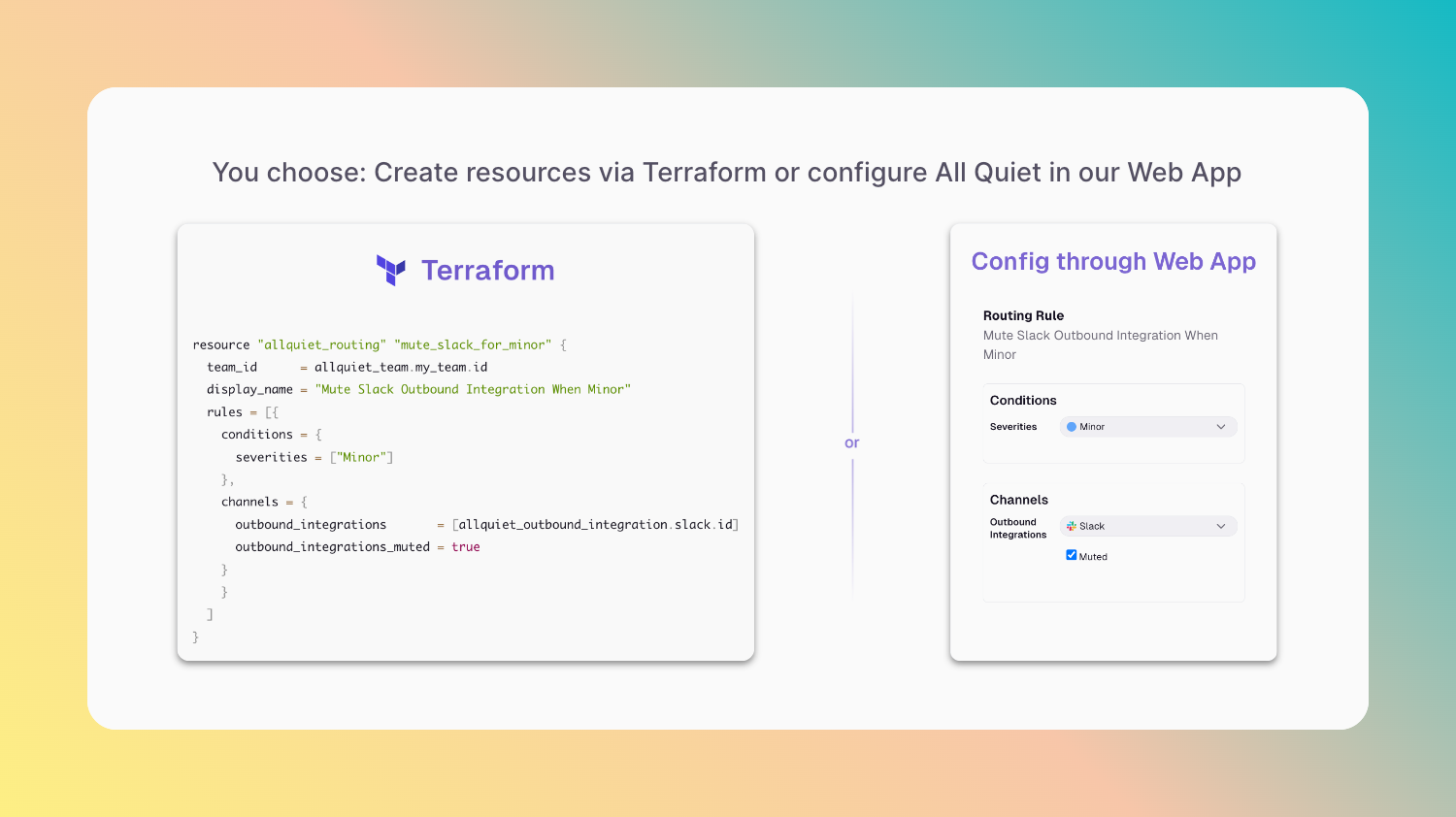
Our Terraform Provider is here!
We are excited to announce the release of our new Terraform provider! This integration allows you to manage and automate your All Quiet resources using Terraform, the leading Infrastructure as Code (IaC) tool.
-
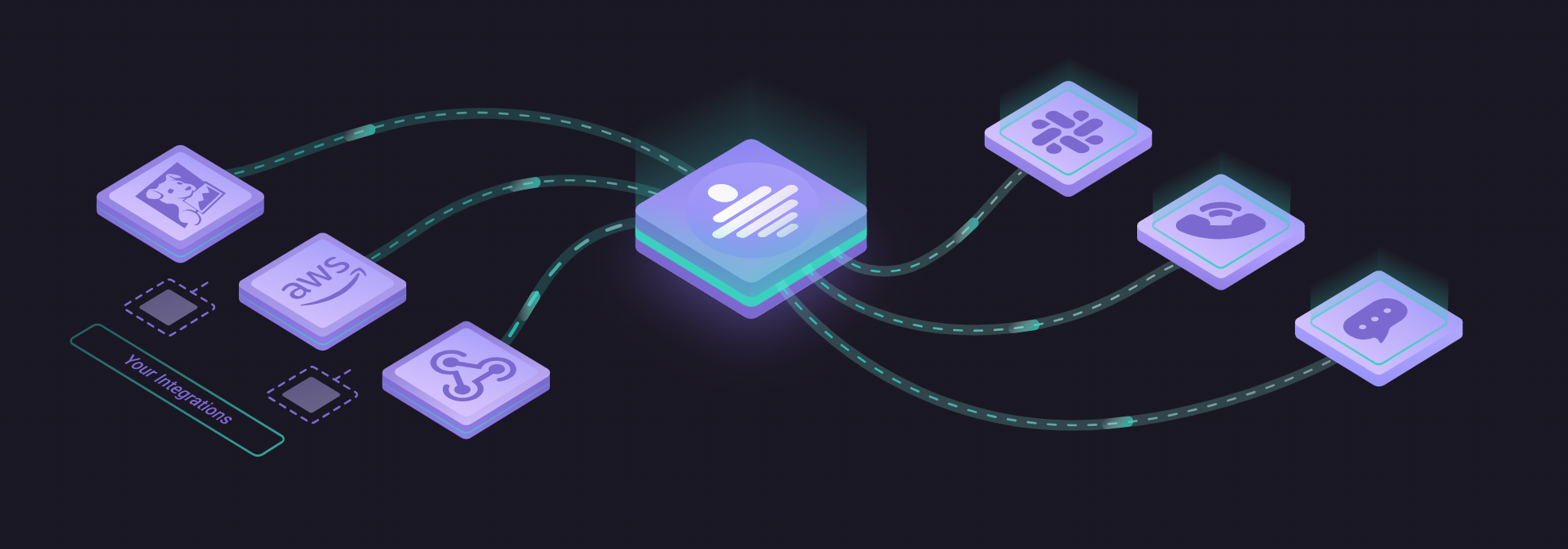
Dark Mode is Here!
UPDATE: Dark Mode is now also available on our mobile apps for iOS and Android. We are thrilled to announce that All Quiet now supports Dark Mode!
-
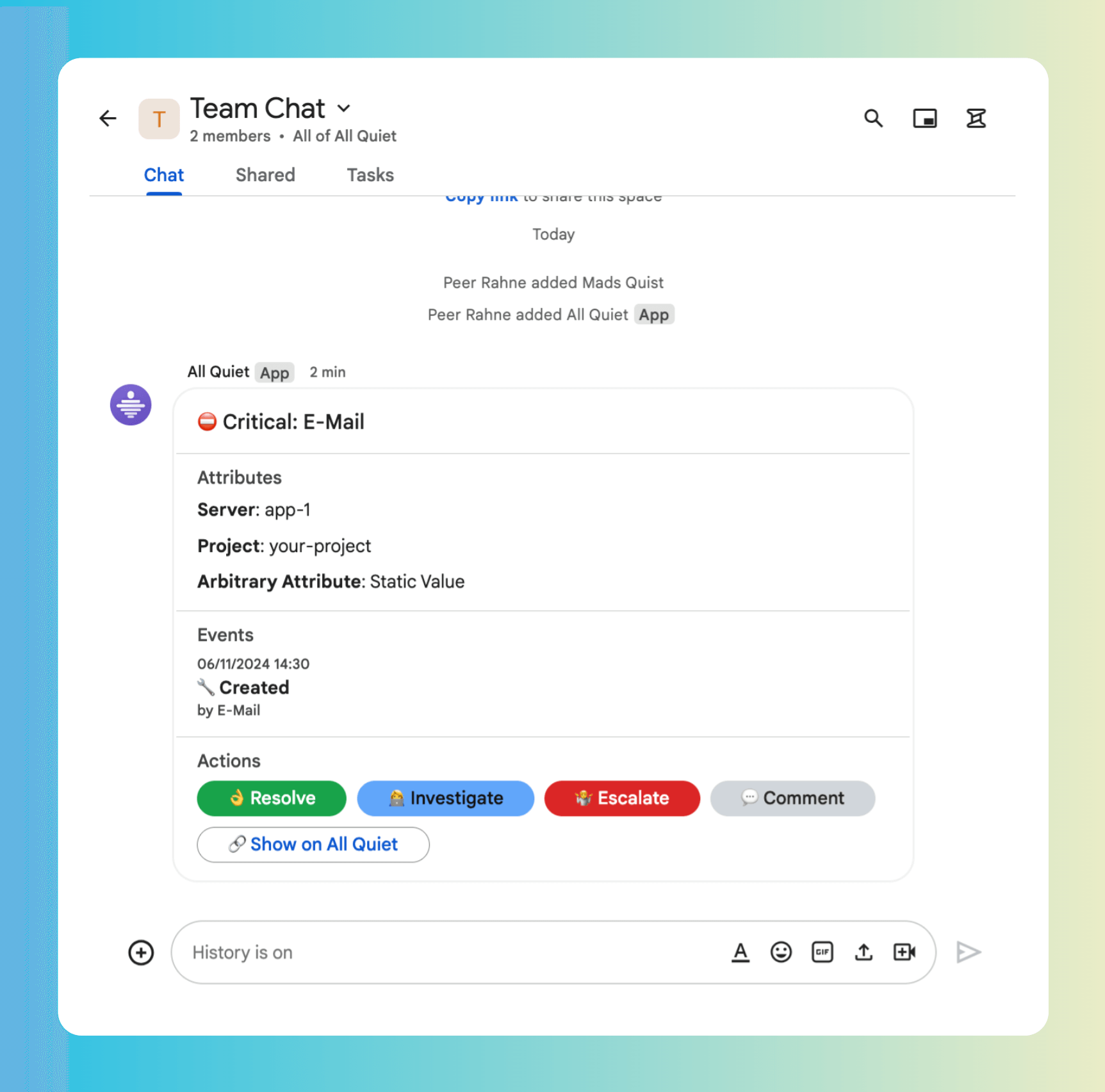
Our Google Chat Integration is Here
We've added a new outbound integration for Google Chat. Simplify incident management by consolidating all notifications and actions in your team's Google Chat.
-

Introducing Honeycomb.io Integration
We've added a new inbound integration for honeycomb.io, one of the best known observability tools in tech. It enables you to connect your Honeycomb triggers with our on-call incident management.
-
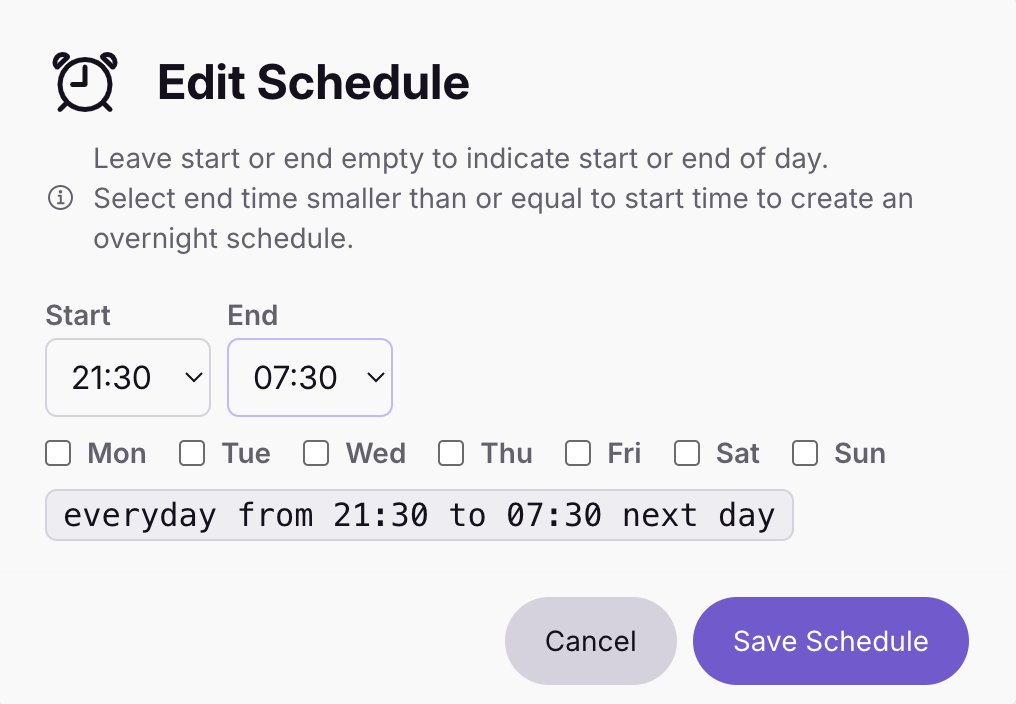
Introducing Overnight Shift Planning
We heard you and we are excited to announce a new feature that makes planning overnight shifts much easier than before.
-
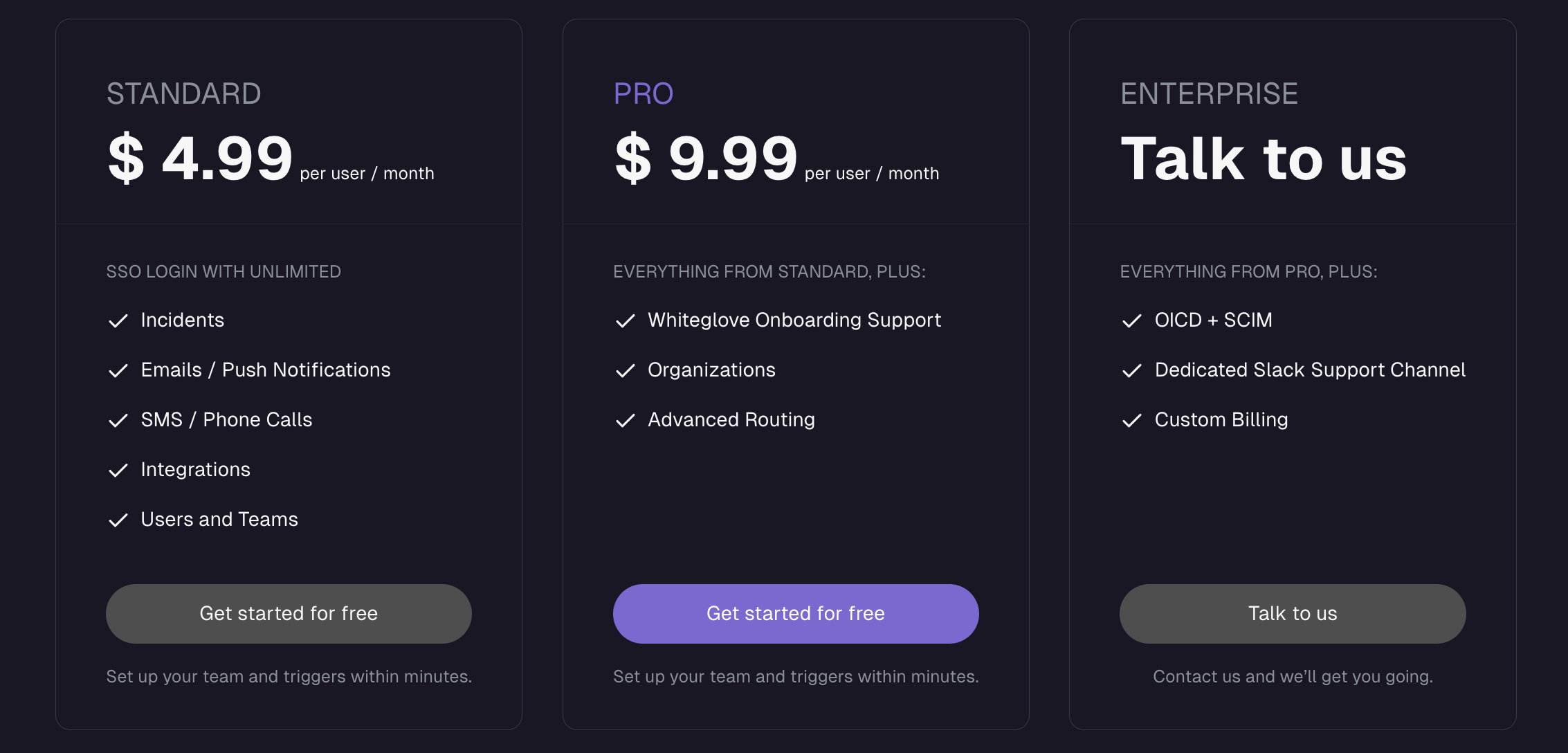
Introducing PRO and ENTERPRISE plan
We're excited to announce the introduction of two new plans alongside our existing STANDARD plan priced at $4.99 per user/month, including to a wider range of product features.
-
We are thrilled to unveil our new branding!
New Logo: A fresh, modern logo to represent our brand. Updated Style on our website: Refined color palette, typography, and design elements.
-
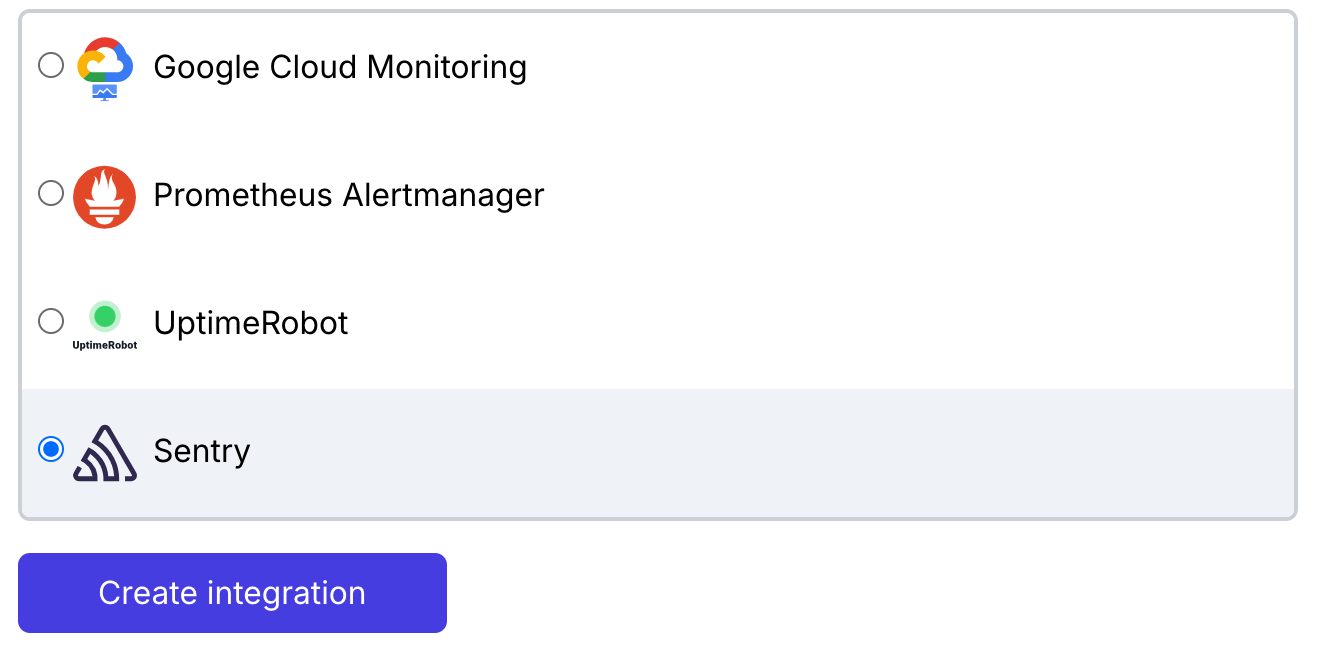
Introducing Sentry Integration
We've added a new inbound integration for Sentry, one of the world's most used and best known monitoring services in tech. It enables you to connect your Sentry monitoring with our on-call incident management.
-
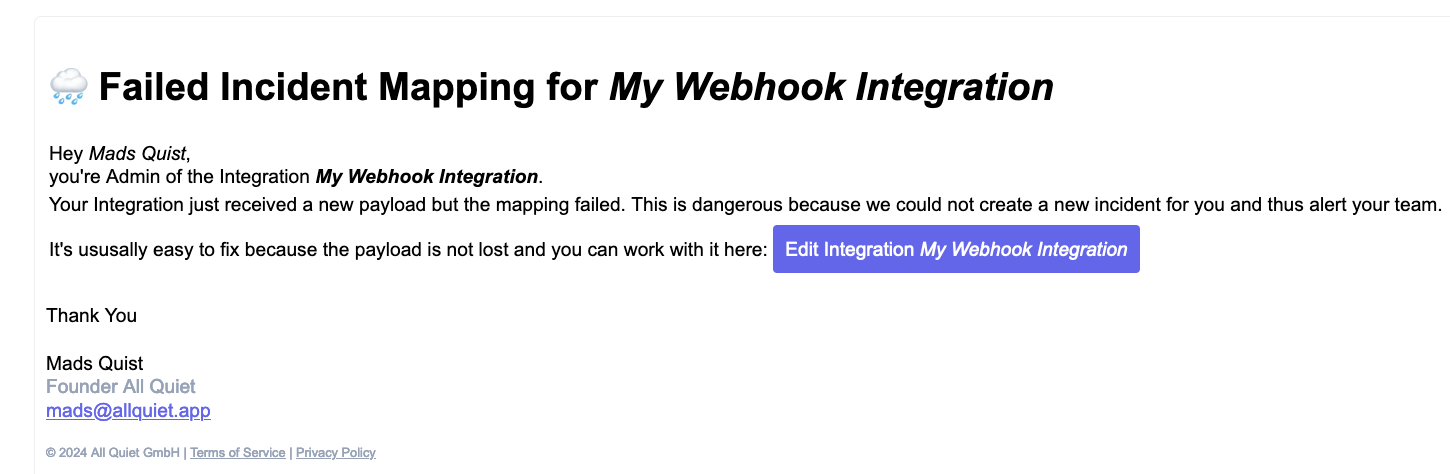
Notification of Failed Integration Mappings.
We're pleased to announce the release of a new, highly beneficial feature in All Quiet: Notification of Failed Integration Mappings .
-
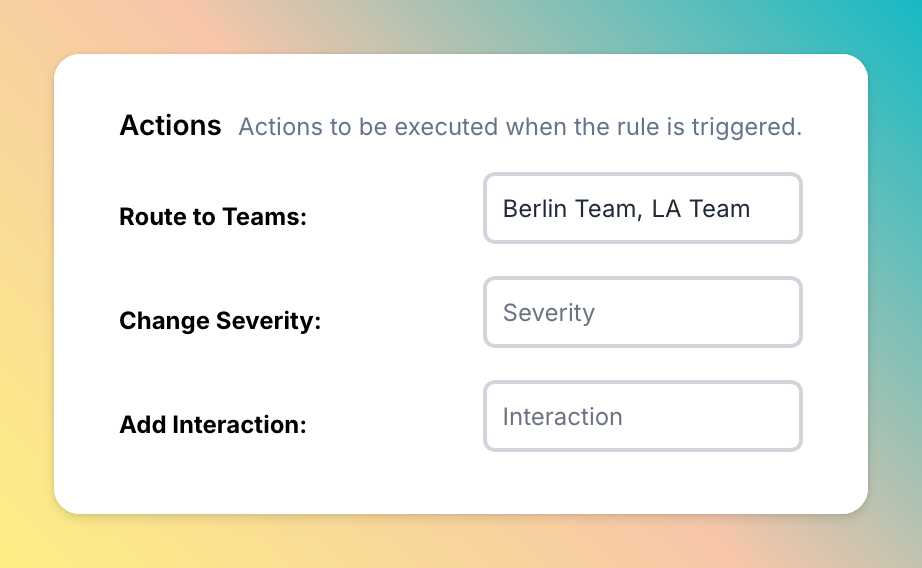
Organizations
We're excited to announce the launch of a new feature in All Quiet: Organizations .
-
New Docs + Incident Routing!
We've launched two major updates to All Quiet: a complete revamp of our documentation and the introduction of advanced incident routing.
-
Sorting, Filtering & New Slack Commands!
We've launched a new Incident page. This page not only presents incidents in a filterable and sortable list for quick access but also allows for bulk actions.
-
Introducing Personal Overrides
At All Quiet, we're dedicated to promoting calmness to empower more productive teams. That's why we're excited about this major enhancement!
-
Delay notifications, Auto Fill-up Tiers & More
Delay & Customize Notification Channels We've adapted our notification delivery to help users make All Quiet work for them.
-
Happy Monday! New Onboarding Steps, Help Section & More
Onboarding Wizard We've added an onboarding wizard that helps new users set up their first team, inbound integration, personal notification channels and trigger an incident. All in less than 5 minutes.
-
Generic Outbound Webhooks, Maintenance Mode & More
Generic Outbound Webhook We've added a generic Webhook outbound integration, enabling our users to connect with virtually any third-party service that accepts HTTP requests.
-
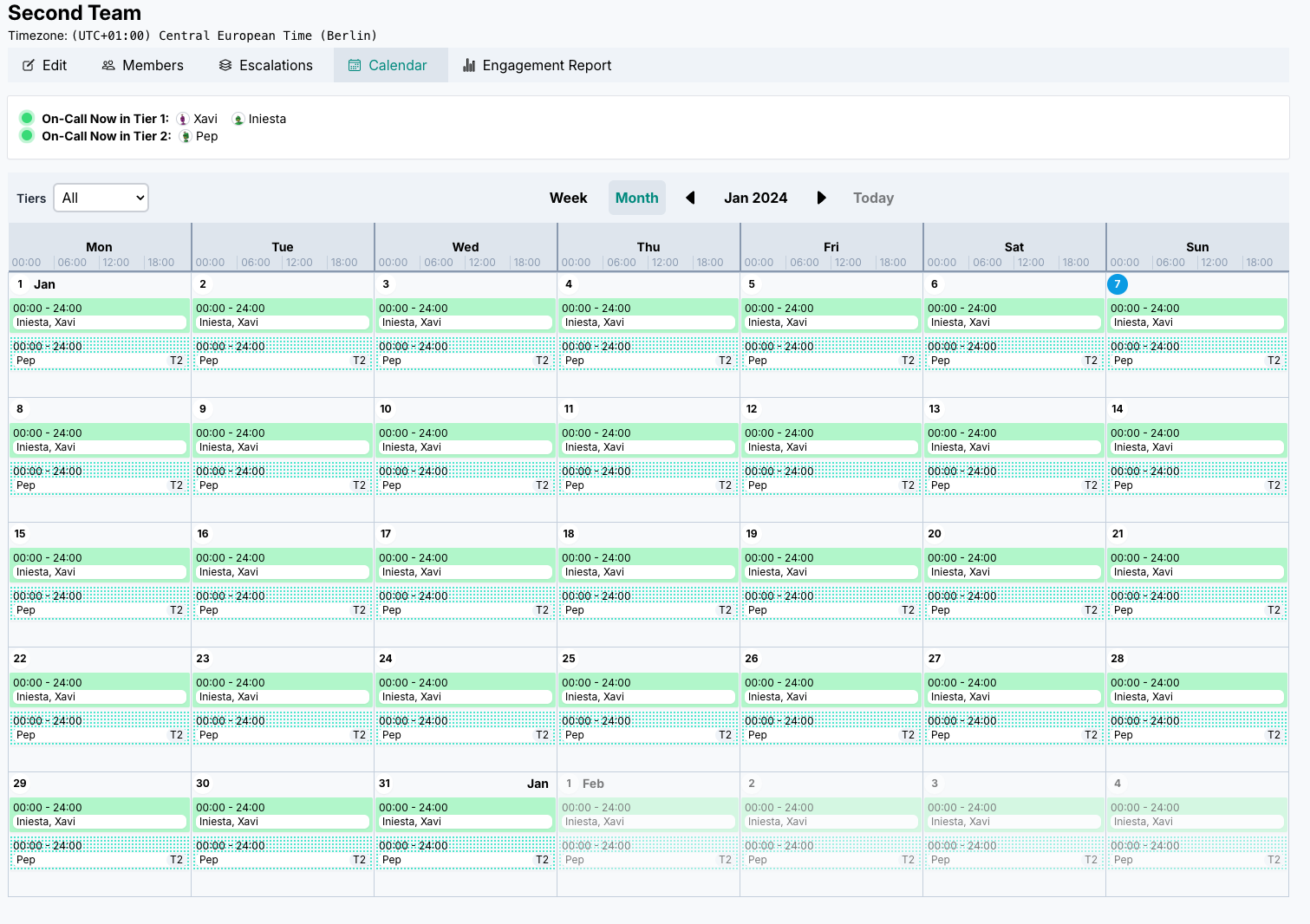
Welcome!
Hi 👋🏻 welcome to our new changelog (& roadmap)! We are excited to kick off our changelog with an update that has been requested by many customers: A brand new scheduling calendar UX
Building the best incident management product
release by release
This changelog is our continuous effort to ship the best incident management platform for on-call and incident response: faster alert acknowledgment, smarter routing and escalations, clearer on-call workflows, and status updates stakeholders trust when production breaks. All Quiet improves in the open: features, refinements, and fixes land often because your outages do not wait. Start a free 14-day trial or talk to us about what we are building next for your team.
Published · Updated